Print numbers in spiral order

Write a program that takes as input a positive integer N and prints out numbers 1 to N in spiral order. The number 1 is at center of the spiral and the numbers spiral outward counter-clockwise. E.g. if N = 100, the program should output:
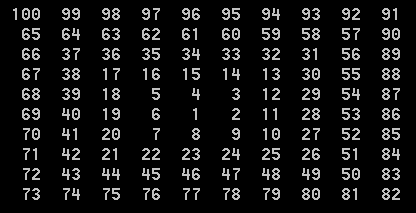
spiral

Solution:

using System;

namespace MyApp
{
    class Program
    {
        static void Main(string[] args)
        {
            if (args.Length >= 1)
            {
                int N;
                if (int.TryParse(args[0], out N))
                {
                    if (N > 0)
                    {
                        var d = Math.Sqrt(N);
                        var m = (int)Math.Ceiling((d - 1) / 2);
                        var p = 2 * m + 1;
                        var a = new int[p, p];
                        fill(a, m, m, N);
                        print(a, N);
                    }
                }
            }
        }

        static void print (int[,] a, int N)
        {
            int L = N.ToString().Length;
            int p = a.GetLength(0);
            var fmt = "{0," + L + "} ";
            for(int row = 0; row < p; row++)
            {
                for(int col = 0; col < p; col++)
                {
                    if (a[row, col] == 0)
                    {
                        Console.Write(fmt, string.Empty);
                    }
                    else
                    {
                        Console.Write(fmt, a[row, col]);
                    }
                }
                Console.WriteLine();
            }
        }

        static void fill(int[,] a, int startRow, int startCol, int N)
        {
            int rowIncrement = 0;
            int colIncrement = 1;
            int row = startRow;
            int col = startCol;
            int ctr = 0;
            int L = 1;
            bool ff = false;
            for(int i = 1; i <= N; i++, row += rowIncrement, col += colIncrement, ctr++)
            {
                a[row, col] = i;
                if (ctr == L)
                {
                    changeDirection(ref rowIncrement, ref colIncrement);
                    ctr = 0;
                    if (ff)
                    {
                        L++;                        
                    }
                    ff = !ff;                    
                }                
            }
        }

        static void changeDirection(ref int r, ref int c)
        {
            if (r == 0 && c == 1)
            {
                r = -1;
                c = 0;
            }
            else if (r == -1 && c == 0)
            {
                r = 0;
                c = -1;
            }
            else if (r == 0 && c == -1)
            {
                r = 1;
                c = 0;
            }
            else if (r == 1 && c == 0)
            {
                r = 0;
                c = 1;
            }
            else
            {
                throw new InvalidOperationException();
            }
        }
    }
}
Posted in Software | Leave a comment

Jagged vs rectangular arrays

http://www.dotnetperls.com/jagged-2d-array-memory
http://blog.mischel.com/2013/05/08/are-jagged-arrays-faster-than-rectangular-arrays/

The two-dimensional array will result in less work for the garbage collector, but can be slower when accessing elements.

A rectangular array consists of a single allocation of size rows * cols * element-size, plus about 50 bytes of overhead for array metadata. A jagged array requires somewhat more memory. It consists of an allocation of size rows * sizeof(IntPtr) (plus metadata), and there is a separate allocation for each row, of size cols * element-size.

Don’t immediately fall for the simplistic “jagged is faster” hype that’s all too often spouted as a matter of faith without understanding the wider implications.

The rectangular array is one big block of memory. The jagged array is one block of memory for an array of row references, and a separate block of memory for each row. Accessing an arbitrary element in a jagged array, then, requires two separate lookups in memory that can be scattered all over. The result is approximately twice as many cache misses for the jagged array when compared to the rectangular array.

It’s pretty clear here that traversing a jagged array sequentially is hugely faster than traversing an equivalent rectangular array. The primary reason, it turns out, is array bounds checking. When accessing array[i, j], the runtime has to check the bounds of both indexes. You would think that it would have to do the same thing for the jagged array, but the compiler optimizes the code to something akin to this:
private int SimpleSumJagged2(byte[][] array, int rows, int cols)
{
var SimpleSum = 0;
for (var i = 0; i < rows; ++i)
{
var theRow = array[i];
for (var j = 0; j < cols; ++j)
{
SimpleSum += theRow[j];
}
}
return SimpleSum;
}

Posted in Software | Leave a comment

Random Articles

http://yosefk.com/blog/why-bad-scientific-code-beats-code-following-best-practices.html
https://whathecode.wordpress.com/2011/02/10/camelcase-vs-underscores-scientific-showdown/
http://yosefk.com/blog/ihatecamelcase.html
http://yosefk.com/blog/c11-fqa-anyone.html
http://yosefk.com/blog/the-c-sucks-series-petrifying-functions.html

Posted in Software | Leave a comment

Software Development in a big company

https://msdn.microsoft.com/en-us/magazine/dn973009.aspx

To give you some perspective, a week before I started working, I was writing about 2,000 lines of quality, production-level lines of code a day. After my first week of work, I had written about 10 lines. Which didn’t compile. The development environment alone took a couple of weeks to set up. This included setting up all the necessary software, source enlistments and, of course, the permissions … so many permissions.

is this a good thing?

Posted in Software | Leave a comment

How to prevent certain programs from automatically starting up when you log on to Windows?

i have tried this on windows 7
1. Run “msconfig“.
2. Click the Startup tab.

Posted in Software | Leave a comment

Image Randomizer

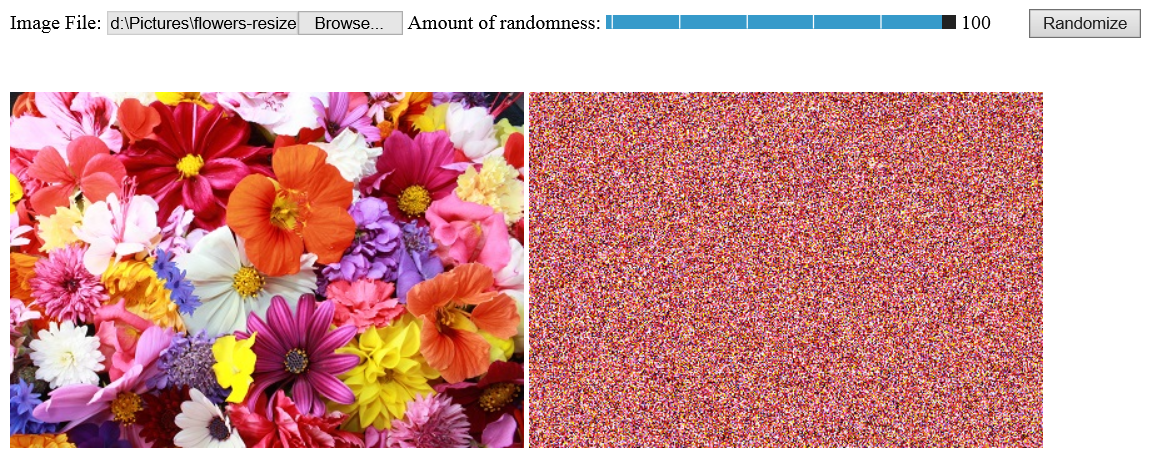
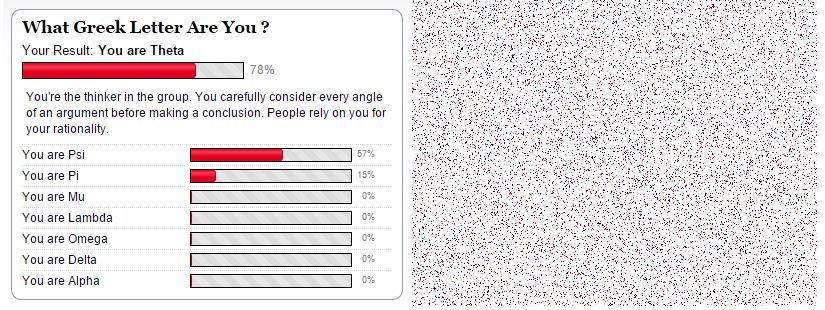
Yesterday I had the idea of making a toy program that would randomize the pixels of an image i.e., pixel (i,j) would be shuffled to appear at a random location (k,l) in the image. In other words, the program creates a random permutation of the image. You can find it here and a screenshot is copied below:
randomize_image
randomize2

Posted in Software | Leave a comment

Windows PATH FAQs

Is there a command to refresh environment variables from the command prompt in Windows?

How to update PATH variable permanently from cmd? Windows

List all environment variables from command line?

Posted in Software | Leave a comment

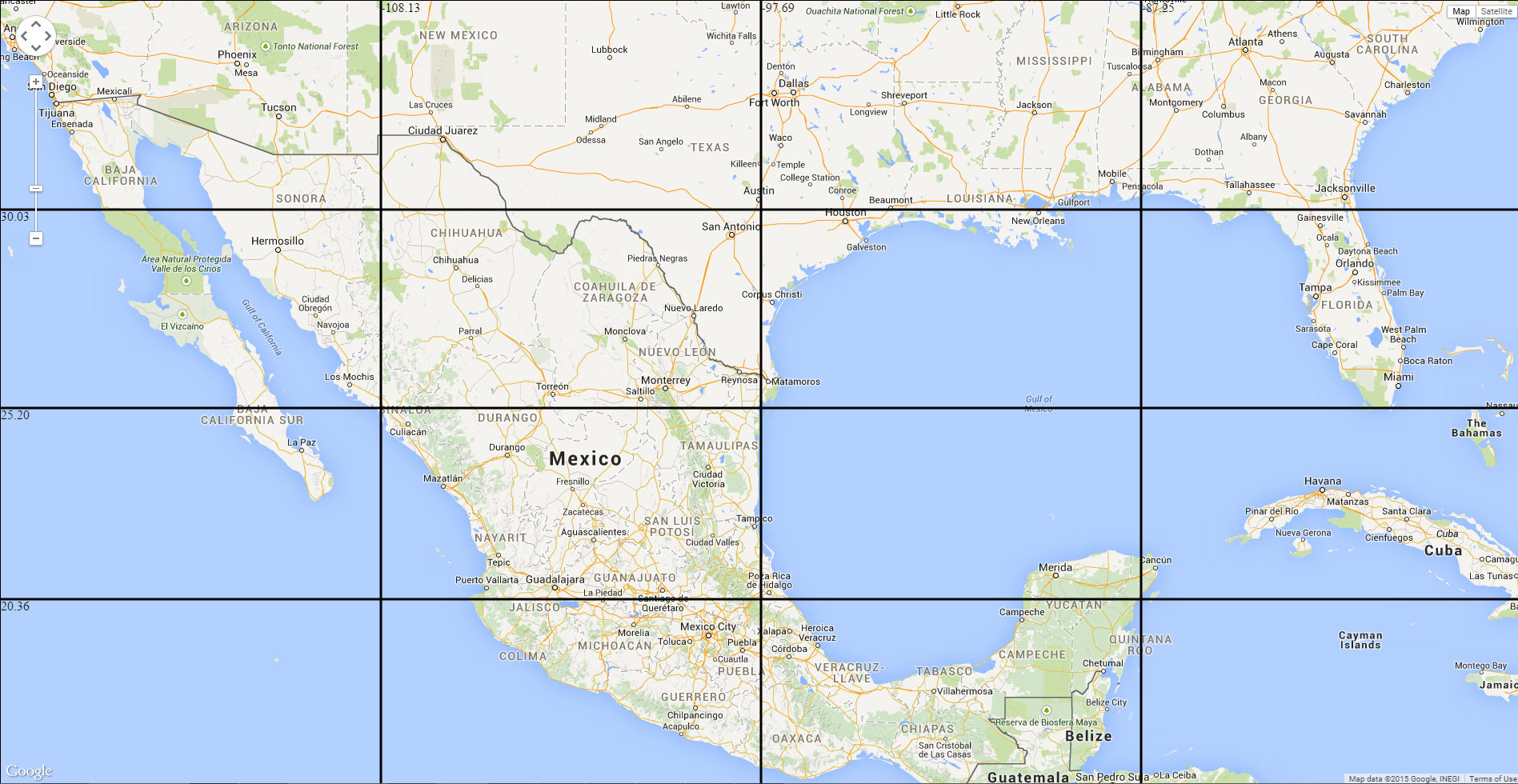
Map with latlong grid

https://dl.dropboxusercontent.com/u/74728667/latlonggrid.html
latlonggrid

Posted in Software | Leave a comment

Theano Installation on Windows

Contents of .theanorc (has to be stored under %USERPROFILE% which is c:\users\myname on my machine):

c:\theano\Theano>type %USERPROFILE%\.theanorc
[global]
device = gpu
floatX = float32

[nvcc]
flags = –use-local-env –cl-version=2013

in above, set cl-version to the version of VS you have installed. On my machine cl.exe corresponding to VS2013 is installed under D:\Program Files (x86)\Microsoft Visual Studio 12.0\VC\bin\x86_amd64 and the vcvarsall.bat is under D:\Program Files (x86)\Microsoft Visual Studio 12.0\VC

if you want to specify libpaths to nvcc in .theanorc do it like this:
flags = -Lc:\path1 -Lc:\path2 etc.

Contents of C:\Program Files\NVIDIA GPU Computing Toolkit\CUDA\v7.0\bin\nvcc.profile:

TOP = $(_HERE_)/..

NVVMIR_LIBRARY_DIR = $(TOP)/nvvm/libdevice

PATH += $(TOP)/open64/bin;$(TOP)/nvvm/bin;$(_HERE_);$(TOP)/lib;

INCLUDES += “-I$(TOP)/include” $(_SPACE_)

LIBRARIES =+ $(_SPACE_) “/LIBPATH:$(TOP)/lib/$(_WIN_PLATFORM_)”

CUDAFE_FLAGS +=
PTXAS_FLAGS +=

C:\Program Files\NVIDIA GPU Computing Toolkit\CUDA\v7.0\lib\Win32>dir
Volume in drive C is OSDisk
Volume Serial Number is 5AB3-9155

Directory of C:\Program Files\NVIDIA GPU Computing Toolkit\CUDA\v7.0\lib\Win32

03/28/2015 05:20 PM <DIR> .
03/28/2015 05:20 PM <DIR> ..
02/18/2015 04:09 AM 91,522 cuda.lib
02/18/2015 04:09 AM 200,226 cudadevrt.lib
02/18/2015 04:09 AM 67,552 cudart.lib
02/18/2015 04:09 AM 1,599,654 cudart_static.lib
02/18/2015 04:09 AM 7,602 nvcuvid.lib
02/18/2015 04:09 AM 20,886 OpenCL.lib
6 File(s) 1,987,442 bytes
2 Dir(s) 31,310,540,800 bytes free

Directory of C:\Program Files\NVIDIA GPU Computing Toolkit\CUDA\v7.0\lib\x64

03/28/2015 05:20 PM <DIR> .
03/28/2015 05:20 PM <DIR> ..
02/18/2015 04:09 AM 90,028 cublas.lib
02/18/2015 04:10 AM 27,968,386 cublas_device.lib
02/18/2015 04:09 AM 84,866 cuda.lib
02/18/2015 04:09 AM 393,410 cudadevrt.lib
02/18/2015 04:09 AM 63,114 cudart.lib
02/18/2015 04:09 AM 2,257,428 cudart_static.lib
02/18/2015 04:09 AM 15,582 cufft.lib
02/18/2015 04:09 AM 15,838 cufftw.lib
02/18/2015 04:09 AM 8,320 curand.lib
02/18/2015 04:09 AM 83,370 cusolver.lib
02/18/2015 04:09 AM 166,806 cusparse.lib
02/18/2015 04:09 AM 4,014 nppc.lib
02/18/2015 04:09 AM 1,295,064 nppi.lib
02/18/2015 04:09 AM 214,486 npps.lib
02/18/2015 04:09 AM 11,250 nvblas.lib
02/18/2015 04:09 AM 6,814 nvcuvid.lib
02/18/2015 04:09 AM 3,492 nvrtc.lib
02/18/2015 04:09 AM 19,370 OpenCL.lib

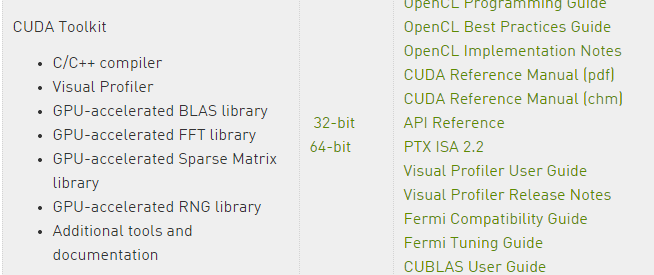
to fix the missing cublas.lib under Win32 folder I installed 32bit toolkit from https://developer.nvidia.com/cuda-toolkit-32-downloads#Windows:

nvidiadownload

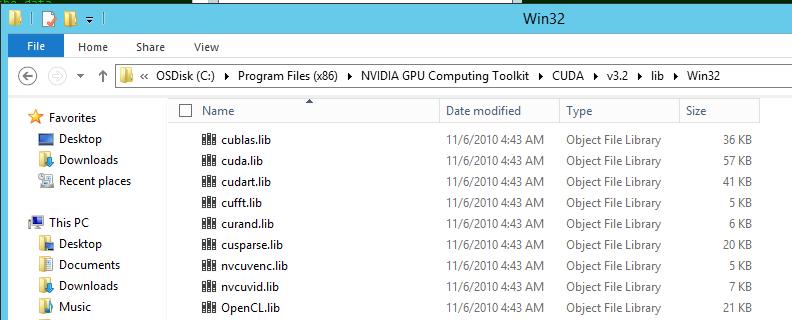
it installed the 32bit cublas.lib under:

32bittoolkit

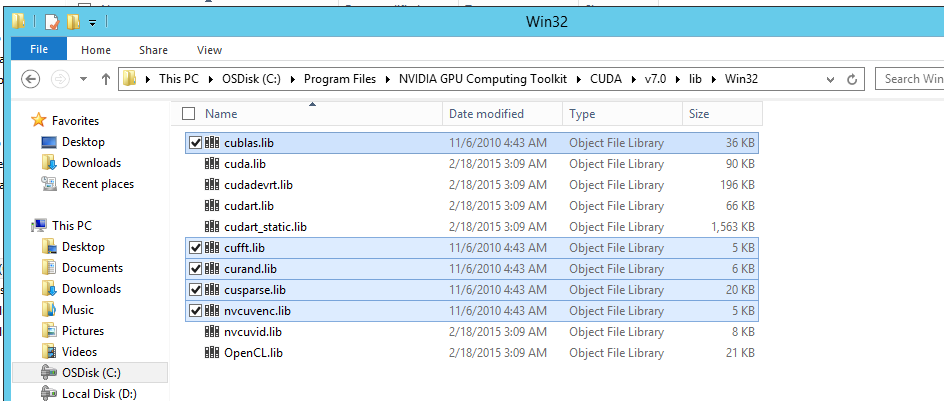
I then copied the extra files to:

32bitcublas

after this getting unresolved external symbol errors:

tmpxft_0000787c_00000000-25_mod.obj : error LNK2019: unresolved external symbol
_cublasCreate_v2@4 referenced in function “int __cdecl cublas_init(void)” (?cubl

tmpxft_000065f0_00000000-25_mod.obj : error LNK2019: unresolved external symbol
_cublasDestroy_v2@4 referenced in function “struct _object * __cdecl CudaNdarray

Looks like the github branch is using a v2 version of cublas.lib that is not available on windows?

Tried cloning 0.7 stable branch of theano under d:\theano:

git clone https://github.com/Theano/Theano.git --branch rel-0.7

Now that error has gone away but getting new ones - unable to find include files...enough for today

To specify compiler-bindir in nvcc.profile see http://stackoverflow.com/questions/2760374/why-cant-nvcc-find-my-visual-c-installation
I tried both:
compiler-bindir = C:\Program Files (x86)\Microsoft Visual Studio 9.0\VC\bin
and
CUDA_NVCC_FLAGS += --compiler-bindir = "C:\Program Files (x86)\Microsoft Visual Studio 9.0\VC\bin"
but not sure if any of them worked. also tried \\ instead of \

Made a mistake installing v3.2 toolkit. shouldn't have installed it.  cause of

tmpxft_0000787c_00000000-25_mod.obj : error LNK2019: unresolved external symbol
_cublasCreate_v2@4 referenced in function “int __cdecl cublas_init(void)” (?cubl

error is because this method does not exist in v3.2 toolkit (v3.2 toolkit is pretty old circa 2010). And the latest v7 does not haveany 32bit cublas.lib. Now I understand why the docs say:
1.1.1. x86 32-bit Support
 Native development using the CUDA Toolkit on x86_32 is unsupported. Deployment and execution of CUDA applications on x86_32 is still supported, but is limited to use with GeForce GPUs. To create 32-bit CUDA applications, use the cross-development capabilities of the CUDA Toolkit on x86_64. Support for developing and running x86 32-bit applications on x86_64 Windows is limited to use with: 
‣ GeForce GPUs 
‣ CUDA Driver
 ‣ CUDA Runtime (cudart) 
‣ CUDA Math Library (math.h)
 ‣ CUDA C++ Compiler (nvcc) 
‣ CUDA Development Tools 

so the only solution is to compile in 64bit mode. After making changes to theano\cuda\sandboc\nvcc_compile.py so that it recognises -m64 flag in .theanorc getting this error now:
mod.cu(735): warning: conversion from pointer to smaller integer

mod.cu(1019): warning: statement is unreachable

mod.cu(735): warning: conversion from pointer to smaller integer

mod.cu(1019): warning: statement is unreachable

mod.cu
 Creating library C:/Users/siddjain/AppData/Local/Theano/compiledir_Windows-20
12Server-6.2.9200-Intel64_Family_6_Model_45_Stepping_7_GenuineIntel-2.7.5-32/cud
a_ndarray/cuda_ndarray.lib and object C:/Users/siddjain/AppData/Local/Theano/com
piledir_Windows-2012Server-6.2.9200-Intel64_Family_6_Model_45_Stepping_7_Genuine
Intel-2.7.5-32/cuda_ndarray/cuda_ndarray.exp
tmpxft_000022a8_00000000-25_mod.obj : error LNK2019: unresolved external symbol
__imp_PyType_IsSubtype referenced in function "int __cdecl CudaNdarray_init(stru

cuda_folders
Posted in Uncategorized | Leave a comment

CUDA Installation

Getting Started Guide: C:\Program Files\NVIDIA GPU Computing Toolkit\CUDA\v7.0\doc\html\cuda-getting-started-guide-for-microsoft-windows\index.html

there is a lot of documentation to be found at: C:\Program Files\NVIDIA GPU Computing Toolkit\CUDA\v7.0\doc\pdf

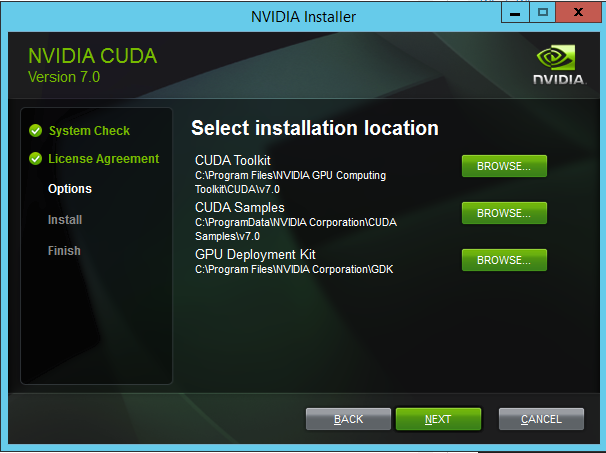
After installing CUDA you get this directory where all samples are stored: C:\ProgramData\NVIDIA Corporation\CUDA Samples\v7.0
the bin\Win64\Debug and Release folders did not have any exe’s

Opened Samples_vs2013.sln in VS2013. Built and then ran deviceQuery:

c:\ProgramData\NVIDIA Corporation\CUDA Samples\v7.0\bin\win64\Debug>deviceQuery.exe
deviceQuery.exe Starting…

CUDA Device Query (Runtime API) version (CUDART static linking)

Detected 1 CUDA Capable device(s)

Device 0: “Quadro 600”
CUDA Driver Version / Runtime Version 7.0 / 7.0
CUDA Capability Major/Minor version number: 2.1
Total amount of global memory: 1024 MBytes (1073741824 bytes)
( 2) Multiprocessors, ( 48) CUDA Cores/MP: 96 CUDA Cores
GPU Max Clock rate: 1280 MHz (1.28 GHz)
Memory Clock rate: 800 Mhz
Memory Bus Width: 128-bit
L2 Cache Size: 131072 bytes
Maximum Texture Dimension Size (x,y,z) 1D=(65536), 2D=(65536, 65535),
3D=(2048, 2048, 2048)
Maximum Layered 1D Texture Size, (num) layers 1D=(16384), 2048 layers
Maximum Layered 2D Texture Size, (num) layers 2D=(16384, 16384), 2048 layers
Total amount of constant memory: 65536 bytes
Total amount of shared memory per block: 49152 bytes
Total number of registers available per block: 32768
Warp size: 32
Maximum number of threads per multiprocessor: 1536
Maximum number of threads per block: 1024
Max dimension size of a thread block (x,y,z): (1024, 1024, 64)
Max dimension size of a grid size (x,y,z): (65535, 65535, 65535)
Maximum memory pitch: 2147483647 bytes
Texture alignment: 512 bytes
Concurrent copy and kernel execution: Yes with 1 copy engine(s)
Run time limit on kernels: Yes
Integrated GPU sharing Host Memory: No
Support host page-locked memory mapping: Yes
Alignment requirement for Surfaces: Yes
Device has ECC support: Disabled
CUDA Device Driver Mode (TCC or WDDM): WDDM (Windows Display Driver Mo
del)
Device supports Unified Addressing (UVA): Yes
Device PCI Domain ID / Bus ID / location ID: 0 / 3 / 0
Compute Mode:
< Default (multiple host threads can use ::cudaSetDevice() with device simu
ltaneously) >

deviceQuery, CUDA Driver = CUDART, CUDA Driver Version = 7.0, CUDA Runtime Versi
on = 7.0, NumDevs = 1, Device0 = Quadro 600
Result = PASS

Then I ran bandwidthTest.exe:

c:\ProgramData\NVIDIA Corporation\CUDA Samples\v7.0\bin\win64\Debug>bandwidthTest.exe
[CUDA Bandwidth Test] – Starting…
Running on…

Device 0: Quadro 600
Quick Mode

Host to Device Bandwidth, 1 Device(s)
PINNED Memory Transfers
Transfer Size (Bytes) Bandwidth(MB/s)
33554432 5815.0

Device to Host Bandwidth, 1 Device(s)
PINNED Memory Transfers
Transfer Size (Bytes) Bandwidth(MB/s)
33554432 6180.1

Device to Device Bandwidth, 1 Device(s)
PINNED Memory Transfers
Transfer Size (Bytes) Bandwidth(MB/s)
33554432 20180.2

Result = PASS

NOTE: The CUDA Samples are not meant for performance measurements. Results may v
ary when GPU Boost is enabled.

c:\ProgramData\NVIDIA Corporation\CUDA Samples\v7.0\bin\win64\Debug>particles.exe
CUDA Particles Simulation Starting…

NOTE: The CUDA Samples are not meant for performance measurements. Results may v
ary when GPU Boost is enabled.

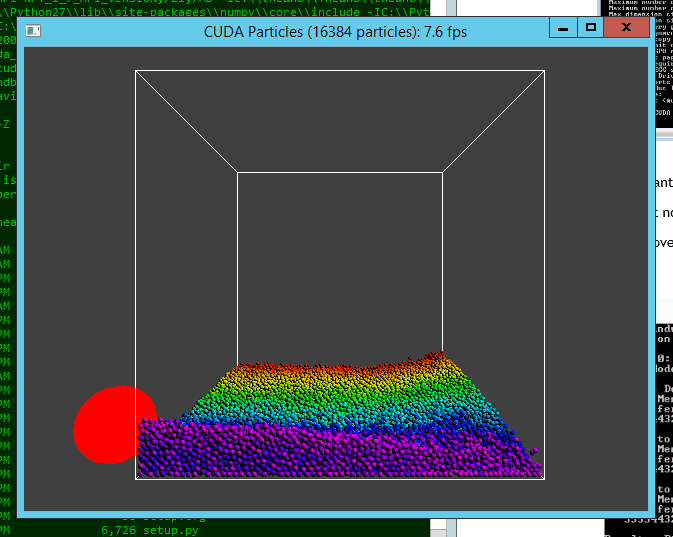
grid: 64 x 64 x 64 = 262144 cells
particles: 16384

Took a while to even startup:

not

and then I got a fps of 7.5:

particles

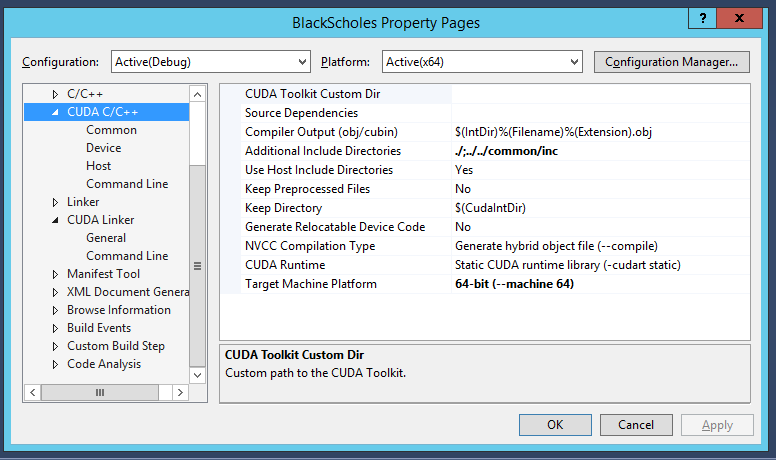
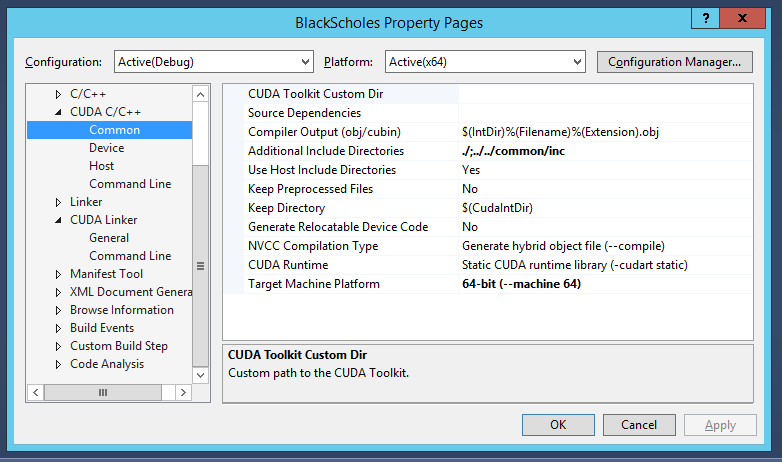
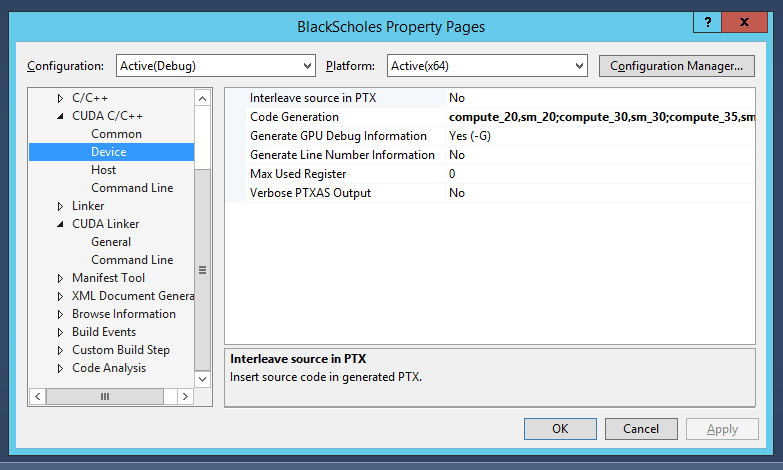
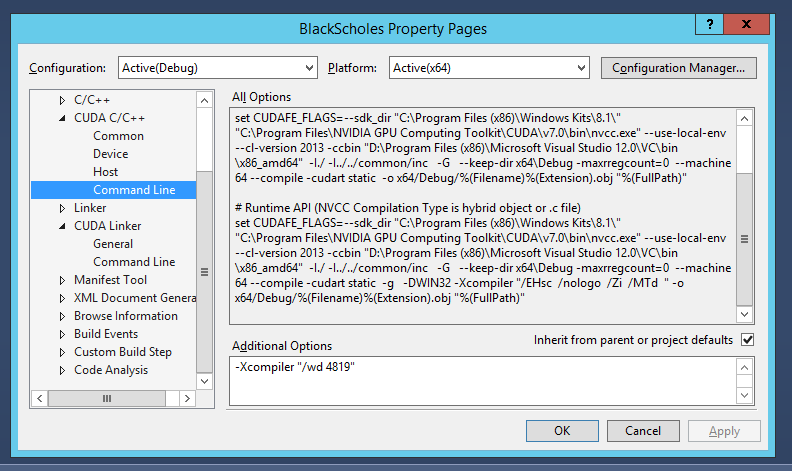
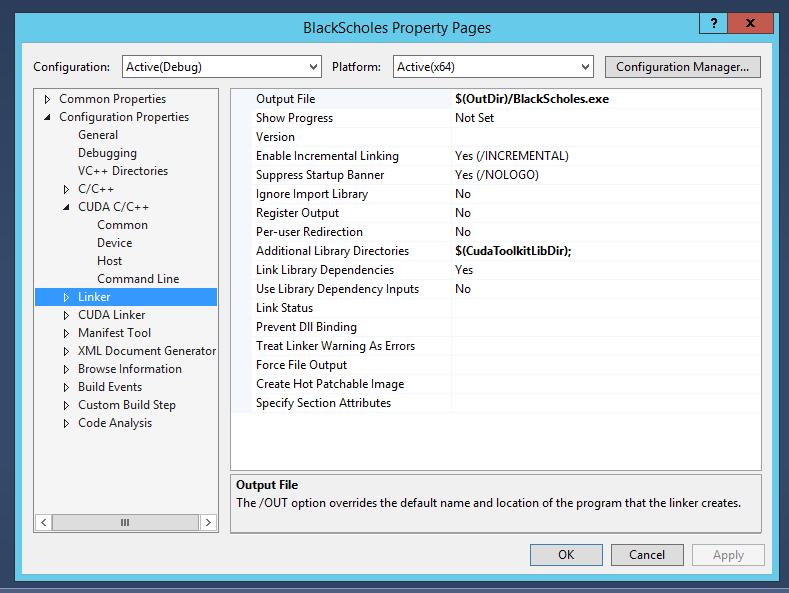
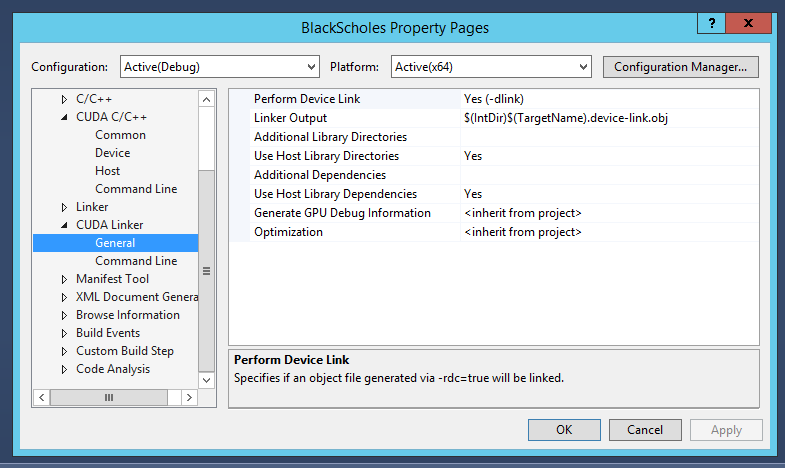
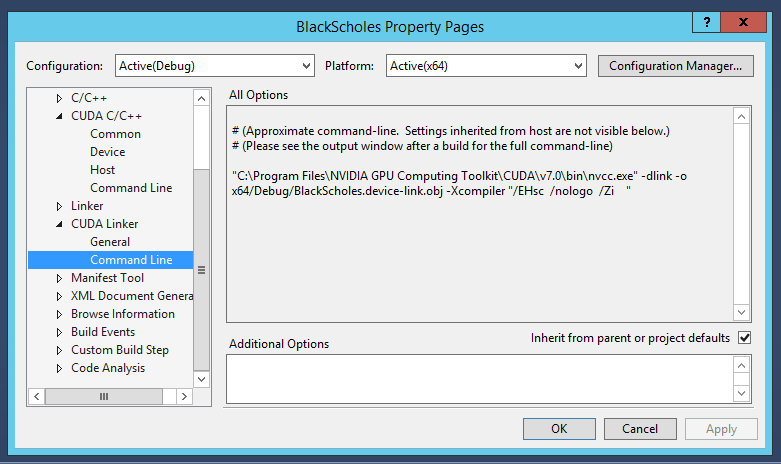
VS Settings:

cuda_c

cuda_c_common

cuda_c_device

cuda_c_command_line

linker

Cuda_linker_general

cuda_linker_command_line

contents of C:\Program Files\NVIDIA GPU Computing Toolkit\CUDA\v7.0\bin\nvcc.profile:
TOP = $(_HERE_)/..

NVVMIR_LIBRARY_DIR = $(TOP)/nvvm/libdevice

PATH += $(TOP)/open64/bin;$(TOP)/nvvm/bin;$(_HERE_);$(TOP)/lib;

INCLUDES += “-I$(TOP)/include” $(_SPACE_)

LIBRARIES =+ $(_SPACE_) “/LIBPATH:$(TOP)/lib/$(_WIN_PLATFORM_)”

CUDAFE_FLAGS +=
PTXAS_FLAGS +=

CUDA_PATH environment variable is set to
c:\theano\Theano>echo %CUDA_PATH%
C:\Program Files\NVIDIA GPU Computing Toolkit\CUDA\v7.0

Posted in Software | Leave a comment