
I will cut the chase by saying GCP is better. Here’s why I think so:
In terms of pricing and customer service I think both are similar (in fact GCP seems just a bit cheaper) so my review is based on technical feature comparison. I want to mention I am not endorsing GCP in this post. I’ve had quite a bit of issues with it – mainly with the customer support. So again by no means this post is an endorsement of GCP but I do think from technical POV its better than AWS and part of the reason for writing this post is to remind myself. In fact as I wrote this post I was surprised as I started enumerating everything and that is again part of the reason for writing the post to make a list of everything I can remember if i have to revisit this topic anytime in future.
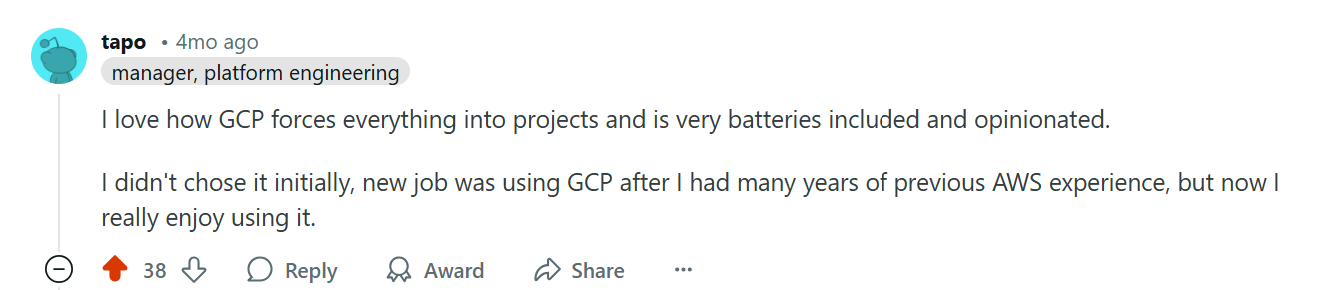
- First, GCPs project management is much better than AWS. GCP allows you to create as many projects as you want under one account and you can seamlessly switch between projects without having to re-login with a different set of credentials. Each project is isolated from another. Compared to AWS this is a godsend and reason enough to prefer GCP over AWS. To my knowledge AWS does not let you create multiple projects within an account [1]. You can create multiple accounts (organizations) but each account has to be associated with a unique email id (why? because some engineer decided to put a unique key constraint on the email id column) and to switch between accounts you have to login with a different set of credentials. This means I have to open multiple browser windows and also keep track of multiple passwords. Very inconvenient. AWS in theory provides a way to switch between sessions in same window but in practice it does not work very well. Every now and then I keep on getting a message that my session has expired and I need to login again. In fact AWS account and organization management is so convoluted it will require you to have a PhD to grasp it. They have multiple identity types – IAM identity is different from IAM Identity Center. List goes on.
- AWS portal is quite buggy. See below e.g.:
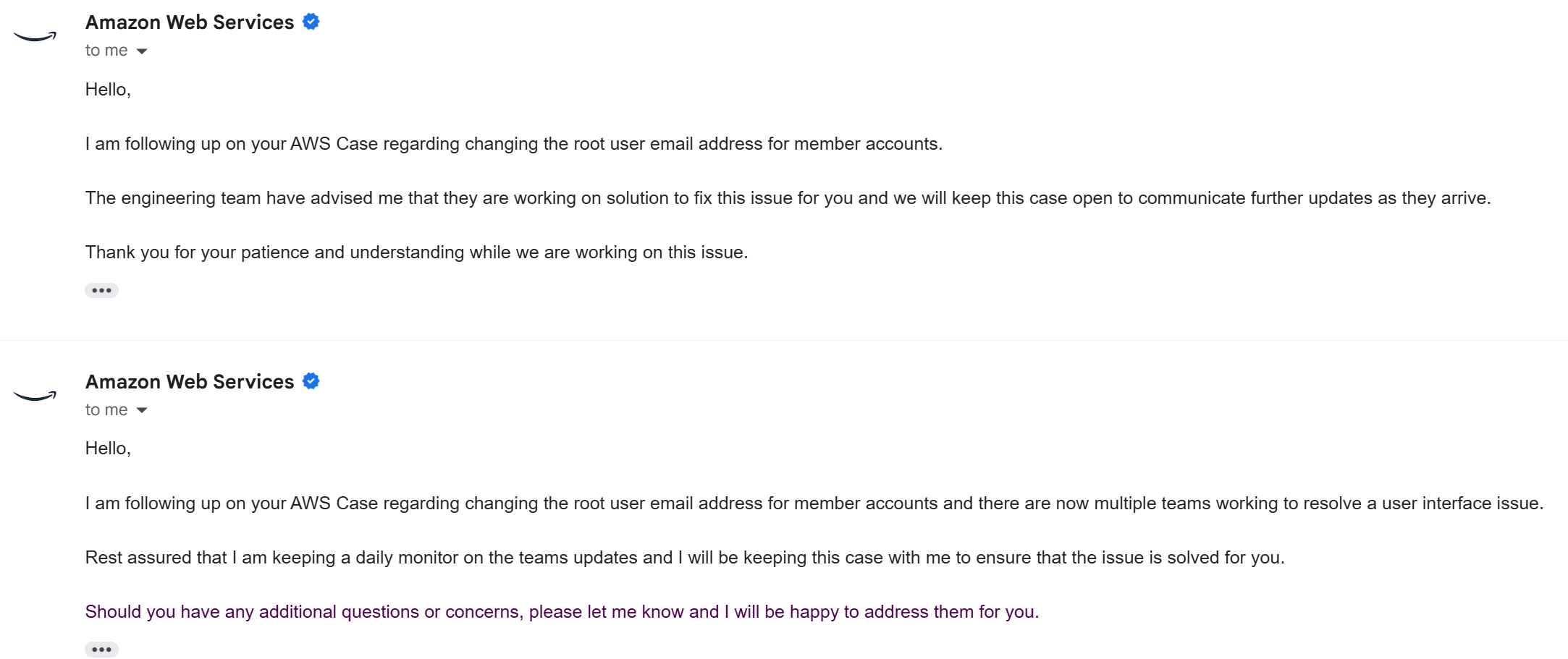
This is only one of the many emails I have received from AWS when I have filed a case about something not working and they respond back saying its a bug and the team is working on fixing it. On another occassion I was stuck with bugs (note I used plural not singular) in their UI preventing me from publishing a product on AWS Marketplace. Google has better engineers and it shows in their products.
- One area where GCP shines is with their BigQuery product for big-data analytics processing which IMO is much better than AWS Redshift. Again this is not a surprise when you consider Google is a data company and has been processing massive amounts of data since its inception.
- Another example is of Cloud Run which allows scaling to zero. AWS has AppRunner but it does not scale to zero and is the most requested feature from the community [1].
- Another thing I will mention is GCP’s intuitive naming. Names like VM and disks are self-explanatory. Compare to EC2 instance and Elastic Block Storage. Its these small things that make a subtle difference.
- When creating a VM GCP is clearly showing the Zone and allowing me to change it. Try that in AWS. And the cost is clearly stated. Try that in AWS.

- Compare the URL I need to login to GCP with the URL i need to login to AWS:
GCP: https://console.cloud.google.com/compute/instances?project=my-project
AWS: https://my-acctId-tdme5b43.us-east-1.console.aws.amazon.com/
Which of these is more user-friendly and easy to remember? - AWS fargate and apprunner both don’t not support gpu:
https://github.com/aws/containers-roadmap/issues/88
https://github.com/aws/apprunner-roadmap/issues/148
but Google Cloud Run supports it (https://cloud.google.com/run/docs/configuring/services/gpu) and it also supports websockets. - One cool feature GCP provides is AppEngine for which there is no equivalent in AWS.
Issues with GCP:
- For the poor customers, they make it super difficult for you to create a ticket.
- Keep getting
ZONE_RESOURCE_POOL_EXHAUSTEDwhenever I try to provision a VM.
These are what I remember for now. Will add more to this list as I remember more. Do you have a different opinion? Let me know in the comments.
Further Reading
- https://nandovillalba.medium.com/why-i-think-gcp-is-better-than-aws-ea78f9975bda – MUST READ
- https://66degrees.com/google-cloud-platform-vs-aws-a-cost-comparison-showdown/
See for yourself what a shit show AWS is
I wanted to provision a DL VM. So I checked this link: https://docs.aws.amazon.com/dlami/latest/devguide/aws-deep-learning-ami-gpu-tensorflow-2.18-ubuntu-22-04.html
when i run
aws ssm get-parameter --region us-east-2 \
    --name /aws/service/deeplearning/ami/x86_64/oss-nvidia-driver-gpu-tensorflow-2.18-ubuntu-22.04/latest/ami-id \
    --query "Parameter.Value" \
    --output text
I get
ami-00cdd016bd7f2b052
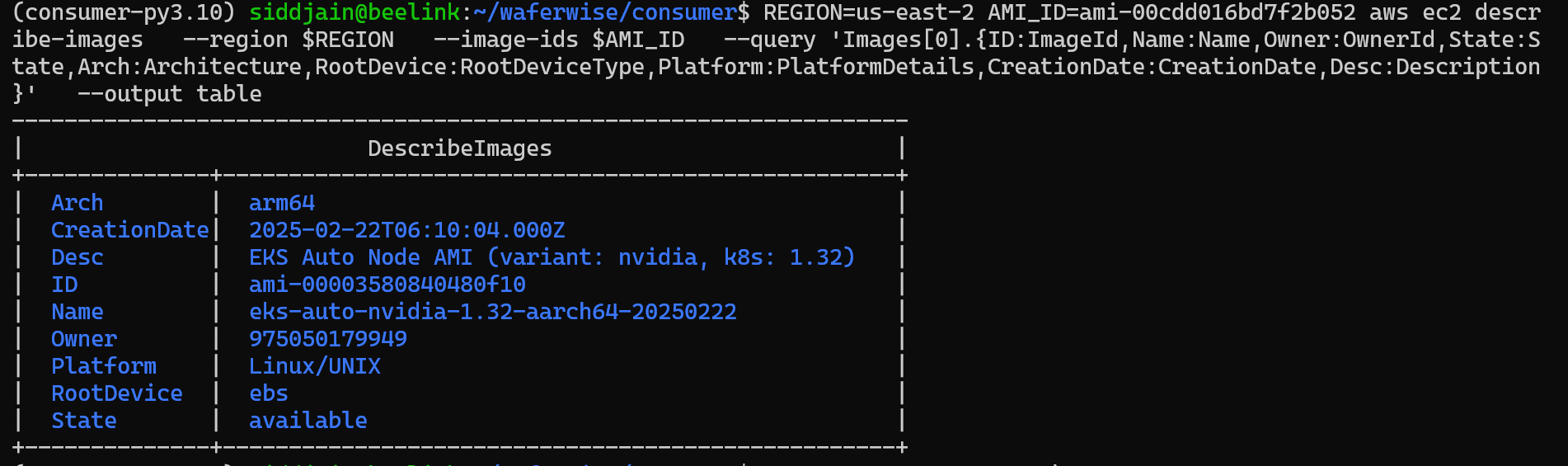
and behold what do we get when we try to get the image details:
$ REGION=us-east-2 AMI_ID=ami-00cdd016bd7f2b052 aws ec2 descr
ibe-images   --region $REGION   --image-ids $AMI_ID   --query 'Images[0].{ID:ImageId,Name:Name,Owner:OwnerId,State:S
tate,Arch:Architecture,RootDevice:RootDeviceType,Platform:PlatformDetails,CreationDate:CreationDate,Desc:Description
}'   --output table
--------------------------------------------------------------------
|                          DescribeImages                          |
+--------------+---------------------------------------------------+
|  Arch        |  arm64                                            |
|  CreationDate|  2025-02-22T06:10:04.000Z                         |
|  Desc        |  EKS Auto Node AMI (variant: nvidia, k8s: 1.32)   |
|  ID          |  ami-00003580840480f10                            |
|  Name        |  eks-auto-nvidia-1.32-aarch64-20250222            |
|  Owner       |  975050179949                                     |
|  Platform    |  Linux/UNIX                                       |
|  RootDevice  |  ebs                                              |
|  State       |  available                                        |
+--------------+---------------------------------------------------+
It has changed to arm64 and the AMI ID has also changed.
$ REGION=us-east-2 AMI_ID=ami-00cdd016bd7f2b052 aws ec2 descr
ibe-images   --region us-east-2   --image-ids $AMI_ID  --owners 898082745236 --query 'Images[0].{ID:ImageId,Name:Nam
e,Owner:OwnerId,State:State,Arch:Architecture,RootDevice:RootDeviceType,Platform:PlatformDetails,CreationDate:Creati
onDate,Desc:Description}'   --output table
---------------------------------------------------------------------------------------------------------------------------------------------------------------------------
|                                                                             DescribeImages                                                                              |
+--------------+----------------------------------------------------------------------------------------------------------------------------------------------------------+
|  Arch        |  x86_64                                                                                                                                                  |
|  CreationDate|  2024-11-06T11:47:41.000Z                                                                                                                                |
|  Desc        |  Supported EC2 instances: G4dn, G5, G6, Gr6, P4d, P5. Release notes: https://docs.aws.amazon.com/dlami/latest/devguide/appendix-ami-release-notes.html   |
|  ID          |  ami-03de840ff9fff792d                                                                                                                                   |
|  Name        |  Deep Learning OSS Nvidia Driver AMI GPU TensorFlow 2.15 (Ubuntu 20.04) 20241101                                                                         |
|  Owner       |  898082745236                                                                                                                                            |
|  Platform    |  Linux/UNIX                                                                                                                                              |
|  RootDevice  |  ebs                                                                                                                                                     |
|  State       |  available                                                                                                                                               |
+--------------+----------------------------------------------------------------------------------------------------------------------------------------------------------+ siddharth's space
Great Post!
I really appreciate how you highlighted GCP’s project management and intuitive naming—it resonates with my experience too. I’ve also faced the AWS session and UI inconsistencies, which can slow down DevOps workflows significantly.