
1. Install JDK. The latest version is 1.7 and it gets installed at C:Program FilesJavajdk1.7.0_02 on my machine
2. Install Android SDK. It gets installed at C:Program Files (x86)Androidandroid-sdk
3. Install Apache Ant. It gets installed at C:Program Files (x86)apache-ant-1.8.2
4. add following folders to PATH environment variable:
C:Program Files (x86)Androidandroid-sdktools;
C:Program Files (x86)Androidandroid-sdkplatform-tools;
C:Program Files (x86)apache-ant-1.8.2bin;
C:Program FilesJavajdk1.7.0_02bin;
5. create following environment variable:
variable name: JAVA_HOME
variable value: C:Program FilesJavajdk1.7.0_02
6. edit C:Program Files (x86)Androidandroid-sdktoolsantbuild.xml as mentioned in http://stackoverflow.com/a/8225017/147530
7. Follow steps at aplusbi.com to create a virtual device, create your android project from cmd line
8. start emulator (C:\Program Files (x86)\Android\android-studio\sdk\tools\emulator.exe)
9. ant debug install will compile debug binary and install onto device
10. to build release version, create your key, then edit ant.properties file and use ant release install
Signing the app: the google play store will require you to sign the app before you can publish it to the store. Follow steps at http://developer.android.com/tools/publishing/app-signing.html for signing.
keytool.exe can be found in C:\Program Files\Java\jdk1.8.0_25\bin
zipalign.exe is located at C:\Program Files (x86)\Android\android-sdk\build-tools\21.1.1
My ant.properties looks like this:
key.store=c:/users/siddjain/jainaartis/siddjain-release-key.keystore
key.alias=helios
When you run ant release, you will be prompted for two passwords:
[input] Please enter keystore password (store:c:/users/siddjain/jainaartis/siddjain-release-key.keystore):
[input] Please enter password for alias ‘helios’:
These two passwords can be changed on later if you desire, by following two commands:
To change the first password use keytool -storepasswd
To change the second password use keytool -keypasswd
Both these passwords are stored in encrypted form in the .keystore file
Troubleshooting:
– emulator takes a long time to start http://stackoverflow.com/questions/20051073/emulator-for-android-4-4-kitkat-is-not-starting
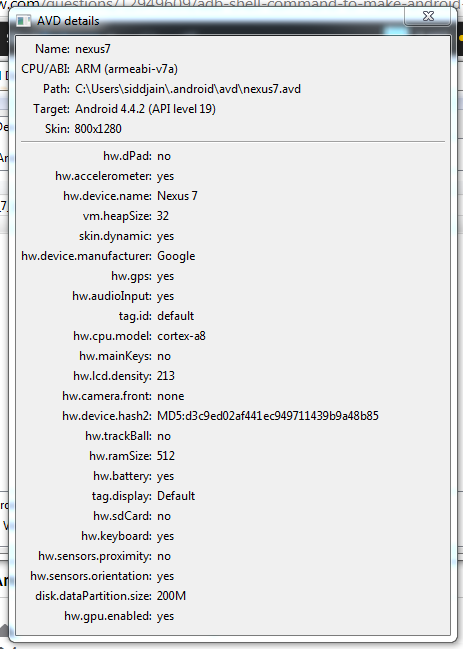
Developing app in html/js and embedding in webview. follow tutorial on google website. note below:
protected void onCreate(Bundle savedInstanceState) {
        super.onCreate(savedInstanceState);
        if(Build.VERSION.SDK_INT >= Build.VERSION_CODES.KITKAT) {
            WebView.setWebContentsDebuggingEnabled(true);
        }
        setContentView(R.layout.activity_main);

        mWebView = (WebView) findViewById(R.id.activity_main_webview);
        // Enable Javascript
        WebSettings webSettings = mWebView.getSettings();
        webSettings.setJavaScriptEnabled(true);
        webSettings.setAllowFileAccess(true);
        webSettings.setAllowUniversalAccessFromFileURLs(true);
        mWebView.loadUrl("file:///android_asset/www/index.html");
    }
You can also directly set the view without being dependent on a layout xml file like so:
WebView webview = new WebView(this);
 setContentView(webview);
Troubleshooting
Problem: No resource identifier found for attribute adsize in package com.google…
Solution: http://stackoverflow.com/questions/5819369/error-no-resource-identifier-found-for-attribute-adsize-in-package-com-googl
Problem: Build system is not able to pick up your android sdk directory. This happened to me after I uninstalled android studio and installed just the sdk without the IDE.
Solution: Define ANDROID_HOME environment variable and set it to android SDK directory. Next time you create a project the local.properties file will automatically have a line like so sdk.dir=C:\\Program Files (x86)\\Android\\android-sdk
Problem: How to add reference to google play services library?
Solution: add android.library.reference.1=../../../../Program Files (x86)/Android/android-sdk/extras/google/google_play_services/libproject/google-play-services_lib to project.properties. Note adding an absolute path instead of a relative path gave me an error.
Problem: Where can I define the API Level against which I want my project to be built?
Solution: edit project.properties and define the target like so target=android-21
Problem: What is minSdkVersion and targetSdkVersion in AndroidManifest.xml?
Solution: minSdkVersion specifies the minimum SDK version your app supports. Android will not install your app on devices running a lower SDK version. Google Play Store will list your app as incompatible on devices running a lower SDK. targetSdkVersion specifies the API Level against which you have tested your app. This should logically be the target against which you build your app and which is defined in project.properties
Problem: How to see list of targets available on my machine?
Solution: android list targets
Problem: How to create android project from command line?
Solution: first create empty directory for the project and then run e.g., android create project –target 2 –name adMobExample –path . –activity Main –package com.siddjain.admobexample
Problem: What should I use for the .gitignore file?
Solution: My .gitignore file contains:
bin\
gen\
### References ###
[How to reference a library project in android](http://developer.android.com/tools/projects/projects-eclipse.html#ReferencingLibraryProject)
[Creating and Managing Android Projects from the cmd line](http://developer.android.com/tools/projects/projects-cmdline.html)
[Debugging without eclipse or android studio](http://realmike.org/blog/2010/10/31/android-development-without-eclipse/)
[Another link to debug from cmd line](http://codeseekah.com/2012/02/16/command-line-android-development-debugging/)
[Android Page on Debugging](http://developer.android.com/tools/debugging/index.html)
 siddharth's space
I believe this is one of the such a lot vital info for me. And i’m satisfied studying your article. But should remark on some basic issues, The site style is perfect, the articles is actually great : D. Just right job, cheers