Stop social-media addiction

I am giving away a free app to help people combat social-media addiction.

What it does? Blocks access to websites you choose and only allows access during specified time windows E.g., you can block Facebook and allow only it to be accessible M-F 9-10am.

Get it here. Only works on Windows and capped to 3 websites. Requires terminal literacy – you have to open the terminal and run commands there to install and manage the app.

Posted in Computers, programming, Software | Tagged | Leave a comment

Hosting a Static Site on AWS S3 + CloudFront: A Complete Guide

If you’ve ever tried to migrate a site to S3 + CloudFront you know the documentation makes it look straightforward. It isn’t. This post covers the full setup end-to-end, including the subtle mistakes that will cost you hours if you don’t know about them.


The Architecture

Browser → CloudFront CDN → S3 (website endpoint)
             ↑
     ACM SSL Certificate
  • S3 stores your static files
  • CloudFront is the CDN — handles HTTPS, caching, and global edge delivery
  • ACM provides the free SSL certificate
  • Your registrar (Namecheap, GoDaddy, etc.) points DNS at CloudFront

For a proper www setup you actually need two S3 buckets and two CloudFront distributions — one to serve content, one to redirect the apex domain to www. There are two ways to reduce this overhead (see the alternatives in Step 1): skip the redirect S3 bucket using a CloudFront Function, or eliminate both the bucket and the apex distribution by delegating DNS to Cloudflare.


Step 1 — Create and Configure the S3 Buckets

Content bucket (www.yourdomain.com)

aws s3 mb s3://www.yourdomain.com --region us-east-1

# Disable the "Block Public Access" shield — required for website hosting
aws s3api put-public-access-block \
  --bucket www.yourdomain.com \
  --public-access-block-configuration \
  "BlockPublicAcls=false,IgnorePublicAcls=false,BlockPublicPolicy=false,RestrictPublicBuckets=false"

# Enable static website hosting
aws s3 website s3://www.yourdomain.com \
  --index-document index.html \
  --error-document index.html

# Allow public read
aws s3api put-bucket-policy --bucket www.yourdomain.com --policy '{
  "Version": "2012-10-17",
  "Statement": [{
    "Sid": "PublicRead",
    "Effect": "Allow",
    "Principal": "*",
    "Action": "s3:GetObject",
    "Resource": "arn:aws:s3:::www.yourdomain.com/*"
  }]
}'

Redirect bucket (yourdomain.com)

This bucket holds no content — it just redirects the apex domain to www. Configure it in the AWS Console: S3 → bucket → Properties → Static website hosting → Redirect requests → Host: www.yourdomain.com, Protocol: https.

Alternative 1 — Skip the redirect bucket with a CloudFront Function (stay in AWS)

The redirect bucket exists because https://yourdomain.com requires a TLS handshake before any redirect can happen — and the S3 redirect bucket itself can’t terminate TLS. CloudFront terminates TLS and then asks the origin what to do. But instead of asking S3, you can attach a CloudFront Function to the apex distribution that issues the 301 directly, before CloudFront ever contacts an origin. No redirect bucket needed.

You still need two CloudFront distributions (one per alternate domain name), but you can delete the S3 redirect bucket.

Steps:

  1. In the CloudFront console, go to Functions → Create function. Give it a name (e.g. apex-redirect), select runtime cloudfront-js-2.0, and paste:
function handler(event) {
    return {
        statusCode: 301,
        statusDescription: 'Moved Permanently',
        headers: {
            location: { value: 'https://www.yourdomain.com' + event.request.uri }
        }
    };
}
  1. Click Save, then Publish.
  2. On the apex CloudFront distribution, go to Behaviors → Default (*) → Edit. Under Function associations → Viewer request, select your new function.
  3. Save and deploy. The origin for the apex distribution is now irrelevant (the function returns before CloudFront contacts it), but CloudFront requires one — point it at www.yourdomain.com.s3-website-us-east-1.amazonaws.com as a harmless placeholder.
  4. Delete the S3 redirect bucket.

CloudFront Function invocations cost $0.10 per million — effectively free for personal-site traffic.

Alternative 2 — Eliminate both the redirect bucket and the apex distribution with Cloudflare (free)

If you’d rather not manage any of this in AWS, Cloudflare’s free tier can handle the apex redirect entirely — no S3 bucket, no second CloudFront distribution. Cloudflare proxies yourdomain.com, terminates TLS using its Universal SSL certificate, and issues the 301 itself.

Here’s how:

  1. Sign up at cloudflare.com and add your site. Cloudflare will import your existing DNS records.
  2. At your registrar (e.g. Namecheap), change the nameservers to the two Cloudflare nameservers it gives you. Your domain stays registered at Namecheap — only DNS moves.
  3. In the Cloudflare dashboard, go to Rules → Redirect Rules and create a rule:
    • When: Hostname equals yourdomain.com
    • Then: Static redirect → https://www.yourdomain.com (301)
  4. Make sure the yourdomain.com DNS record (the @ / apex A or CNAME) has the Cloudflare proxy enabled (orange cloud icon). This is what lets Cloudflare terminate TLS for the apex domain using its Universal SSL certificate — no ACM cert needed for it.

With this setup you only need the single www S3 bucket, one CloudFront distribution, and one ACM certificate. The CNAME for www still points at CloudFront as before.

> Note: Cloudflare acts as a reverse proxy for the apex domain only long > enough to issue the redirect — the actual site content is still served by > your CloudFront distribution.


Step 2 — Request an SSL Certificate

Critical: the certificate must be in us-east-1 regardless of where your bucket lives. CloudFront only reads certificates from us-east-1.

aws acm request-certificate \
  --domain-name www.yourdomain.com \
  --subject-alternative-names yourdomain.com \
  --validation-method DNS \
  --region us-east-1

ACM will give you a CNAME record to add at your registrar for DNS validation. Add it and wait 5–10 minutes for status to change from PENDING_VALIDATION to ISSUED. Don’t proceed until it’s ISSUED — attaching a pending cert to CloudFront causes mysterious TLS errors later.

# Check status
aws acm list-certificates --region us-east-1 \
  --query "CertificateSummaryList[*].[DomainName,Status]" \
  --output table

> Tip: Request one certificate covering both www.yourdomain.com AND > yourdomain.com as a SAN. You can reuse it on both CloudFront distributions.


Step 3 — Create CloudFront Distributions

Create two distributions in the Console. For each:

Setting www (content) apex (redirect)
Origin domain www.yourdomain.com.s3-website-us-east-1.amazonaws.com yourdomain.com.s3-website-us-east-1.amazonaws.com (or www endpoint if using a CloudFront Function — it won’t be called)
Origin protocol HTTP only HTTP only
Alternate domain www.yourdomain.com yourdomain.com
SSL certificate your ACM cert your ACM cert
Default root object index.html (leave blank)
Viewer protocol Redirect HTTP to HTTPS Redirect HTTP to HTTPS
Cache policy CachingOptimized CachingOptimized
Price class North America & Europe North America & Europe
Security policy TLSv1.2_2019 TLSv1.2_2019

Gotcha #1 — Always type the origin manually

When you click the Origin domain field, AWS presents a dropdown of your S3 buckets. Do not use it. The dropdown inserts the REST endpoint (www.yourdomain.com.s3.amazonaws.com). You want the website endpoint (www.yourdomain.com.s3-website-us-east-1.amazonaws.com). Type it manually.

Why it matters: The REST endpoint doesn’t serve directory index documents. So https://www.yourdomain.com/blog works but https://www.yourdomain.com/blog/ returns AccessDenied XML instead of blog/index.html. The website endpoint handles this correctly.

Gotcha #2 — The “add this domain later” warning

If your domain is registered outside Route 53 (e.g. Namecheap, GoDaddy), CloudFront will warn: “You need to add this domain later.” This is harmless — it just means CloudFront can’t auto-add the DNS record for you. Ignore it and proceed. You’ll add the CNAME manually in Step 4.

Gotcha #3 — Use TLSv1.2_2021

Higher versions might lead to handshake failures on some networks and corporate proxies. TLSv1.2_2021 is a safe version that works everywhere. That is what Cloudfront also recommends in the UI.


Step 4 — Upload Your Files

# Sync everything except build/config files
aws s3 sync . s3://www.yourdomain.com \
  --exclude "*.py" --exclude "*.pyc" \
  --exclude "*.yaml" --exclude "*.sh" \
  --exclude ".git/*" --exclude ".vscode/*"

# Fix Content-Type charset on all HTML files (see Gotcha #4 below)
aws s3 cp s3://www.yourdomain.com/ s3://www.yourdomain.com/ \
  --exclude "*" --include "*.html" \
  --no-guess-mime-type \
  --content-type "text/html; charset=utf-8" \
  --metadata-directive REPLACE \
  --recursive

Gotcha #4 — S3 serves HTML without charset, breaking Unicode

By default S3 serves HTML files with Content-Type: text/html — no charset. Browsers fall back to ISO-8859-1, which garbles any non-ASCII characters. The arrow renders as â†'. Smart quotes, em-dashes, and emoji all break.

The fix is to explicitly set charset=utf-8 in the S3 object metadata, as shown in the sync script above. Note that having “ in your HTML is good practice but not sufficient — browsers prioritize the HTTP header over the meta tag.

Verify it worked:

aws s3api head-object \
  --bucket www.yourdomain.com \
  --key index.html \
  --query "ContentType"
# Should return: "text/html; charset=utf-8"

Step 5 — Update DNS at Your Registrar

Add these records (using Namecheap as an example):

Type Host Value
CNAME www xxxx.cloudfront.net (your www distribution)
CNAME @ yyyy.cloudfront.net (your apex redirect distribution)

> Note: Some registrars don’t allow CNAME at the apex (@). If yours doesn’t, > use their URL redirect feature to forward yourdomain.comhttps://www.yourdomain.com, > or transfer DNS management to Route 53 which supports ALIAS records at the apex.

DNS propagation takes anywhere from 5 minutes to 48 hours depending on your registrar and TTL settings.


Step 6 — Ongoing Deploys

Save this as deploy.sh in your project root:

#!/bin/bash
set -eo pipefail

BUCKET="s3://www.yourdomain.com"
DIST_ID="YOUR_CLOUDFRONT_DISTRIBUTION_ID"

echo "Syncing files..."
aws s3 sync . "$BUCKET" \
  --exclude "*.py" --exclude "*.pyc" \
  --exclude "*.yaml" --exclude "*.sh" \
  --exclude ".git/*" --exclude ".vscode/*"

echo "Setting charset on HTML files..."
aws s3 cp "$BUCKET/" "$BUCKET/" \
  --exclude "*" --include "*.html" \
  --no-guess-mime-type \
  --content-type "text/html; charset=utf-8" \
  --metadata-directive REPLACE \
  --recursive

echo "Invalidating CloudFront cache..."
aws cloudfront create-invalidation \
  --distribution-id "$DIST_ID" \
  --paths "/*"

echo "Done."

> Tip: Always invalidate the CloudFront cache after deploying. Without it, > visitors may see the old version for up to 24 hours (the default TTL). The > invalidation is free for the first 1,000 paths per month.


Debugging Cheat Sheet

Symptom Likely cause Fix
AccessDenied XML Using REST endpoint, not website endpoint Update CloudFront origin to s3-website-... URL
NoSuchWebsiteConfiguration Static website hosting not enabled on bucket aws s3 website s3://bucket --index-document index.html
sslv3 alert handshake failure Wrong cert attached, or cert still pending Check cert is ISSUED; check alternate domain is set in distribution
*.cloudfront.net cert shown ACM cert not attached to distribution Edit distribution → set custom SSL cert
Unicode renders as â†' Missing charset in Content-Type header Re-upload HTML with --content-type "text/html; charset=utf-8"
Old content still showing CloudFront cache not invalidated aws cloudfront create-invalidation --paths "/*"
/path works but /path/ doesn’t Using REST endpoint instead of website endpoint Same fix as AccessDenied above

Cost

For a low-traffic personal or portfolio site:

  • S3: < $0.01/month (storage + requests)
  • CloudFront: free tier covers 1TB transfer + 10M requests/month
  • ACM: free
  • Route 53 (if used): $0.50/month per hosted zone

Total: effectively $0/month for personal sites.

Use PAYG pricing in CloudFront, not the Security Bundle (flat rate). The bundle includes AWS WAF and Shield Advanced — useful for high-traffic production apps, overkill (and expensive) for personal sites.

Viewing S3 Storage

 aws s3 ls s3://<name-of-your-bucket> --recursive --human-readable --summarize

Free-plan gives you 5 GB of storage

Posted in Computers, programming, Software | Tagged | Leave a comment

Engineering Excellence: the system that makes speed sustainable

rewrite of original EE article using chatgpt

Engineering Excellence (EE) isn’t a slogan, a committee, or a “quality week.” It’s the set of practices that lets a team ship reliably at scale—with fewer regressions, lower on-call load, predictable releases, and compounding developer productivity.

At its core, EE is pride in what we build. But pride without a system becomes heroics. EE is the system.

What EE is not: maximizing daily commit counts, rewarding “busy-ness,” or shipping features by taking on invisible risk. If a team measures velocity primarily by commits/day, that’s a vanity metric. A better measure is: how quickly and safely can we deliver a production change?

EE can feel at odds with release velocity in the short term because it avoids shortcuts and invests in guardrails (security, testing, observability, documentation). Over time, though, EE is what removes friction and makes speed sustainable.

Below is a practical checklist you can use to assess where you are today—and where to invest next.


The five pillars of Engineering Excellence

1) Delivery system: make shipping boring

Excellence shows up when production changes are routine, not an “event.”

  • Protected main/release branches (no direct pushes; required reviews; required checks)
  • A predictable release process (one-click deploy, or at least a documented, repeatable process)
  • A deployment dashboard (what’s running where, who deployed, and when)
  • Rollbacks are real (tested, practiced, and fast)
  • At least one production-like pre-prod gate (staging, canary, or equivalent)

If releases are painful, teams will avoid releasing—and risk will pile up.


2) Code health: quality is a habit, not a phase

EE is the day-to-day discipline that prevents entropy.

  • Code review that reduces risk without stalling work

    • Clear ownership (e.g., CODEOWNERS / domain owners)
    • Blockers vs nits are distinguished
    • Escalation path when reviewers disagree (sync reviews > comment wars)
  • PRs linked to work items (so “why” is preserved, not just “what”)

  • Trunk-based development or close equivalent

  • A consistent policy on merges

    • Squash merges can reduce noise
    • A linear-ish history improves bisectability and debugging

A note on reviews: in large orgs, “everyone must approve” creates stalls and politics. My preference is: one accountable approver (owner) + optional reviewers, with clear escalation for disagreements. The goal is learning and risk reduction—not gatekeeping.


3) Testing strategy: invest where failure is expensive

“Test everything” is not a strategy. EE is choosing the right mix:

  • Automated build + tests on every PR
  • Main branch builds are always green (or treated as an emergency)
  • Meaningful integration tests (covering real service boundaries)
  • E2E tests in at least one environment that is “as real as possible”
  • Negative-path testing (your catch blocks and error conditions)
  • Chaos testing (bonus) where the blast radius is understood

On mocking: mocking is powerful and also easy to misuse. I’m skeptical of test suites that are mostly mocks because they often validate behavior that doesn’t exist in production. My rule of thumb: mock at the edges, prefer integration tests for real behavior, and be honest about what’s untested.


4) Operational excellence: reliability is part of the product

If you can’t see it, you can’t run it.

  • Instrumentation + APM dashboards (traffic, latency, errors, saturation)
  • Alerting on 5xx + unexpected exceptions (with sane thresholds)
  • A runbook that is actually used (and updated as part of on-call)
  • Audit logs (especially around sensitive data access)
  • Rate limiting / abuse controls for public-facing APIs
  • Performance testing as a habit (load tests, synthetic monitoring, or real-user monitoring)

To me, tests > performance. I would rather invest EE time writing tests than optimizing for performance.


5) Security & access: guardrails beat good intentions

EE includes security because security debt compounds faster than code debt.

  • Federated IAM where possible (your app shouldn’t see user passwords)
  • If you do handle passwords: salt + hash with a modern algorithm, and treat auth as a product
  • Service accounts / managed identity for services
  • Secret manager / vault (no secrets in code or source control)
  • Secret rotation (periodic and automated where feasible)
  • RBAC and least privilege (including production DB access)
  • Data protections (masking, backups, DR, geo-replication where needed)
  • Dependency vulnerability checks + static analysis where appropriate

One simple litmus test: do your guardrails prevent a well-meaning engineer from accidentally doing the wrong thing?


A practical maturity check

If you want a lightweight “where do we stand?” assessment, ask:

  1. How long does it take to ship a safe production change?
  2. What’s our change failure rate and mean time to recovery?
  3. What is the on-call burden (pages/engineer/week) trending over time?
  4. Can a new engineer onboard in a day with the README + docs?
  5. Do our systems prevent common failure modes by default?

Those answers are more revealing than a thousand lines of policy.


My take on linear history and staying synced to main

I prefer a mostly linear commit history because it’s easier to understand, debug, and audit—especially when you’re using tools like git bisect. I was therefore surprised to read this SO post where the top voted answer recommends against it. To me, this is one of those cases where SO is not always correct and you should not blindly accept an opinion based on votes – listen to everyone but make your own decisions. Before Git, many teams used systems that effectively forced “sync-to-latest” before check-in, which reduced integration surprises.

There is a real cost: rebasing/syncing frequently adds overhead. At scale, teams often mitigate that with merge queues, protected branches, and automation.

My point isn’t that there’s one universally correct workflow. It’s that a team should consciously choose a workflow that optimizes for low integration pain, high signal history, and fast rollback/debugging—and then enforce it consistently.


How to start without boiling the ocean

If you’re trying to improve EE in a real org with real deadlines:

  • Pick one pillar per quarter
  • Choose the top 3 risks that cause outages, regressions, or slow releases
  • Add one guardrail per sprint
  • Make success measurable (fewer pages, faster releases, lower rollback time)

Engineering Excellence isn’t perfection. It’s compounding advantage.


Posted in Computers, programming, Software | Leave a comment

The AWS Marketplace Race Condition Nobody Warns You About

If you’re building a SaaS product on AWS Marketplace, there’s a subtle bug waiting for you in the subscription flow. It won’t show up in testing. It won’t throw an error. Your customer will just land on a broken page, and you’ll spend hours figuring out why.

I’ve shipped 4 SaaS products on AWS Marketplace. This race condition bit me on the first one. Here’s what it is and how to fix it.

How AWS Marketplace Subscription Works

When a customer subscribes to your SaaS product on AWS Marketplace, two things happen:

Flow A: The redirect. The customer clicks “Subscribe” and AWS sends them to your fulfillment URL with a registration token. You call ResolveCustomer to validate it, create a tenant record in your database, and redirect them to your signup page.

Flow B: The SQS notification. AWS also drops a subscribe-success message into your SQS queue. Your backend polls this queue and uses it to update the tenant’s subscription status.

Here’s the problem: these two flows are completely independent. AWS does not guarantee ordering between them.

The Race

The happy path looks like this:

1. Customer clicks Subscribe on AWS Marketplace
2. Customer is redirected to your /register endpoint
3. You call ResolveCustomer, create tenant row (status: subscribed)
4. Customer completes signup
   ... minutes later ...
5. SQS delivers subscribe-success
6. You UPDATE the tenant row -> status stays 'subscribed' (no-op)

Everything works. But here’s what actually happens sometimes:

1. Customer clicks Subscribe on AWS Marketplace
2. SQS delivers subscribe-success            <-- this arrives FIRST
3. You try to UPDATE the tenant row
4. ... but the row doesn't exist yet
5. UPDATE affects 0 rows. No error. Silent failure.
6. SQS message is deleted from the queue.    <-- it's gone now
   ... seconds later ...
7. Customer is redirected to your /register endpoint
8. You call ResolveCustomer, create tenant row
9. But you missed the subscribe-success event
10. What status do you set?

The SQS event arrived before your customer did. Your UPDATE hit nothing. The message was deleted from the queue. And now you have a customer with no subscription status, or worse, a customer stuck on a “subscription pending” screen forever.

This isn’t a theoretical edge case. It happens in production. The time between the customer clicking Subscribe and actually landing on your registration page can vary wildly – they might have a slow connection, they might get distracted, or your redirect might take a few seconds while SQS delivers in milliseconds.

The Wrong Fix

The obvious fix is: “Just don’t delete the SQS message if the tenant doesn’t exist yet. Let it retry.”

This is fragile. You’re now relying on SQS redelivery timing. If the customer takes 5 minutes to complete the redirect, you’re burning SQS visibility timeouts and retries. If they never complete registration, you have a poison message bouncing forever. And you’ve coupled your SQS processing to the state of a completely separate HTTP flow.

The Fix: Event Sourcing Lite

The solution is to decouple the two concerns:

  1. Always persist the SQS event, regardless of whether the tenant exists.
  2. Reconcile at registration time by reading the event history.

Here’s how it works in practice.

Step 1: Always save the event

When an SQS message arrives, write it to a subscription_events table first, unconditionally. Then attempt to update the tenant:

saveSubscriptionEvent(message) {
    const { action, customerIdentifier, productCode } = message;

    // Always write to the audit log -- this never fails
    db.subscriptionEvents.add(action, customerIdentifier, productCode, message);

    // Attempt to update the tenant (may not exist yet)
    if (action === 'subscribe-success') {
        const result = db.customers.updateSubscriptionStatus(
            customerIdentifier, 'subscribed'
        );
        if (result.changes === 0) {
            // Tenant hasn't registered yet. That's fine.
            // The event is safely persisted in subscription_events.
            logger.warn(
                `Customer ${customerIdentifier} not found in tenants table. ` +
                `Status will be reconciled at registration time.`
            );
        }
    }

    // Delete from SQS -- safe because the event is persisted locally
    this.deleteMessage(message);
}

The key insight: the subscription_events table is your durable log. It doesn’t depend on any other table existing. The SQS message can be safely deleted because the information has been transferred to your database.

Step 2: Reconcile at registration

When the customer finally hits /register, check the event history before creating the tenant:

// POST /register
app.post('/register', async (req, res) => {
    const { customerIdentifier, customerAWSAccountId } =
        await resolveCustomer(req.body.token);

    const existingTenant = db.customers.getByAwsAcctId(customerAWSAccountId);
    if (existingTenant) {
        // Returning customer -- redirect to login
        return res.redirect('/login');
    }

    // New customer -- check if SQS events arrived before they did
    const latestEvent = db.subscriptionEvents.getLatestByCustomer(
        customerIdentifier
    );
    const subscriptionStatus = latestEvent?.action === 'unsubscribe-success'
        ? 'unsubscribed'
        : 'subscribed';

    db.customers.add(
        customerAWSAccountId,
        customerIdentifier,
        offerType,
        subscriptionStatus  // <-- reconciled from event history
    );

    res.redirect('/signup');
});

The query is simple:

SELECT action, customer_identifier, created_at
FROM subscription_events
WHERE customer_identifier = ?
ORDER BY created_at DESC
LIMIT 1

If a subscribe-success event exists, the tenant is created as subscribed. If somehow an unsubscribe-success is the latest event, the tenant is created as unsubscribed. If no events exist yet (normal flow where the customer arrived before SQS), the default is subscribed – which is correct because ResolveCustomer itself validates that the subscription is active.

Why This Works

The subscription_events table acts as a write-ahead log. It decouples event persistence from tenant existence. No matter what order things happen:

Normal order (customer registers first):

/register creates tenant as 'subscribed' (default)
SQS arrives later, UPDATEs tenant -> no-op, already correct

Race condition (SQS arrives first):

SQS handler writes to subscription_events, UPDATE hits 0 rows -> that's fine
/register reads subscription_events, finds subscribe-success
Creates tenant as 'subscribed' -> correct

Edge case (unsubscribe before register):

SQS delivers unsubscribe-success, persisted to subscription_events
Customer visits /register
Latest event is unsubscribe-success -> tenant created as 'unsubscribed'
Access correctly denied

Every path converges to the correct state.

The Schema

You need one extra table:

CREATE TABLE subscription_events (
    id INTEGER PRIMARY KEY AUTOINCREMENT,
    action TEXT NOT NULL,
    customer_identifier TEXT NOT NULL,
    product_code TEXT NOT NULL,
    offer_identifier TEXT,
    raw_payload TEXT,
    created_at DATETIME DEFAULT CURRENT_TIMESTAMP
);

CREATE INDEX idx_subscription_events_customer
ON subscription_events(customer_identifier, created_at DESC);

The descending index on created_at makes the “get latest event” query fast. The raw_payload column stores the full SQS message body – useful for debugging and audit.

Bonus: You Get an Audit Trail for Free

This pattern gives you a complete history of every subscription lifecycle event. When a customer opens a support ticket saying “I subscribed but can’t access the product,” you can query:

SELECT action, created_at
FROM subscription_events
WHERE customer_identifier = 'cust-abc-123'
ORDER BY created_at DESC;
subscribe-success     2024-03-15 14:23:01
unsubscribe-pending   2024-03-15 14:22:58
subscribe-success     2024-01-10 09:15:33

You’ll know exactly what happened and when, without digging through CloudWatch logs.

Takeaway

The general pattern here is older than AWS: persist events before acting on them, and reconcile state from the event log. It’s event sourcing applied to a very specific problem, and it’s the simplest version of it – just one table, one query at registration time, and zero retry logic.

If you’re building an AWS Marketplace SaaS integration, save yourself the debugging session. Add the subscription_events table from day one.


I’ve packaged the production code behind this (and all the other AWS Marketplace plumbing – ResolveCustomer, auth, entitlements, metering) into a self-hosted Node.js gateway kit. If you’re listing a SaaS product on AWS Marketplace and don’t want to rebuild this from scratch, check it out here.

Posted in Computers, programming, Software | Tagged | Leave a comment

AWS Marketplace Jumpstart Kit

Are you building or listing a SaaS product on AWS Marketplace?

A pattern I’ve seen repeatedly: you end up rebuilding the same plumbing every time — customer onboarding, authentication, entitlement/subscription gating, and metering.

So I’m packaging my production code into a Node.js AWS Marketplace Authentication Gateway + Metering Kit (2-in-1). This is the same code I’ve used in production to ship 4 AWS Marketplace SaaS products.

What it is

  • Self-hosted Node.js AWS Marketplace Authentication Gateway + Metering Kit (PAYG + Contract)

Who it’s for

  • Teams building SaaS listings on AWS Marketplace who don’t want to rebuild ResolveCustomer/fulfillment, entitlement checks, subscription state, and metering semantics. This is one thing you don’t want to get wrong.

What it does

  • ResolveCustomer + fulfillment onboarding
  • Org admin panel (add /remove users)
  • Gateway routing (authenticate incoming requests and forward to your upstream)
  • Entitlement + PAYG subscription gating
  • Metering endpoint (aggregation/dedupe/hourly semantics; monthly credits)

What it does NOT do

  • SSO/OIDC (optional add-on)

How it’s delivered

  • Private repo access + source included
  • Runs in your VPC; no required third-party SaaS

Pricing

  • $999 includes 12 months of updates
  • White-glove installation and support available for extra

Get Started

  • Get it here or contact to get a 4 page spec with more technical details.
Posted in Computers, programming, Software | Tagged | Leave a comment

Monitoring AWS Costs

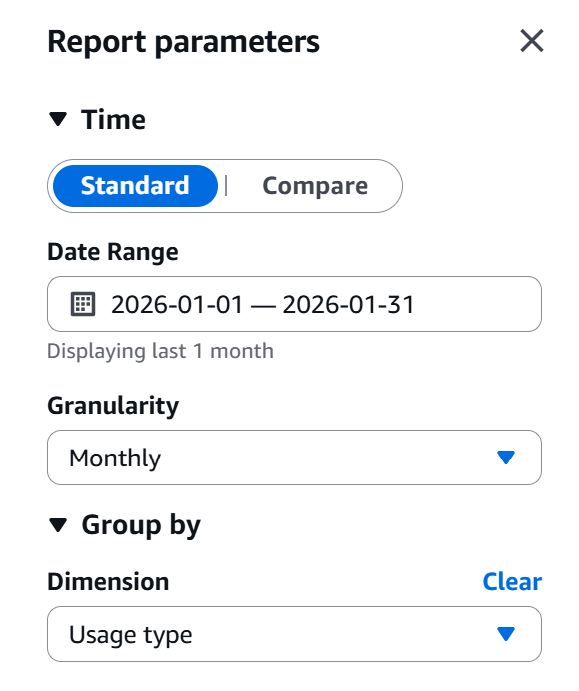
To view your cost breakdown goto Billing and Cost Management -> Cost Explorer and under Group By select Usage Type

Selecting Usage Type will provide you with more granular detail e.g., it will show what exactly in EC2 - Other is taking up costs. Most of the time these are EBS volumes. https://repost.aws/knowledge-center/ebs-charge-stopped-instance
Amazon EBS snapshots are billed at a lower rate than active EBS volumes. You can minimize your Amazon EBS charges but still retain the information that’s stored in Amazon EBS for later use. To do this, create a snapshot of the volume as a backup, and then delete the active volume. Later, when you need the information from the snapshot, use the snapshot to replace the EBS volume for use with your infrastructure.

Posted in Computers, programming, Software | Tagged | Leave a comment

Stay Off the Grid: Routing Internal Traffic via Route 53 Private Hosted Zones

In modern cloud architecture, “upstream” services constantly need to talk to “downstream” APIs. For our AI Interviewer application, we recently faced a challenge: how to securely and efficiently call the metering endpoint on our authentication gateway that handles billing.

While the solution might seem straightforward, the path to getting it right involved avoiding some common networking pitfalls.


The Dilemma: Public Latency vs. Private Complexity

When connecting two services within AWS, you generally have two “obvious” but flawed choices:

Option 1: The Public Route

You call the endpoint using its public URL (e.g., https://meter.example.com/bill).

  • The Problem: Traffic leaves the AWS backbone and traverses the public internet unnecessarily. Furthermore, if a developer accidentally misses the https protocol, sensitive API keys could be leaked over the wire.

Option 2: The Direct IP Route

You whitelist the upstream Security Group and call the instance directly via its private IP (e.g., http://x.y.z.w:PORT/bill).

  • The Problem: This is brittle. It requires both services to be in the same VPC, and it forces the application to bind to 0.0.0.0 rather than 127.0.0.1. This weakens our security posture by bypassing NGINX, which usually acts as our protective gatekeeper.

The Elegant Middle Ground: Private Hosted Zones

We wanted the best of both worlds: the clean, domain-based approach of Option 1, but the security and speed of Option 2. The solution is an AWS Route 53 Private Hosted Zone (PHZ).

A PHZ acts as an internal DNS server that only exists within your specified VPC. When your application looks up meter.example.com, Route 53 returns a private IP instead of a public one.


Step-by-Step Implementation

1. Create the Private Hosted Zone

First, we tell Route 53 to manage the domain internally for our specific VPC.

aws route53 create-hosted-zone \
    --name meter.example.com \
    --vpc VPCRegion=us-west-2,VPCId=vpc-xxx \
    --caller-reference $(date +%s) \
    --hosted-zone-config Comment="Internal API routing",PrivateZone=true

2. Map the Domain to a Private IP

Next, we create an “A Record” that points our domain name to the internal private IP of our gateway server.

aws route53 change-resource-record-sets \
    --hosted-zone-id /hostedzone/Z01165483IVUF0VMOL2KT \
    --change-batch '{
        "Changes": [{
            "Action": "CREATE",
            "ResourceRecordSet": {
                "Name": "meter.example.com",
                "Type": "A",
                "TTL": 300,
                "ResourceRecords": [{"Value": "x.y.z.w"}]
            }
        }]
    }'


The Result: Split-Horizon DNS in Action

Now, when our upstream AI Interviewer performs a DNS lookup, it no longer sees the public internet. It stays entirely within the AWS fabric.

Verification via nslookup:

$ nslookup meter.example.com

Non-authoritative answer:
Name:    meter.example.com
Address: x.y.z.w  &lt;-- Our Internal IP!

Why This Matters

  • Zero Latency: Traffic never leaves the data center.
  • Security by Default: Even if we use standard protocols, the data stays on a private network.
  • Maintainability: We can keep our NGINX configuration exactly as it is, maintaining a consistent security posture across public and private requests.

By leveraging Private Hosted Zones, we’ve built a system that is as easy to use as a public API but as secure as a private LAN.


Posted in Computers, programming, Software | Tagged , , , , | Leave a comment

Comparison of different ways to connect to EC2 instance

i am confused with so many access methods provided by aws – native ssh, ec2 instance connect, session manager and now serial console – that’s 4. why doesn’t it provide 1 recommended and best method to connect to ec2 instances?

Yeah, AWS really did a “collect them all” with EC2 access methods 😅
The good news: they each exist for a different primary use case. You don’t need to use all four.

Let me map them out in plain English and then I’ll give you a recommendation for one main way to use going forward.


The 4 ways in one sentence each

  1. Native SSH
    • Old-school: ssh ubuntu@ip.
    • Uses your key pair, Security Groups, public IP / bastion.
    • Simple, familiar, but tied to network exposure and key management.
  2. EC2 Instance Connect (browser / CLI)
    • Still SSH under the hood, but AWS temporarily injects an SSH key for you.
    • Good for ad-hoc admin, less key-juggling, still needs port 22 open.
  3. Session Manager (SSM)
    • No SSH, no open ports, no public IP needed.
    • Uses SSM agent + IAM. You connect via AWS console / CLI.
    • Great for locked-down prod instances and auditing.
  4. EC2 Serial Console
    • Like plugging a keyboard+monitor physically into the box.
    • Works even when SSH/network/fw is broken.
    • Pure break-glass / recovery tool, not for daily use.

Why AWS doesn’t say “just use this one”

Because different customers have very different priorities:

  • Old existing systems → expect classic SSH.
  • Enterprises / regulated environments → want no inbound ports, full audit → prefer Session Manager.
  • People who occasionally need OS-level recovery → need Serial Console.
  • People who like SSH but hate key distribution → Instance Connect is a compromise.

AWS can’t kill SSH (too widely used), but also can’t tell banks “yeah just keep 22 open to the internet”. So you end up with a menu instead of a single “best” choice.


How you can think about it (practical mental model)

For a startup / solo dev like you, a sane mental model is:

1. Pick ONE as your “everyday access”

If you’re comfortable with AWS-y stuff and IAM:

Use Session Manager as your primary.

  • No open SSH port
  • Works even if public IP changes
  • Auditable and more secure by default

If you just want something familiar and fast:

Use native SSH as your primary, but:

  • Lock Security Group to your IP (not 0.0.0.0/0 if possible)
  • Use good key hygiene
  • Maybe also enable SSM for backup

2. Keep ONE “break glass” method

  • That should be EC2 Serial Console (plus SSM if available).
  • You only touch it when:
    • sshd is broken,
    • firewall rules are wrong,
    • you’ve locked yourself out.

3. Treat EC2 Instance Connect as optional sugar

  • It’s just a nicer way to do SSH without juggling keys.
  • You don’t need it if you’re happy with SSH or SSM.

Concrete recommendation tailored to you

Given how deep you already are with AWS and how this SSH lockout just bit you:

If I were in your shoes, I’d do this going forward:

  1. Enable SSM + Session Manager on all EC2s
    • Attach an IAM role with AmazonSSMManagedInstanceCore.
    • Make sure SSM agent is installed (it is by default on most Amazon Linux / Ubuntu AMIs).
    • Use Session Manager as your “I just need a shell to debug/patch something” tool.
  2. Keep SSH, but treat it as a convenience
    • Keep port 22 open only from your current IP (or use a small bastion).
    • Use it for git push/port forwarding/etc. when it’s working.
    • But know that when SSH breaks, you have SSM + Serial Console.
  3. Enable EC2 Serial Console as the last line of defense
    • Give access only to your own admin role (or “break-glass” role).
    • Use it only when:
      • SSM isn’t set up / not working, and
      • SSH is dead, and you don’t want to detach volumes.

That way you’re not “choosing between four things” every time. It becomes:

  • Daily shell: Session Manager (or SSH if you really prefer).
  • Emergency: Serial Console.
  • Instance Connect: nice-to-have, not required.

The issue you’re experiencing with EC2 Instance Connect is related to the default session timeout. EC2 Instance Connect sessions typically last for one hour, after which you’re automatically disconnected even if you’re actively using the session.

Unfortunately, this one-hour session limit for EC2 Instance Connect is a fixed value and cannot be extended. This is different from the idle timeout that can be configured in some other AWS services.

Controlling the SSM session duration

aws ssm update-session-manager-settings --idle-session-timeout <minutes> --max-session-duration <minutes>

You can configure these settings in the Session Manager preferences within the AWS Systems Manager console or by using the AWS CLI. 

Using the AWS Console

  1. Sign in to the AWS Systems Manager console.
  2. In the left navigation pane, choose Session Manager.
  3. Choose the Preferences tab.
  4. Choose Edit and modify the values for Idle session timeout and/or Maximum session duration.
  5. Choose Save changes to apply the new settings. 

Using SSH+SSM to connect to VM

add this to ~/.ssh/config:

Host king-cobra
      HostName i-xxx
      User ubuntu
      IdentityFile ~/.ssh/id_ed25519
      ProxyCommand aws ssm start-session --target %h --region us-west-2 --document-name AWS-StartSSHSession --parameters portNumber=%p

Some more tips on SSM

Run these commands on your local computer (not EC2) if you see permissions denied errors. These commands create the logs directory where SSM stores its logs and gives it permissions over the directory. See this for more. You also need to create /usr/local/sessionmanagerplugin/seelog.xml file.

sudo mkdir -p /usr/local/sessionmanagerplugin/logs
sudo chown $USER:$USER /usr/local/sessionmanagerplugin/logs

Command to connect to EC2 using SSM:

aws ssm start-session --target i-xxx --region us-west-2 --document-name AWS-StartInteractiveCommand --parameters command="sudo su - ubuntu"

The command="sudo su - ubuntu" will log in as ubuntu. By default SSM will log you in as ssm-user which may not be very helpful.

Posted in Computers, programming, Software | Tagged , , , , | Leave a comment

Convert Word to Markdown

pandoc input.docx -o output.md --extract-media=./images
Posted in Computers, programming, Software | Tagged , , | Leave a comment

Steps to test AWS MP Integration

  • Create a separate buyer/test AWS account in your AWS Organization
  • Grant yourself access to it (IAM Identity Center: create/admin-assign a permission set like AdministratorAccess to your user/group for that account).
  • In AWS Marketplace Management Portal (seller account), add the test account ID to the product’s Limited visibility allowlist. This is the magic step. It will allow you to subscribe to the product in a test environment before its visibility is updated to public and thus simulate the flow when a real customer subscribes to your product.
  • From the test account, open the listing (direct URL if needed) → Subscribe → complete the redirect to your /register endpoint → verify ResolveCustomer + entitlements flow.
  • Before/after going Public:
    • Either cancel the test subscription, or
    • In your app, maintain a do-not-meter customer/account list (skip MeterUsage / metering events for that customer), or
    • Create a $0 private offer for the test account (best for ongoing testing on a Public listing).

https://docs.aws.amazon.com/marketplace/latest/userguide/metering-for-usage.html

  • Even if there is no usage to report, you can continue sending metering records every hour and record a quantity of 0 if there is no usage to report for that hour.
  • During publishing, the AWS Marketplace Operations team will test that the SaaS application sends the metering record successfully before allowing the product to be published. Typically, the team will perform a mock sign up of the SaaS and confirm that a metering record is received.
  • If this is a SaaS with the pricing model “Subscription” (not pricing models “Contract” or “Contract with Consumption“), then the buyer can unsubscribe at any time. The other two pricing models have a set duration based on the time of subscription and the buyer cannot unsubscribe during it. They can only turn off autorenewal.
  • Please note that pricing model change is not supported for SaaS products. [1]
  • We deduplicate metering requests on the hour.
  • Requests are deduplicated per product/customer/hour/dimension. i.e., if all 4 are the same the externally metered quantity is not aggregated.
  • You can always retry any request, but if you meter for a different quantity, the original quantity is billed.
  • If you send multiple requests for the same customer/dimension/hour, the records are not aggregated

What really distinguishes the 3 types of SaaS Products – subscription, contract, contract + consumption?

A SaaS product on AWS MP has one or more pricing dimensions associated with it. A pricing dimension can be of two types – Entitled or ExternallyMetered. ExternallyMetered dimensions have to be manually billed by the seller using the BatchMeterUsage endpoint. Think of an electricity meter. Entitled dimensions are billed via contracts – monthly or yearly. AWS automatically takes care of ongoing billing and provides an endpoint that you can call to check if a customer has an entitlement. Think of a Netflix subscription. You can offer multiple entitlements and they can be mutually exclusive but don’t have to. What an entitlement buys a customer is completely up to you and your internal detail. I think of entitlements as tiers – e.g., basic, pro, enterprise versions of the product.

Definitions:

  • A pure subscription or pay-as-you-go (PAYG) product only contains ExternallyMetered pricing dimensions. Customer gets variable bill per month (just like your electricity bill).
  • A pure contract product only contains Entitled pricing dimensions. Customer gets a flat bill per month.
  • A contract + consumption product contains at least one Entitled and at least one ExternallyMetered dimension

Even if you are developing a pure PAYG product (again AWS calls this a SaaS subscription), you might want to list it as a Contract + Consumption when creating the listing on AWS MP Seller Console. Why? For one, you future-proof it if you decide to change the pricing model later on. What I mean here is that you still keep the billing model as contract + consumption but can now simply update the price of the entitlement from zero to non-zero. Secondly, for the contract and contract + consumption models you can call the Entitlement service to check if the customer has an active contract. There is no such service available for PAYG (SaaS subscription). You must maintain the customer’s subscription status in your own database and remember to update it if the customer stops subscribing to your product. What are your thoughts? You can create an entitlement with $0/month or just $1/month and think of that entitlement as providing access to your platform. In short, a contract + consumption can be configured to mimic a pure PAYG or pure contract product but the reverse is not possible.

More


Looking for a plug-n-play library that takes care of AWS MP Integration while you focus on building the product? Checkout this.

Posted in Computers, Software | Tagged | Leave a comment