
Problem
I was hosting a static homepage on Cloudfront and was surprised to see tens of thousands of requests to it per day:
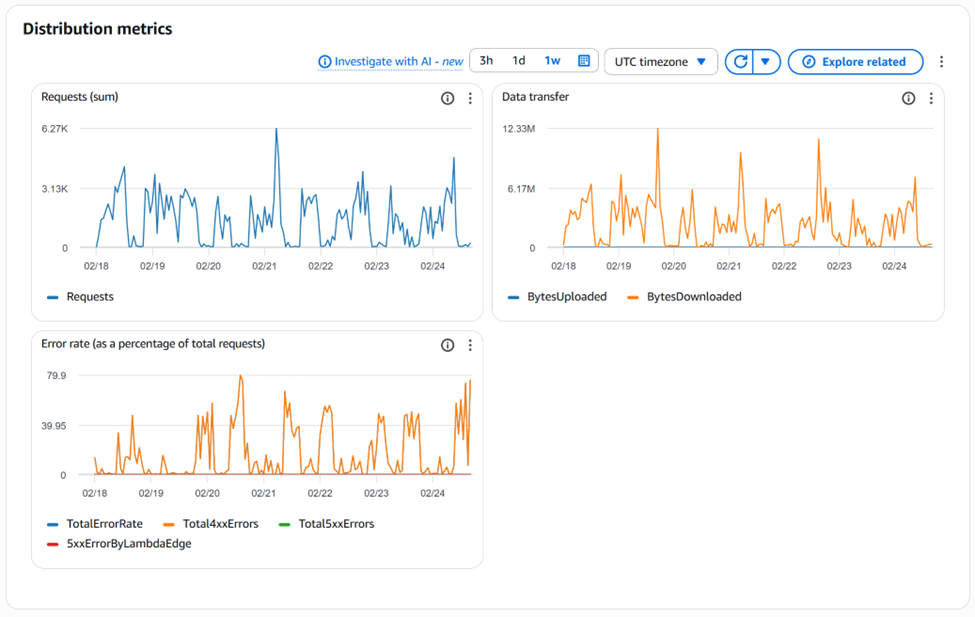

These requests are coming from malicious bots. How do we confirm?
Investigation
The best way to be able to debug issues like this is to enable Cloudfront Standard logs and then analyze in Amazon Athena:
1. Enable CloudFront Standard Logs
Enable CloudFront Standard Logs – not available in free-plan associated with flat-rate pricing. So choose PAYG pay-as-you-go plan. This will unlock many other features and for low traffic websites is better in terms of cost than flat-pricing. However, note that once you are on the Free-Plan you cannot change to PAYG! You have to cancel the plan first [1]
- Go to the CloudFront Console > Distributions > [Your ID].
- Under General tab, click Edit.
- Find Standard logging, turn it on, and select an S3 bucket to store them.
- Wait: It takes about an hour for logs to start appearing.

2. Analyze the Logs with Amazon Athena
Once you have logs, don’t try to read them manually—they are messy. Use Amazon Athena to run a SQL query against the log files in S3.
Run this query to find the top “offenders”:
SELECT client_ip, count(*) as request_count, uri_path, user_agentFROM cloudfront_logsGROUP BY client_ip, uri_path, user_agentORDER BY request_count DESCLIMIT 20;
- If you see one IP with 10k requests: It’s a bot. You can block it via AWS WAF.
- If you see requests for
.phpor/admin: It’s a vulnerability scanner. - If you see a specific image file being requested: Someone has likely embedded your image on their high-traffic site.
Analyzing 4xx traffic
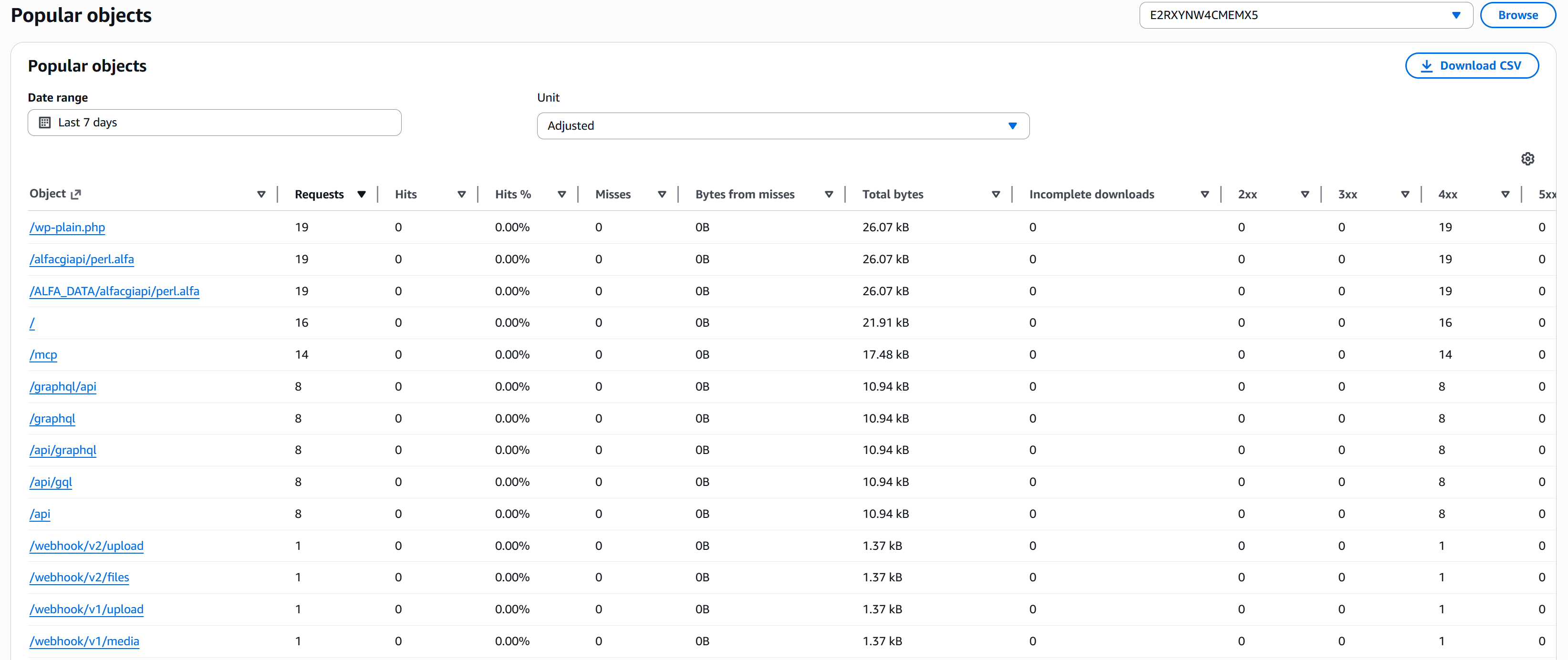
It would be good to know what paths are causing 4xx. These are the paths malicious bots are trying to hit and we can create a rule (Solution 2) that blocks traffic based on what path is being requested. If we don’t have a /wp-admin on our site, anyone trying to access it must be a bot. Unfortunately, you can’t see a list of 4xx URLs/paths on the free-plan. What you can do as a best-effort is go to Reports and Analytics -> Popular Objects tab and sort it by 4xx descending:
Solution 1: Rate-limit
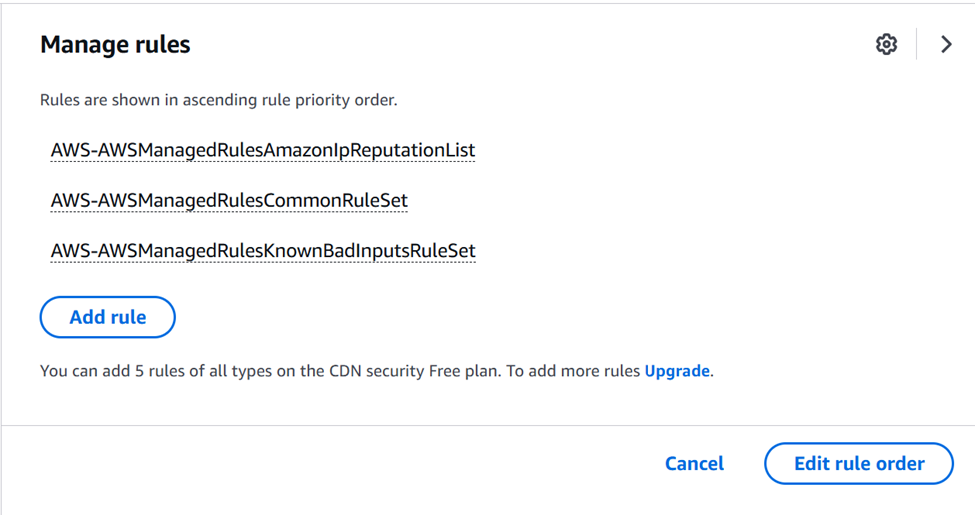
Goto your Cloudfront distribution in AWS console. Then from the Security tab select Manage Rules

By default you will see:
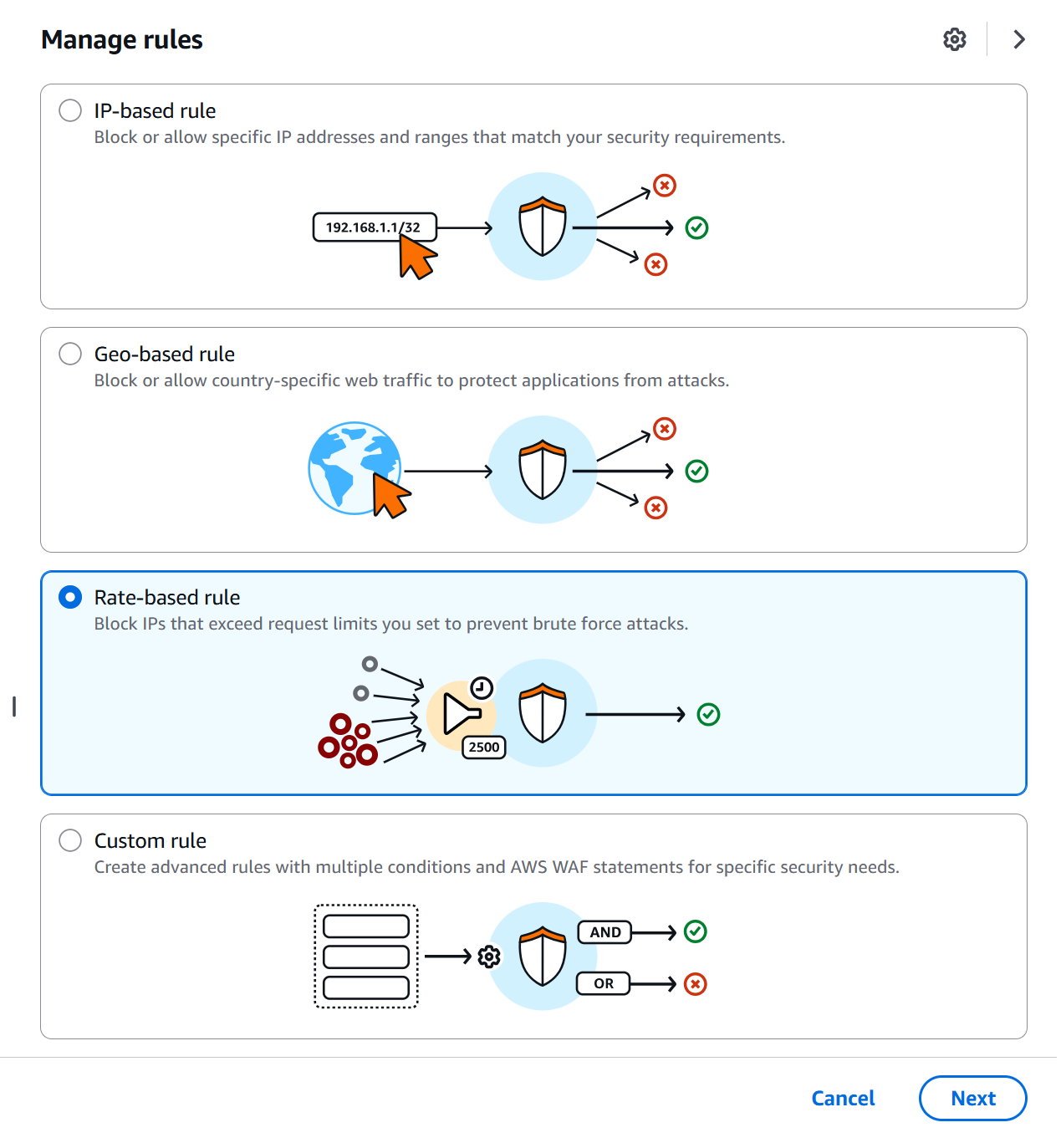
Click on Add Rule. Choose Rate-based rule and click Next
Configure as follows. Change rate-limit as you like. Click on Add Rule
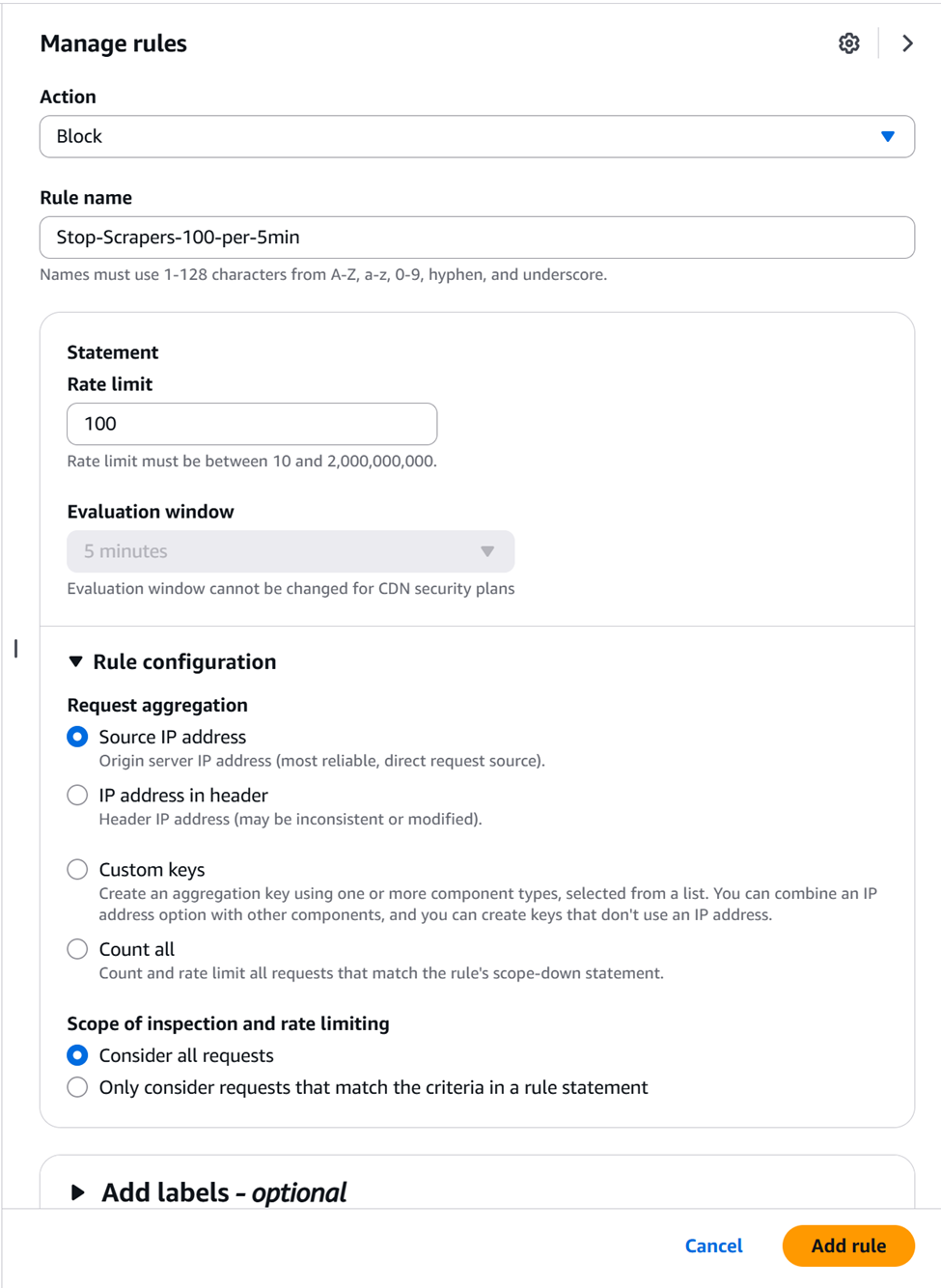
Solution 2: BETTER: Block traffic trying to access bad paths (not available on free-plan)
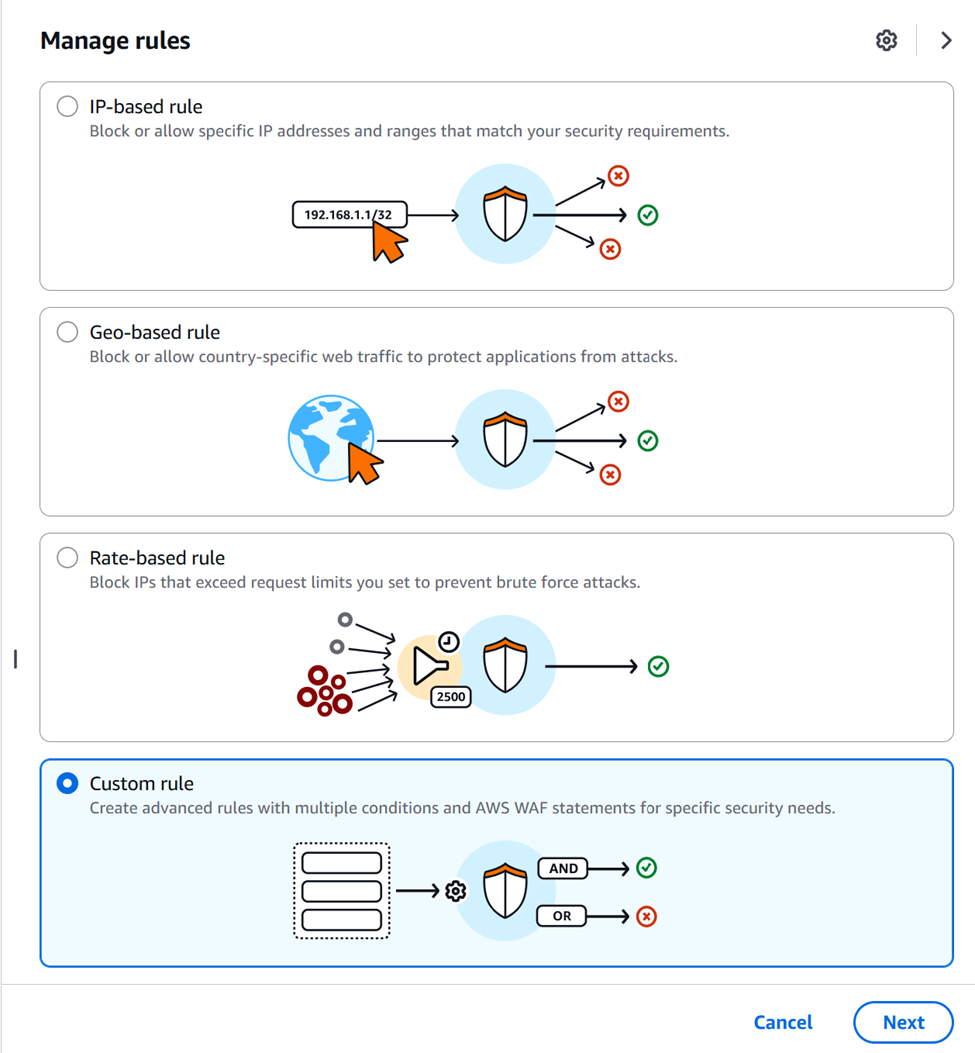
Many bots try to access paths like /.env, /wp-admin etc. If you are hosting a static website you know these paths do not exist and anyone trying to access them is a malicious bot. So instead of rate-limiting, a better option is to just block anyone who tries to hit these paths that otherwise cause 4xx. Tip: Look for paths that cause 4xx errors and add them to the list. Goto Manage Rules and select Custom Rule
After that you would select URI path in below:
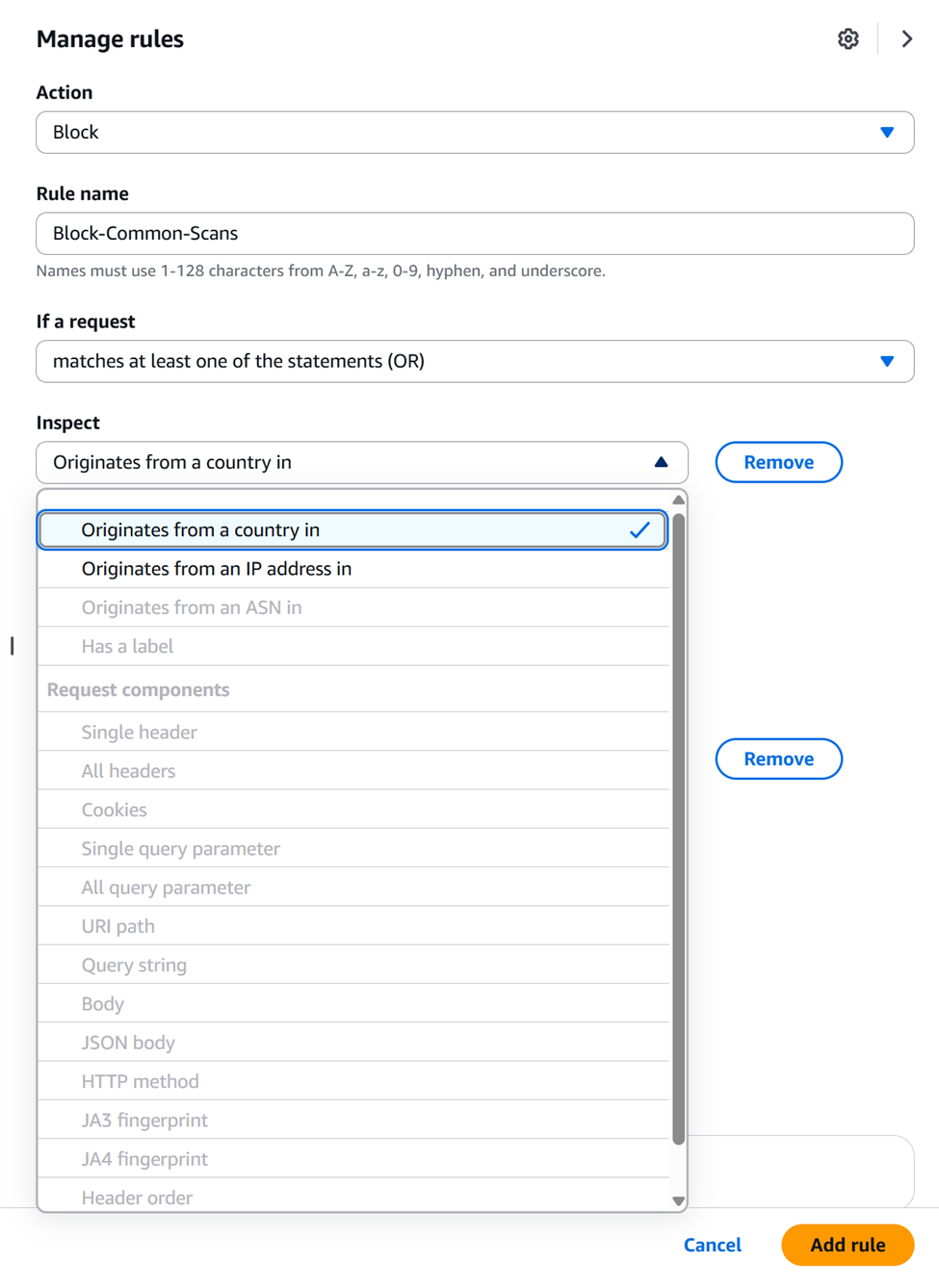
and block malicious bots hitting your website.
How much do Cloudfront logs cost?
Analyzing these logs is very affordable for a site with low traffic volume. CloudFront doesn’t charge you to generate the logs, but you pay for storing them in S3 and querying them with Athena.
Based on your current traffic (~30k requests/day), here is the cost breakdown:
1. S3 Storage (Negligible)
CloudFront logs are small. Even with 30,000 requests per day, you’re likely generating less than 100MB of logs per month.
- Cost: Approximately $0.01 per month.
- Math: S3 Standard is about $0.023 per GB. You aren’t even hitting 1 GB.
2. Athena Queries (Cheap)
Athena charges based on the amount of data scanned.
- Cost: $0.01 per query (minimum charge).
- Math: Athena charges $5.00 per TB scanned. Since your total logs for the month are likely under 1 GB, every query you run will cost the minimum scan fee (10MB), which is effectively a fraction of a penny.
3. S3 Requests (The “Hidden” Cost)
Every time CloudFront “puts” a log file into your S3 bucket, it’s an S3 PUT request.
- Cost: Approximately $0.05 – $0.10 per month.
- Math: S3 charges $0.005 per 1,000
PUTrequests. CloudFront delivers logs in batches every few minutes.
Total Estimated Cost
For a site seeing ~1 million requests a month (your current trajectory), the total cost to log and debug this will be less than $0.50 USD per month.
Pro Tip: If you want to keep it free, set an S3 Lifecycle Policy on your log bucket to automatically delete files older than 7 or 14 days. This prevents “log bloat” from costing you money a year from now.
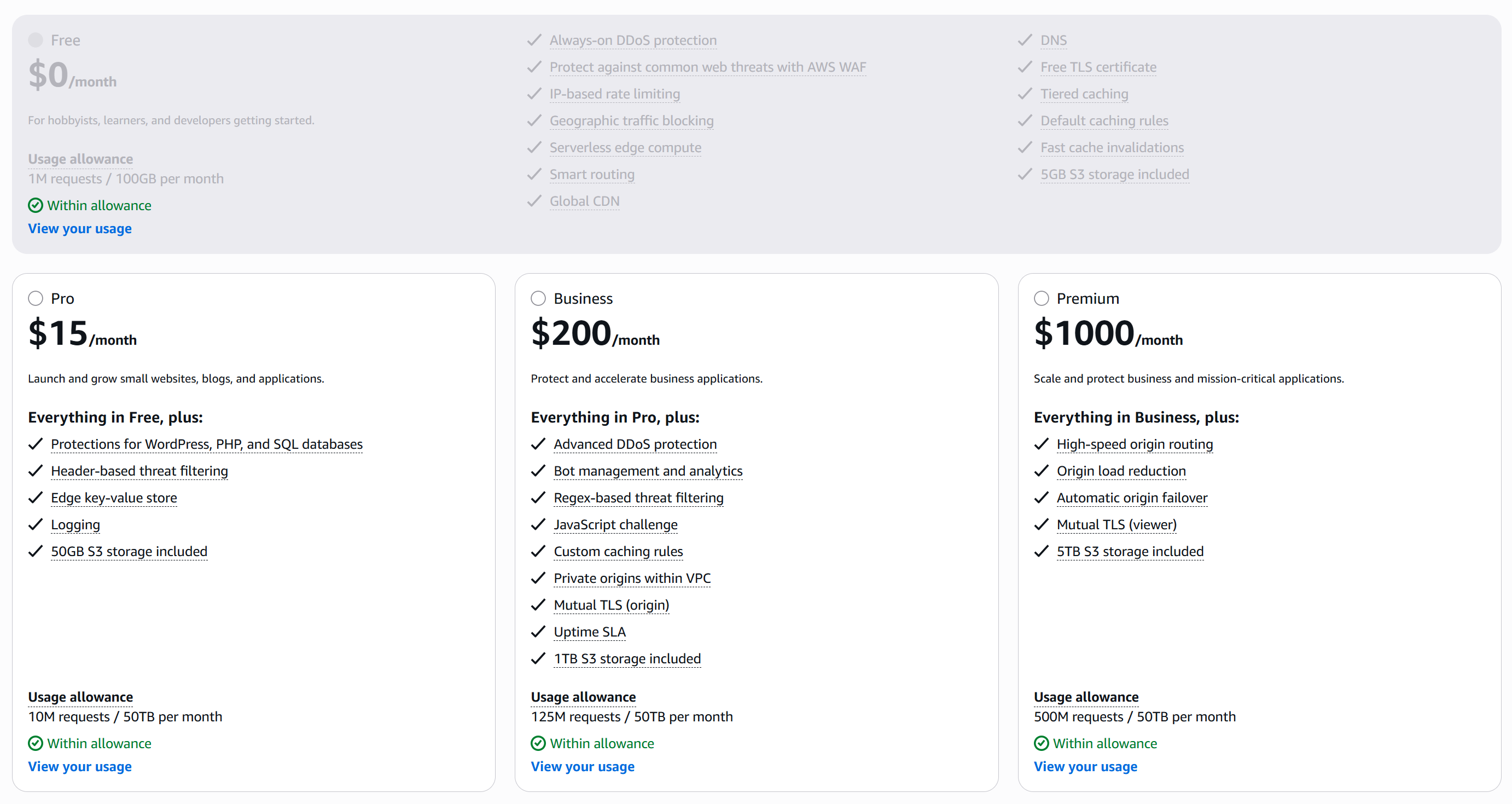
Flat-Rate Pricing Plans
Below are details of flat-rate pricing plans. Tip: Choose Pay-As-You-Go for low-traffic websites like homepages. It won’t be completely free but you get more features and worth the cost.
This post has been written with help from Gemini
 siddharth's space