
Cloud SQL is a managed service in GCP where Google will run and manage MySQL, Postgres or SQL Server for you. A user can authenticate to Cloud SQL in two ways:
- Built-in: This is the conventional way. You create a user e.g.
CREATE USER testuser WITH ENCRYPTED PASSWORD '2O3vdR4F';and then user uses this password to log into the database server. - IAM: This method uses your GCP identity (your GCP account) to log into the server. Azure calls this managed identity if I am not mistaken.
Using IAM has few advantages I believe. Say you have 100 servers. With IAM you don’t have to create 100 accounts for the same user and then manage those accounts (e.g., think when you want to revoke access).
I don’t know how IAM is exactly implemented and very curious to learn about it. What I do know is that when you create an IAM user account (e.g., from GCP’s web console), a user with same email as your GCP account is created in the system. This user can be seen with familiar \du command. So this tells me that Google internally executes the CREATE USER command for us. Come on, how else could it work? From point of view of pg, it doesn’t know the difference between built-in or IAM users. for it, every user is built-in.
If a user is created, there must also be an associated password. My guess is that this password is periodically (and frequently – of the order of minutes may be) rotated behind the scenes for us (which is another reason to prefer IAM over built-in identity). we never get to know that password so how can we connect using IAM?
This is where you have to use the Cloud SQL Proxy provided by Google. This is a program you run on your machine. It authenticates to GCP using the credentials stored on your machine and then is able to read the password from pg using super privileges it has (my guess). If you are using psql, pgAdmin or DBeaver you connect to the proxy that runs locally and the proxy connects to Cloud SQL. This is how you can access Cloud SQL from your local machine.
But what about your application? For this, Google provides libraries that do the same thing as the proxy. E.g., if you are programming in Java, you will use the Java library and have code like:
private static String POSTGRES_CONNECTION_STRING_WITH_IAM = "jdbc:postgresql:///${pgDatabase}?cloudSqlInstance=${pgProjectId}:${pgRegion}:${pgInstance}&socketFactory=com.google.cloud.sql.postgres.SocketFactory&user=${pgUsername}&password=abc123&enableIamAuth=true";
Add dependency to com.google.cloud.sql:postgres-socket-factory (in your pom.xml or build.gradle file). The connection establishment is offloaded (outsourced) to this library. From the docs:
The provided value is a class name to use as the
SocketFactorywhen establishing a socket connection. This may be used to create unix sockets instead of normal sockets. The class name specified bysocketFactorymust extendjavax.net.SocketFactoryand be available to the driver’s classloader. This class must have a zero-argument constructor, a single-argument constructor taking a String argument, or a single-argument constructor taking a Properties argument. The Properties object will contain all the connection parameters. The String argument will have the value of thesocketFactoryArgconnection parameter.
Think of this as the Cloud SQL Proxy but running embedded in your application instead of a separate program.
Recently, Google added support for IAM auth to Node.js which was missing for a long time (version 0.3.0). I had a chance to use it and it does work!
const { Connector } = require('@google-cloud/cloud-sql-connector');
const {Pool} = require('pg');

const connector = new Connector();

const connect = async () => {
    const clientOpts = await connector.getOptions({
        instanceConnectionName: 'project:region:instance',
        ipType: 'PUBLIC',
        authType: 'IAM'
      });
    console.log(clientOpts);
    const pool = new Pool({
        ...clientOpts,
        user: 'mygcpid@mycompany.com',
        password: 'dummy',
        database: 'xxx',
        max: 5
      });
      const {rows} = await pool.query('SELECT NOW()');
      console.table(rows); // prints returned time value from server

      await pool.end();
      connector.close();
}
Understanding the Internals
I think there is a subtle difference between how this works vs. Java (on analyzing further, I think both Java and Node.js work the same way; refer this for the TL;DR). The Node.js code is using the pg library to establish the connection (observe the code where the Pool class from pg is being instantiated). This library does not know about built-in vs. IAM. It will connect to postgres by passing a password. So my guess was that clientOpts would contain the password to connect to postgres but I was wrong. clientOpts simply contains two fields:
{ stream: [Function: stream], ssl: false }
The only thing I can think of is the stream IS the connection to Cloud SQL and the pg library does NOT establish connection to postgres@google-cloud/cloud-sql-connector (observe the await when calling connector.getOptions) and pg uses the provided stream. E.g., I can see this interface in pg TypeScript declarations:
export interface ClientConfig {
    user?: string | undefined;
    database?: string | undefined;
    password?: string | (() => string | Promise<string>) | undefined;
    port?: number | undefined;
    host?: string | undefined;
    connectionString?: string | undefined;
    keepAlive?: boolean | undefined;
    stream?: stream.Duplex | undefined;
    statement_timeout?: false | number | undefined;
    ssl?: boolean | ConnectionOptions | undefined;
    query_timeout?: number | undefined;
    keepAliveInitialDelayMillis?: number | undefined;
    idle_in_transaction_session_timeout?: number | undefined;
    application_name?: string | undefined;
    connectionTimeoutMillis?: number | undefined;
    types?: CustomTypesConfig | undefined;
    options?: string | undefined;
}
I think its a matter of getting lucky. Basically @google-cloud/cloud-sql-connector is relying on an assumption that if stream is passed-in to pg, then pg will skip creating connectionspg library.
Looking at the code of pg library:
class Connection extends EventEmitter {
  constructor(config) {
    super()
    config = config || {}

    this.stream = config.stream || new net.Socket()
this is where @google-cloud/cloud-sql-connector is effectively injecting the pre-established connection into pg.
and the stacktrace:
trace
    at eval (eval-dd4d2821.repl:1:9)
    at new Connection (/Users//node/cloudsql-iam-auth-test/node_modules/pg/lib/connection.js:15:5)
    at new Client (/Users//node/cloudsql-iam-auth-test/node_modules/pg/lib/client.js:48:7)
    at BoundPool.newClient (/Users//node/cloudsql-iam-auth-test/node_modules/pg-pool/index.js:213:20)
    at BoundPool.connect (/Users//node/cloudsql-iam-auth-test/node_modules/pg-pool/index.js:207:10)
    at BoundPool.query (/Users/node/cloudsql-iam-auth-test/node_modules/pg-pool/index.js:394:10)
    at connect (/Users//node/cloudsql-iam-auth-test/index.js:20:33)
However if I am not mistaken, the code:
this.stream = config.stream || new net.Socket()
means that even though we create a Pool, that pool will always contain a single connection because a new net.Socket will never be created like this! TODO: confirm and validate. This is a big bug!
On testing, it turned out I was wrong! Sample test code:
const main = async() => {
    const pool = await createPool();
    for (let i = 0; i < 20; i++) {
        await pool.connect();
    }
    await pool.end();
    connector.close();
}
On pg server:
rrm=> SELECT count(*) FROM pg_stat_activity where usename = 'me';
 count
-------
    20
(1 row)
So its doing the right thing! How come? Take a look at this:
if (typeof this.stream === 'function') {
      this.stream = this.stream(config)
}
At time of if check this.stream equals config.stream which is the stream injected into pg.
this.stream === config.stream
true
The if check evaluates to true and then this.stream gets replaced by config.stream(config). The config.stream function creates a NEW stream which gives a NEW connection. (I wasn’t able to step into the config.stream call). This is where the connection is being established:
this.stream.once('connect', function () {
      if (self._keepAlive) {
        self.stream.setKeepAlive(true, self._keepAliveInitialDelayMillis)
      }
      self.emit('connect')
    }
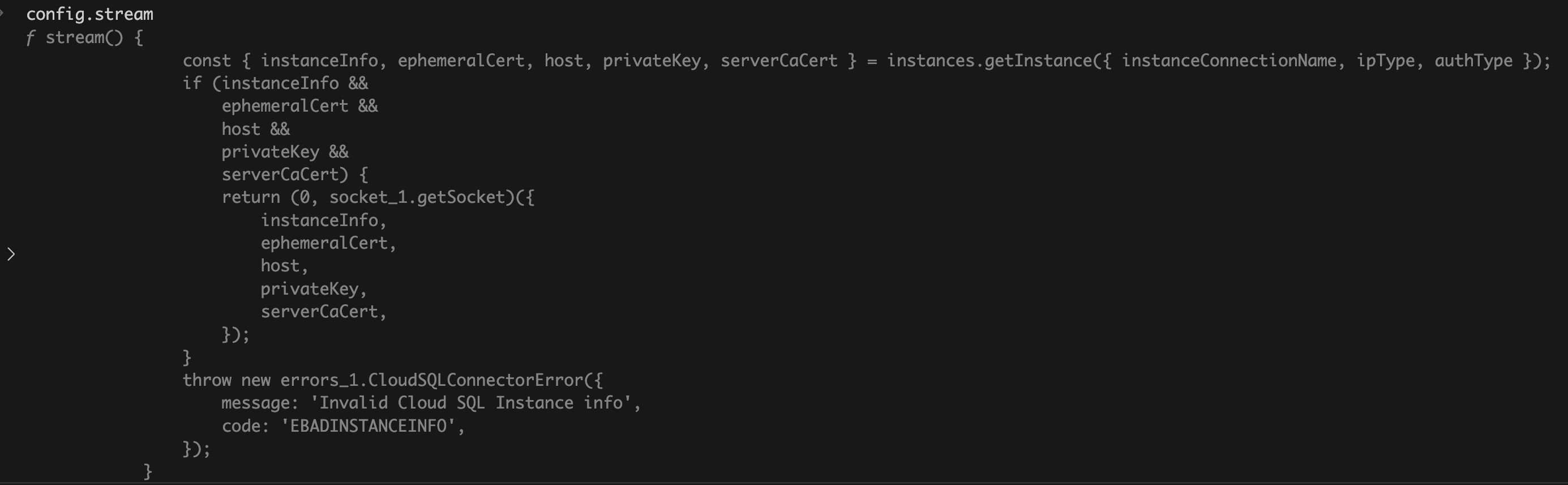
The code in @google-cloud/cloud-sql-connector that creates the stream which is passed to pg:
stream() {
        const {instanceInfo, ephemeralCert, host, privateKey, serverCaCert} =
          instances.getInstance({instanceConnectionName, ipType, authType});

        if (
          instanceInfo &&
          ephemeralCert &&
          host &&
          privateKey &&
          serverCaCert
        ) {
          return getSocket({
            instanceInfo,
            ephemeralCert,
            host,
            privateKey,
            serverCaCert,
          });
        }
At this point, this was enough for me. Again, if anything to be learned or taken away I feel this code:
this.stream = config.stream || new net.Socket()
    if (typeof this.stream === 'function') {
      this.stream = this.stream(config)
    }
which makes it all work, is highly custom (internal) and not part of public API of pg library. The library author can change the internals without notice and its never a good idea to rely on undocumented features.
Let me know if you have any insights!
 siddharth's space