
Yes it is possible using IJava or Ganymede. In this post I describe all the steps I followed to get it to work on a Macbook using IJava. The post assumes you have python3, pip3 and JDK >= 9 installed.
Installing Jupyter
first, we install Jupyter and JupyterLab by running:
$ pip3 install jupyter
$ pip3 install jupyterlab
Install IJava
I installed the precompiled binary using following steps. First, download zip file containing precompiled binary and unzip it. Verify you get a install.py file:
» wget https://github.com/SpencerPark/IJava/releases/download/v1.3.0/ijava-1.3.0.zip
» mkdir IJava
» cd IJava
» tar -xvf ~/Downloads/ijava-1.3.0.zip
» ls
install.py java
Install IJava kernel:
» python3 install.py --sys-prefix
install.py:169: DeprecationWarning: replace is ignored. Installing a kernelspec always replaces an existing installation
  replace=args.replace
Installed java kernel into "/Library/Frameworks/Python.framework/Versions/3.7/share/jupyter/kernels/java"
Create helper script to launch Jupyter
I created following helper script (call it jupyter.sh or maybe just jupyter) in $HOME/bin folder to run Jupyter:
#!/bin/bash
python3 /Library/Frameworks/Python.framework/Versions/3.7/lib/python3.7/site-packages/jupyter.py $@
Tip: You can use the pip3 show command to find the location where pip3 installed a python package. E.g.:
~ ❯ pip3 show jupyter
Name: jupyter
Version: 1.0.0
Summary: Jupyter metapackage. Install all the Jupyter components in one go.
Home-page: http://jupyter.org
Author: Jupyter Development Team
Author-email: jupyter@googlegroups.org
License: BSD
Location: /Library/Frameworks/Python.framework/Versions/3.7/lib/python3.7/site-packages
Requires: jupyter-console, qtconsole, notebook, ipykernel, nbconvert, ipywidgets
Required-by:
You are now ready to go but before you do that its a good idea to verify the IJava kernel was correctly installed. We can now do that by running:
% jupyter kernelspec list
Available kernels:
  java       /Library/Frameworks/Python.framework/Versions/3.7/share/jupyter/kernels/java
  python3    /Library/Frameworks/Python.framework/Versions/3.7/share/jupyter/kernels/python3
Ready to Go
Now you are ready to go. Give jupyter.sh executable privileges. After that to run Jupyter in console mode, run:
» ~/bin/jupyter.sh console --kernel=java
This should give:
Aug 10, 2022 3:37:52 PM io.github.spencerpark.jupyter.channels.Loop start
INFO: Loop starting...
Aug 10, 2022 3:37:52 PM io.github.spencerpark.jupyter.channels.Loop start
INFO: Loop started.
Aug 10, 2022 3:37:52 PM io.github.spencerpark.jupyter.channels.Loop start
INFO: Loop starting...
Aug 10, 2022 3:37:52 PM io.github.spencerpark.jupyter.channels.Loop start
INFO: Loop started.
Aug 10, 2022 3:37:52 PM io.github.spencerpark.jupyter.channels.Loop start
INFO: Loop starting...
Aug 10, 2022 3:37:52 PM io.github.spencerpark.jupyter.channels.Loop start
INFO: Loop started.
Jupyter console 6.4.4

Java 11.0.14+8-LTS-263 :: IJava kernel 1.3.0
Protocol v5.3 implementation by jupyter-jvm-basekernel 2.3.0
In [1]:
and to run Jupyter as a web application, run:
$ ~/bin/jupyter.sh lab
In the logs you should see:
[I 2022-08-10 15:39:58.661 ServerApp] jupyterlab | extension was successfully linked.
[I 2022-08-10 15:39:58.671 ServerApp] nbclassic | extension was successfully linked.
[I 2022-08-10 15:39:58.933 ServerApp] notebook_shim | extension was successfully linked.
[I 2022-08-10 15:39:58.966 ServerApp] notebook_shim | extension was successfully loaded.
[I 2022-08-10 15:39:58.968 LabApp] JupyterLab extension loaded from /Library/Frameworks/Python.framework/Versions/3.7/lib/python3.7/site-packages/jupyterlab
[I 2022-08-10 15:39:58.968 LabApp] JupyterLab application directory is /Library/Frameworks/Python.framework/Versions/3.7/share/jupyter/lab
[I 2022-08-10 15:39:58.972 ServerApp] jupyterlab | extension was successfully loaded.
[I 2022-08-10 15:39:58.980 ServerApp] nbclassic | extension was successfully loaded.
[I 2022-08-10 15:39:58.982 ServerApp] Serving notebooks from local directory: /Users/xxx
[I 2022-08-10 15:39:58.982 ServerApp] Jupyter Server 1.18.1 is running at:
[I 2022-08-10 15:39:58.982 ServerApp] http://localhost:8888/lab?token=9d8044565e6262dbae2bb6d41c3329fb0bdb045d5f8f413a
[I 2022-08-10 15:39:58.982 ServerApp]  or http://127.0.0.1:8888/lab?token=9d8044565e6262dbae2bb6d41c3329fb0bdb045d5f8f413a
[I 2022-08-10 15:39:58.982 ServerApp] Use Control-C to stop this server and shut down all kernels (twice to skip confirmation).
[C 2022-08-10 15:39:58.988 ServerApp]

    To access the server, open this file in a browser:
        file:///Users/xxx/Library/Jupyter/runtime/jpserver-45538-open.html
    Or copy and paste one of these URLs:
        http://localhost:8888/lab?token=9d8044565e6262dbae2bb6d41c3329fb0bdb045d5f8f413a
     or http://127.0.0.1:8888/lab?token=9d8044565e6262dbae2bb6d41c3329fb0bdb045d5f8f413a
It should automatically open your web browser and you should see something similar to:
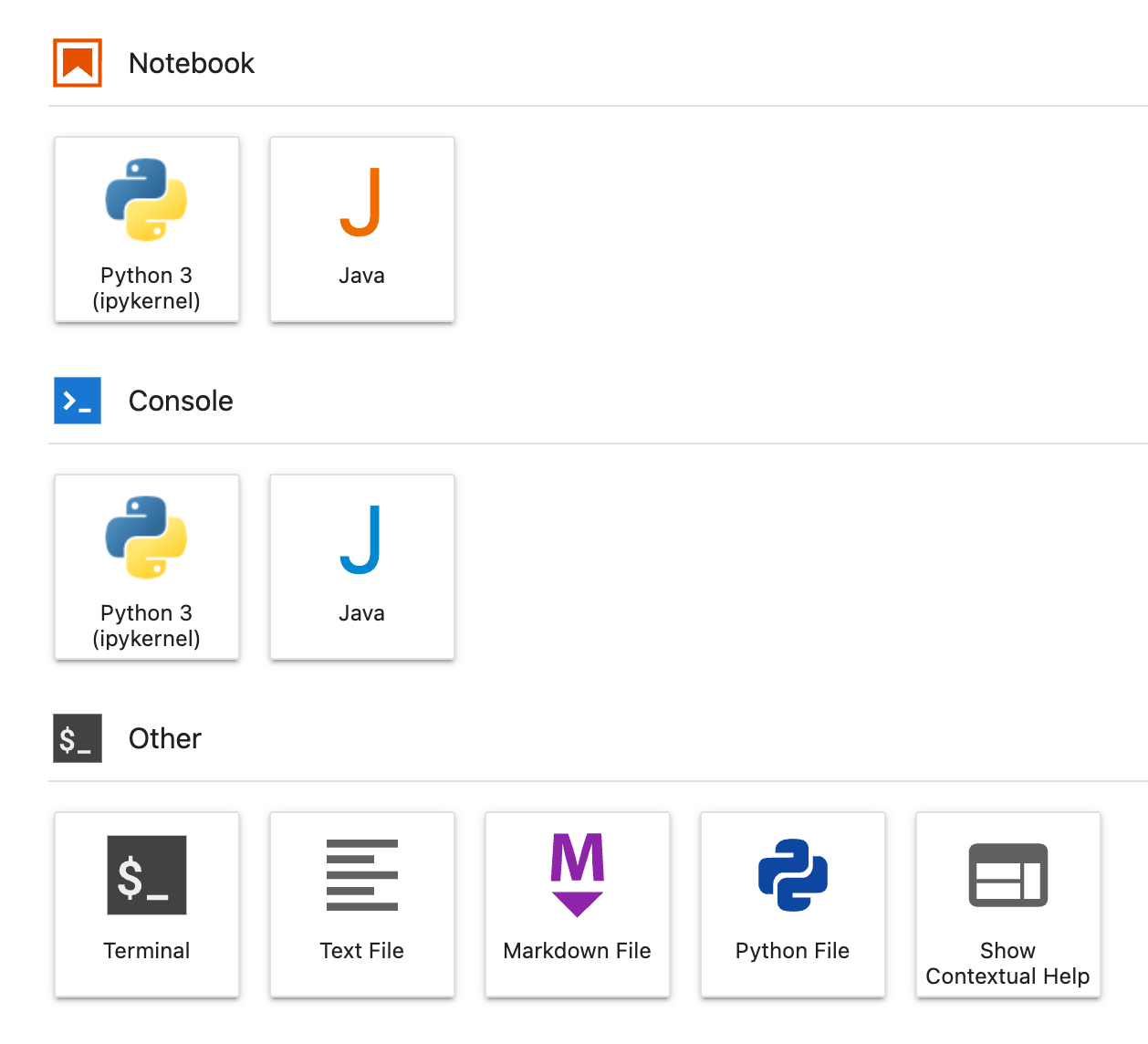
Click on Java under Notebook and enjoy!
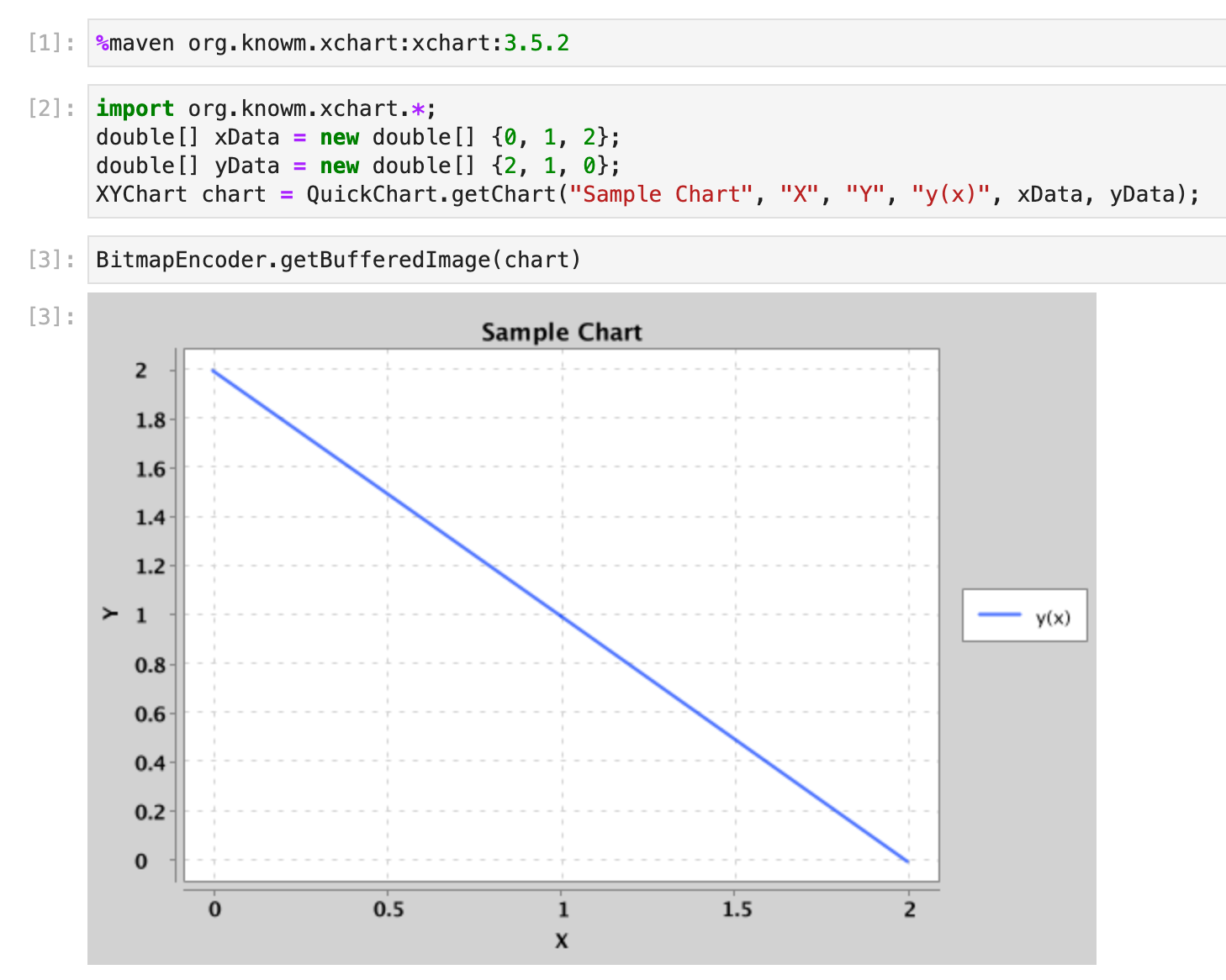
Let me know how it goes!
How it works?
Internally IJava relies on the jshell program that comes with JDK>=9 (hence the dependency) to execute the Java code. Make sure you familiarize yourself with jshell and learn to use it as well.
 siddharth's space