
java.lang.ClassNotFoundException is probably the most dreaded and difficult exception you can run into when doing Java development. What does it mean? Simply put, the class could not be found on the classpath. If you reached this far, the class was available during compile time, but mysteriously is not available during runtime. If you are using Maven, dependencies with provided scope are perfect candidates for this problem. From documentation:
A dependency with this scope is added to the classpath used for compilation and test, but not the runtime classpath.
If:
- You have dependency on A in your
pom.xml - A has dependency on B in its
pom.xml - B is declared with a scope of
providedin A’spom.xml - Your
pom.xmldoes not import B (with scopecompileorruntime)
then you will get this error.
The classpath defines all the paths or places where the ClassLoader looks to load a class.
Step 1: inspect the classpath
if you ran your program using java, the -cp option defines the classpath. So check what you specified in -cp. Further this classpath is available in the java.class.path system property. Print it out and verify the result is what you’d expect.
Out of habit, I run my programs using Maven using mvn exec:java plugin. Among other things, it adds all the dependencies to the classpath so that I don’t have to manually list all of them using -cp (the list can become quite large). However, from what I understand Maven adds dependencies to the classpath at runtime whereas the java.class.path system property returns the classpath when JVM was invoked. This means if you print java.class.path and the program was run via mvn exec:java you don’t get the full classpath. You only get:
/Library/Downloads/apache-maven-3.8.5/boot/plexus-classworlds-2.6.0.jaror something related and not the classpath you would expect. Run mvn and specify the -X switch. Now you will see the classpath in the output of mvn. e.g.:
[DEBUG] Collected project classpath [/Users/xxx/java/memory-measurer-test/target/classes]
[DEBUG] Adding to classpath : /Users/xxx/java/memory-measurer-test/target/classes
[DEBUG] Adding project dependency artifact: memory-measurer to classpath
[DEBUG] Adding project dependency artifact: jsr305 to classpath
[DEBUG] Adding project dependency artifact: guava to classpath
Also look into mvn dependency:build-classpath. To get the full classpath at runtime you can try using the ClassGraph library like so:
        List<URI> classpath = new ClassGraph().getClasspathURIs();
        for (URI uri : classpath) {
            System.out.println(uri.toString());
        }
This way I was able to get full classpath of a program that is run via mvn exec:java plugin.
Step 2: Check if your jar dependency really has the class in it
If you have verified the classpath is not the problem i.e., your dependency exists in the classpath, a good idea is to unpack the dependency (assuming its a jar file) using tar -xvf and verify that the class is indeed contained in the jar file. A lot of times when we have a complex dependency graph, there are version conflicts and the version of the dependency that ends up in the classpath does not have some class you need. When this happens use the maven-shade-plugin to provide multiple versions of the same dependency to your application (some libraries will need version X and other will need version Y. maven-shade-plugin gives you a way to package both versions in your application).
One time when it never worked
When using a javaagent and running using Maven, I got a java.langClassNotFoundException and was never able to fix it. more here. Only conclusion I could draw is that when program is run through mvn exec:java the classpath does not propagate to the javaagent maybe because Maven adds dependencies to the classpath at runtime and by then the javaagent has already started (just my guess). So beware of this gotcha.
I confirmed my hunch by inspecting the source code of the mvn exec plugin. It can be found here. It is instructive to see how it modifies the classpath at runtime. The code that does this is:
public class ExecJavaMojo # the main class that runs when mvn exec:java is used

    public void execute() # the main function within the class
        URLClassLoader classLoader = getClassLoader();

            private URLClassLoader getClassLoader()
                this.addRelevantPluginDependenciesToClasspath( classpathURLs );
                this.addRelevantProjectDependenciesToClasspath( classpathURLs );
                this.addAdditionalClasspathElements( classpathURLs );
But this classpath does not propagate to the javaagent. In fact the exec plugin does not even start (or know anything about) the javaagent. I could not find any reference to javaagent in the exec plugin. The javaagent seems to be invoked and handled by core Maven. Studying the source code of the exec plugin is very valuable if you run into difficult problems while executing your Java programs. It is the ultimate way to debug. We have to get inside the code.
The problem could be Maven
Maven is a notoriously buggy tool [1]. I have run into all sorts of issues with it ranging from irreproducible to incorrect behavior. Don’t believe me? See this:

Long story short, if you have exhausted all other resources and are running into the exception while executing your application via Maven, try executing the application via java command.
java $JAVA_OPTS -cp ./target/classes:$CLASSPATH <your-main-class>
replace $CLASSPATH with the output from mvn dependency:build-classpath.
Below I try to document real-world cases when I ran into the exception and how I fixed it as it is excruciatingly painful to debug this and happens all the time.
Real world example #1
Sequence of steps:
- I ran
mvn clean installon a multi-module project (module = maven modules not JPMS) and it ran successfully - Then I tried to run a module using
mvn exec:javaand gotCaused by: java.lang.ClassNotFoundException: xxx
This ought to be impossible but still has happened to me. Steps followed to troubleshoot the problem:
- Re-run
mvn execwith-Xswitch (or usemvn dependency:build-classpath) and verify the dependency that contains the class is being added to the classpath. ✓ - Unzip the dependency jar file and verify it contains the class. ✓
- I then ran the program without using Maven and the exception still reproed. ❌ At this point I was at end of my wits.
- I then replaced
./target/classeswith path to jar file in.m2repository and now it passed! ✓ On closer inspection I observed when I got the errorjava.lang.ClassNotFoundException: xxxthe class was missing the namespace prefix.
I cannot explain this any other way except that this is bug in Maven. I was using exec:3.1.0:java
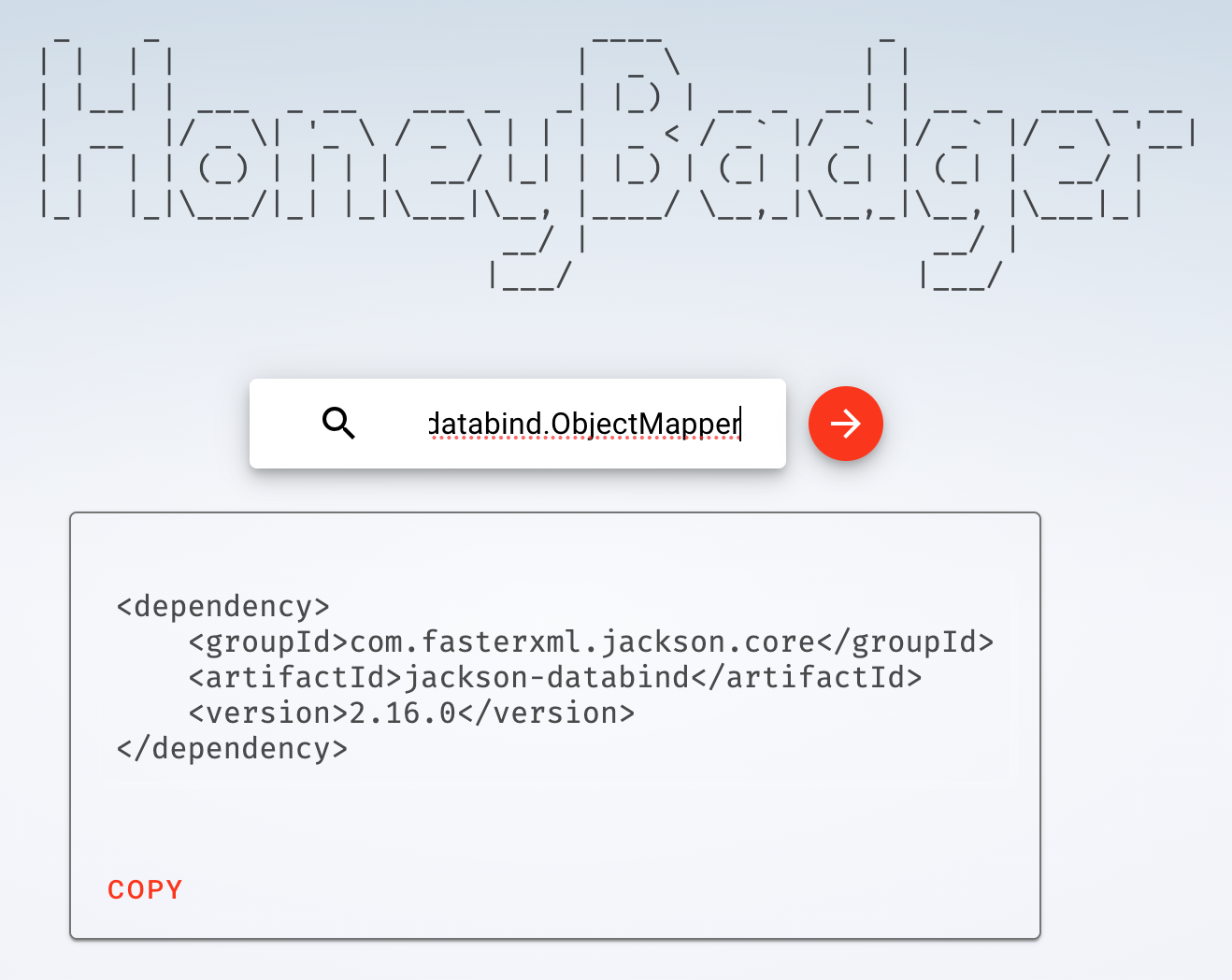
Sometimes you just don’t know the dependency that contains the ClassNotFound
What to do in that case? Checkout honeybadger.bot
I hope you find some of the tips in this article useful in your debugging of java.lang.ClassNotFoundException
 siddharth's space