
Scaling (or resizing) an image (making it bigger or smaller) is so common these days that we take it for granted but have you ever wondered how it is done? An image is made up of M x N pixels. When we scale it, we create a new image of size W x H pixels. How should the pixels in the new image be filled in?
Downsampling (scaling down)
When we make the image smaller, we are downsampling it. There are at least 3 methods that come to mind. Its tax season so I have named them basic, deluxe and premium after the 3 versions of TurboTax:
- Basic: Simply take every k-th pixel from the original image where k is the factor by which we are downsampling. E.g., if k = 2 choose every alternate pixel from the original image. Requires k to be integer. Mathematically y[n] = x[kn] where x is input, y is output.
- Deluxe: Average consecutive blocks of k x k pixels in original image. E.g., if k = 2, average blocks of 2 x 2 pixels to generate the scaled image. Requires k to be integer.
- Premium: An image can be thought of as a 2D signal and when we scale (or resize) the image we are essentially resampling the signal. One way to downsample a signal is as follows: take the DFT of the signal and simply crop it to the new size. E.g., given a 512 x 512 image and k = 2, take the DFT of the image and only keep the 256 x 256 portion corresponding to the lower-half of the frequencies (0 to π/k in general); discard the rest. Now take the inverse DFT and you should have the downsampled image. To see why it works refer to a good signal processing textbook. In fact, from a theoretical standpoint, this is the best way to downsample an image.
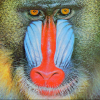
Let’s see how these 3 methods do on a test image:
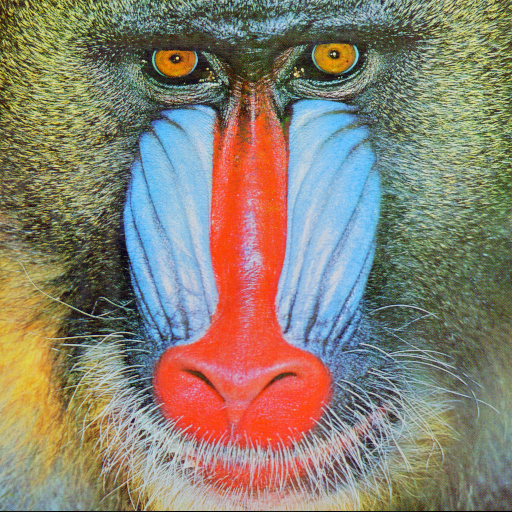
Results of downsampling by a factor of 2 using the 3 methods (implementation of the methods is left as exercise for the reader):
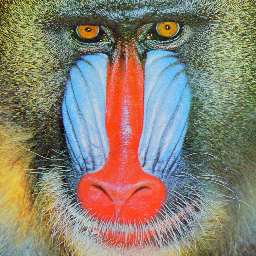 | 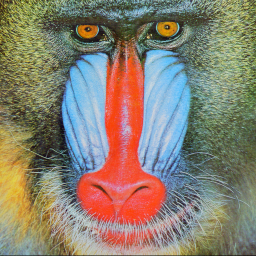 | 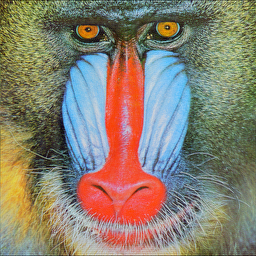 |
| Basic Downsample (11 ms) | Deluxe Downsample (23 ms) | Premium Downsample (72 ms) |
There is not much difference to be seen by the naked eye. However, consider an image of alternating black and white pixels. What would Basic Downsample by 2x give on this image? compare with Deluxe? What happens if we shift the image by 1 pixel? What happens to the output of the Basic downsampler? Is it shift invariant – meaning does it also shift by 1 pixel?
Upsampling (scaling up an image)
When we make the image bigger, we are upsampling it. Below are the 3 equivalent upsamplers:
- Basic: Simply repeat every pixel in the original image k x k times where k is the factor by which we are upsampling. E.g., if k = 2, repeat each pixel twice (along each dimension) to get the image with 2x the size. Requires k to be integer. This is also known as nearest neighbor interpolation.
- Deluxe: If you had a 1D signal (imagine a sine curve in your mind or any other curve) and was asked to upsample it, you likely wouldn’t repeat values. Instead you would simply do a linear interpolation to fill in the missing values. We can do the same thing with an image (2D signal). Instead of linear interpolation, we do a bilinear interpolation. Requires k to be integer.
- Premium: From signal processing theory, one way to upsample a signal is as follows: take the DFT of the signal and simply pad it with zeros to the new size. E.g., given a 100 x 100 image and k = 2, take the DFT of the image and pad it with zeros to make it 200 x 200. The DFT of the original signal fills in the portion from 0 to π/k of the new DFT. Now take the inverse DFT and you should have the upsampled image. Again, to see why it works refer to a good signal processing textbook. In fact, from a theoretical standpoint, this is the best way to upsample an image.
Let’s see how the 3 methods do on a test case of 100 x 100 image and k = 2.
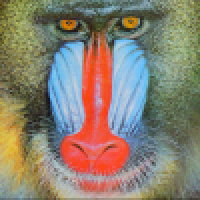 | 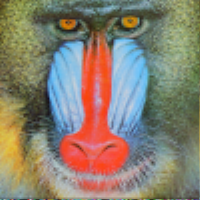 | 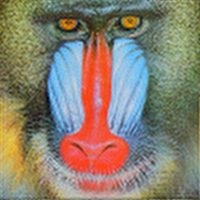 |
| Basic Upsample (75 ms) | Deluxe Upsample (81 ms) | Premium Upsample (11 ms) |
Scaling by fractional amount
To scale an image by a fractional amount e.g., k = 1.33 we can first upsample it by 4 using any of the 3 upsamplers above and then downsample it by 3. This will give 9 different results depending upon which combinations you choose. It is possible to combine the concepts of deluxe upsampler/downsampler into a single function that can scale an image by an arbitrary amount (k need not be integer or even rational number). In fact we may scale the image differently along different dimensions distorting its aspect ratio. Below is example using GDI+:
public static Bitmap scale_dot_net(Bitmap bmp, float sx, float sy)
        {
            int sourceWidth = bmp.Width;
            int sourceHeight = bmp.Height;
            int destWidth = (int)(sourceWidth * sx);
            int destHeight = (int)(sourceHeight * sy);

            Bitmap bmPhoto = new Bitmap(destWidth, destHeight, PixelFormat.Format24bppRgb);
            bmPhoto.SetResolution(bmp.HorizontalResolution, bmp.VerticalResolution);
            using (Graphics grPhoto = Graphics.FromImage(bmPhoto)) {
                grPhoto.InterpolationMode = InterpolationMode.HighQualityBicubic;
                grPhoto.DrawImage(bmp,
                    new Rectangle(0, 0, destWidth, destHeight),
                    new Rectangle(0, 0, sourceWidth, sourceHeight),
                    GraphicsUnit.Pixel);
            }

            return bmPhoto;
        }
In above GDI+ is doing all the hard work to scale the image and the exact internals are unknown although InterpolationMode.HighQualityBicubic gives a clue. This code took 70 ms to downsample and 98 ms to upsample.
My purpose here was to try some methods where I knew exactly what they were doing. I was really interested in seeing the results of the Fourier (Premium) method. For the given test image its hard to see the difference between the various methods. I will continue the post with more material.
 siddharth's space