
Like many other of its products Azure Devops is over-engineered and a pain to use. Unfortunately you might have to use it in your organization. One of the biggest problems I have run into with it is when it will not allow me to do something (such as bypass the configured policies when completing a pull request) even though I have admin privileges. It literally drives me nuts. I keep on changing the permissions in the UI and nothing happens. I have tried turning off inheritance but nothing happens. The solution is to delete the Contributors (or it could be another group in your case) group under Azure DevOps Groups.
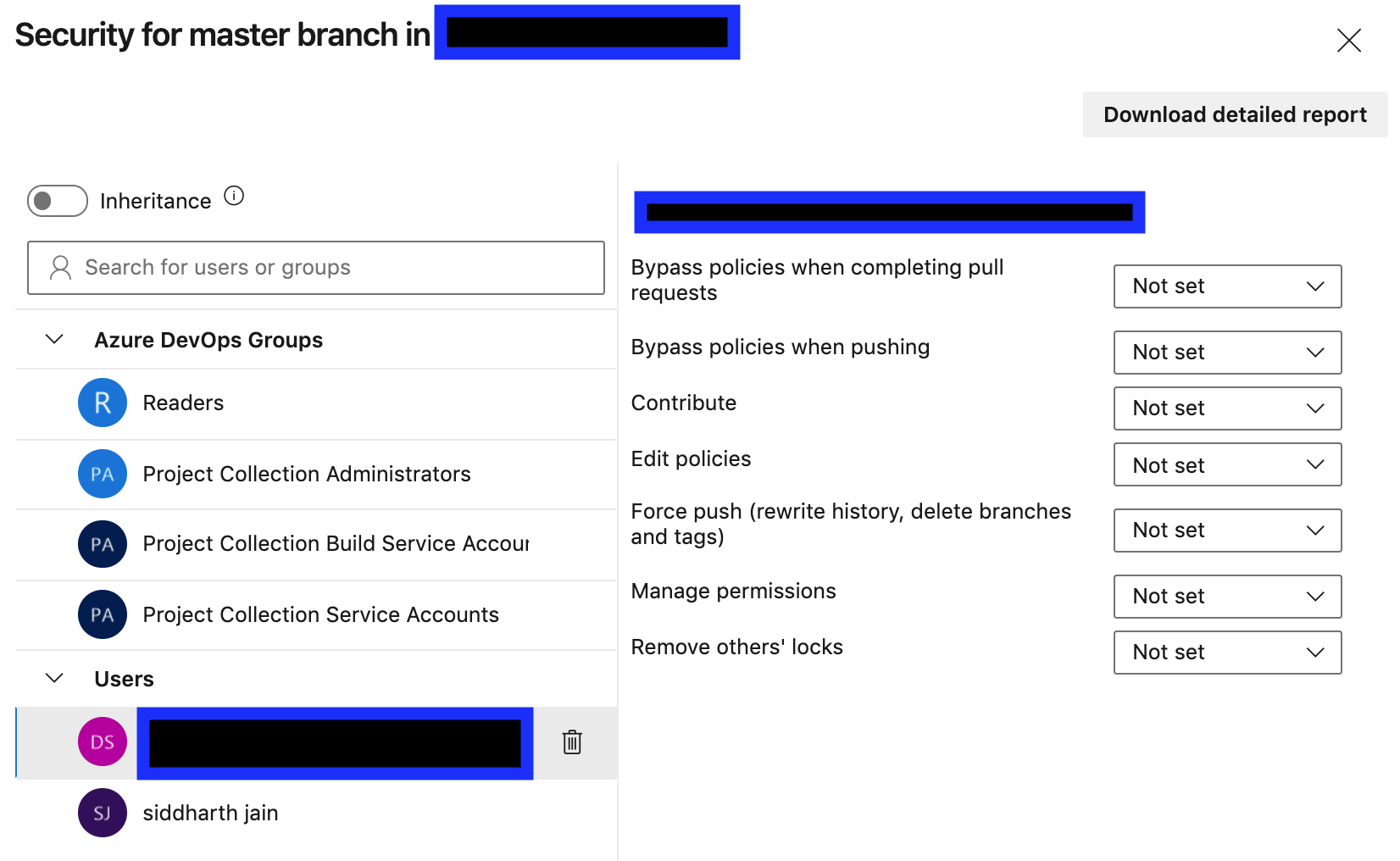
My educated guess as to what is happening here is that Contributors do not have permission to bypass policies. I am a member of the Contributors group. I end up inheriting the privileges associated with that group and there are 2 bugs thanks to the talented engineers at Microsoft:
- turning off inheritance does not turn it off
- my own settings do not override the inherited settings
so the only solution is to remove the offending group from the Azure DevOps groups. This does not delete the group from the project. It simply removes it from consideration and having any effect as far as security for the master branch (the screenshot) is concerned. Its better to add the users individually to the Users tab and manually assign permissions to them. For a large project it can be tedious.
 siddharth's space