
AsciidocFX is one dangerous program. I had it open like this. It had my root folder open in left pane and I was used to Atom where one can remove the folder by right clicking the folder and then remove
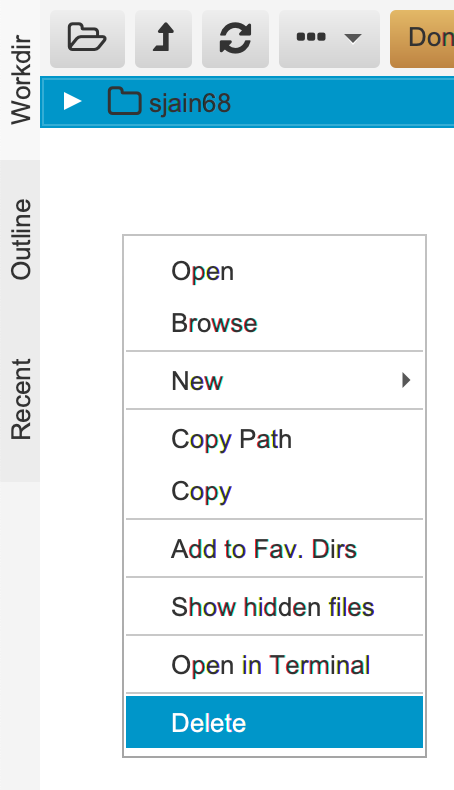
I did same thing in AsciidocFX and clicked on Delete. And what does it do? It actually deletes (rm) the folder!
Next I tried to find where can I set the Workdir. There is a settings tab on the right
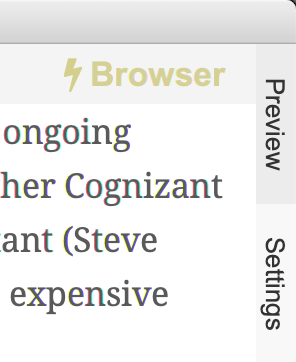
but it doesn’t show Workdir setting anywhere. You can find all the settings under
$ ls /Users/siddjain/Applications/AsciidocFX/conf
ace_doctypes.json		asciidoctor_html.json		cheatsheet			editor_config.json		public				spellcheck_config.json		themes
ace_themes.txt			asciidoctor_preview.json	docbook				extension_config.json		slide				stored_directories.json
asciidoctor_docbook.json	booksample			docbook-config			location_config.json		spellcheck			terminal_config.json
But here also I did not find Workdir. It turns out you simply double-click on the folder in the file explorer tab to change the Workdir. The left pane is to be used as a file explorer.
AsciidocFX uses a Java converter to convert adoc to PDF. This is very different from asciidoctor-pdf which uses a Ruby converter. asciidoctor-pdf converter is more mature than AsciidocFX. The future of Asciidoctor is asciidoctor-web-pdf which will convert adoc to HTML and then run a headless Chrome to save the HTML as PDF. The project is in early stage.
AsciidocFX is okay for one-pagers etc. For anything serious you should use asciidoctor-pdf. It is faster. I like using asciidoctor-pdf and Adobe Brackets to edit adoc files. Brackets comes with a asciidoc previewer and Alice offline spell checker.
 siddharth's space