
This post describes how to develop a WordPress plugin that can be used to count visits to a WordPress site. The basic idea is that we will create a table visitor_log in which we will store the timestamp, url_visited, ip_address, and user details of every visit. To do that, we need to:
- Create our plugin file (can name it anything ending with a .php) that will go under our plugin folder. The plugin folder itself is stored under wp-content/plugins. WordPress scans all folders under this directory and displays them in admin plugins dashboard. The plugin file should start with a preamble.
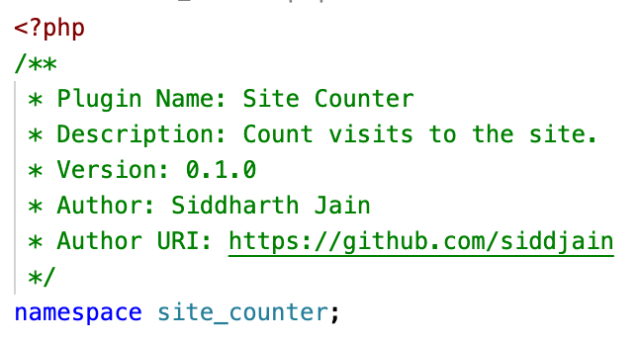
Its also a good idea to declare a namespace to avoid conflicting function names. PHP uses the character in namespace instead of the more common and readable . character used in other languages. So com.foo.myclass becomes comfoomyclass in PHP
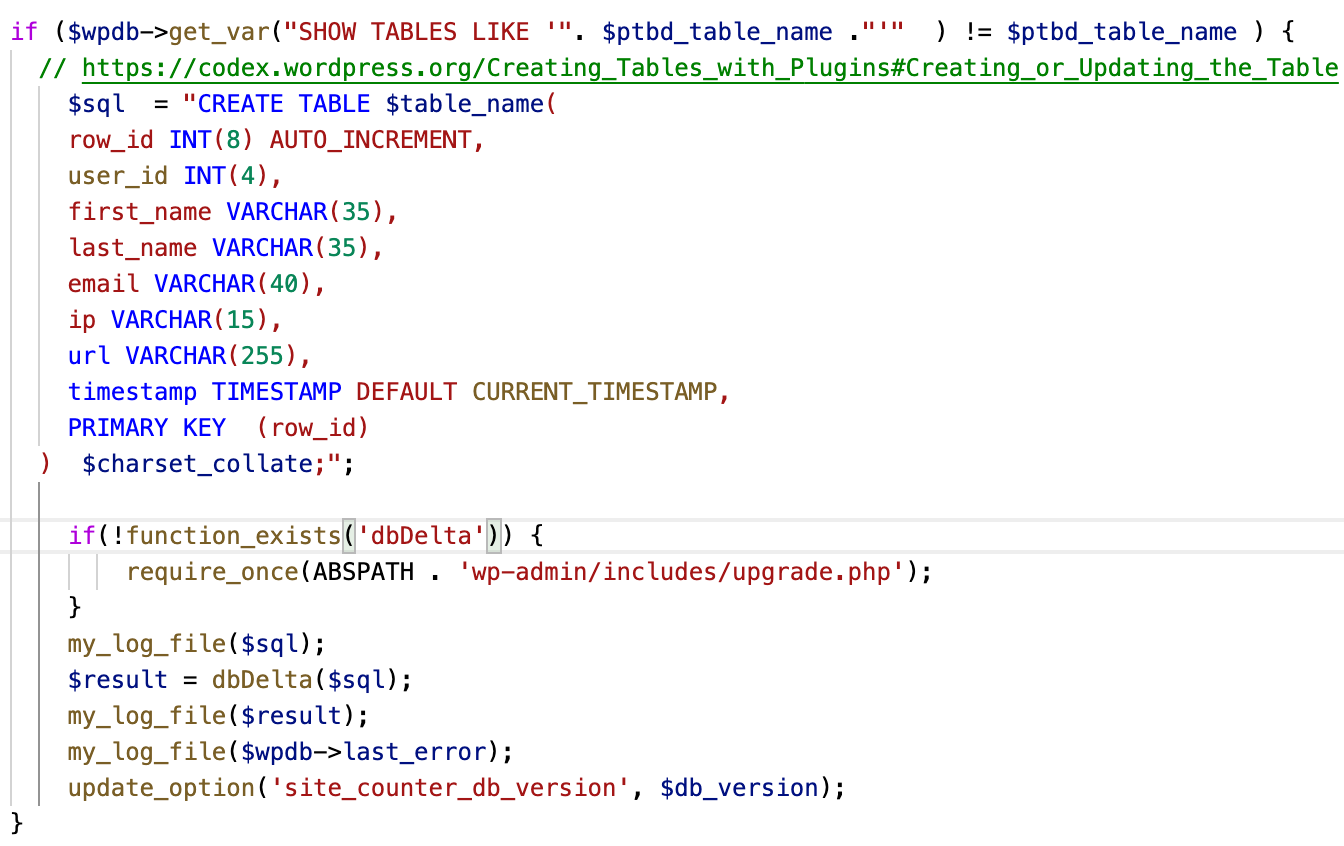
- Create the visitor_log table when plugin is activated
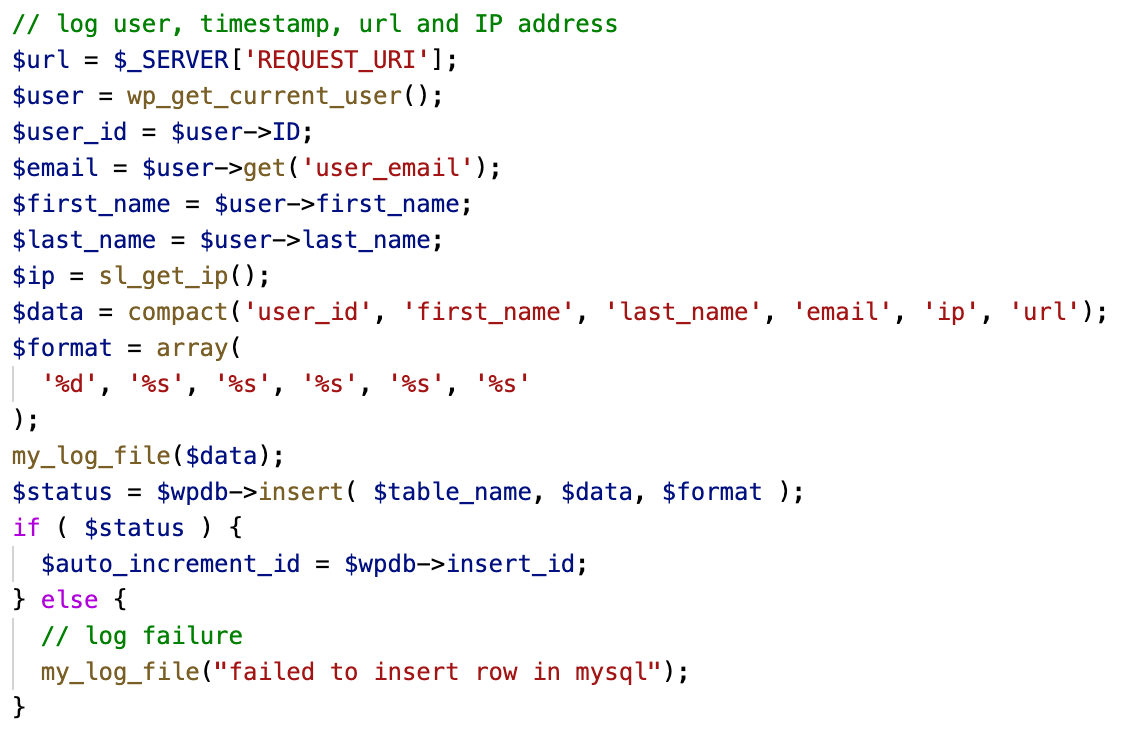
- Insert rows into the table when a page is visited
WP provides a register_activation_hook that can be used to do tasks when a plugin gets activated. We can use this hook as follows:

and then in our init_site_counter function, we can create a table like so
Finally for logging visits to the site, we subscribe to the template_redirect event

and add a row as shown below:
Exercise: The row_id variable is declared as 8 byte int which means the mysql table will be able to store

visits before the row_id variable overflows and resets to 1. In reality the disk is more likely to become full before the overflow happens. It would be good if we can auto-purge data from the table to prevent a disk-space full error. One elegant way to do this is to reduce the length of the row_id variable to lets say 4 bytes:

Now when the row_id overflows it will start overwriting the oldest records and prevent the table from growing in size which is exactly what we want except that we see an error when trying to insert a row with an id that already exists.

and if we remove the PRIMARY KEY from the table definition
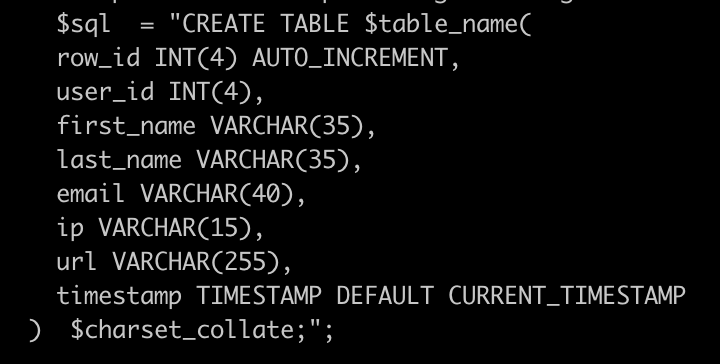
there is an error when trying to create the table. It expects a primary key to be defined

 siddharth's space
Update: It is possible to use replace instead of insert to avoid an error when inserting a row whose PK already exists. But then we run into this problem: https://stackoverflow.com/questions/2615417/what-happens-when-auto-increment-on-integer-column-reaches-the-max-value-in-data
MySQL itself will throw an error when an auto_increment field overflows
remember that any function registered in one plugin, will be available to all other plugins (unless they’re private class functions), as long as the plugin with the function is active. https://wordpress.stackexchange.com/a/16786/29199