
It is very important to backup wordpress db. This is done using mysqldump command. In the basic form:
mysqldump -u wpreader --password='password' wordpress > backup.sqlBut we need to automate this and protect the password. This is done by following the steps at https://www.linode.com/docs/databases/mysql/use-mysqldump-to-back-up-mysql-or-mariadb/.
First create a user backupagent that has necessary privileges (read and lock tables) to all the databases
mysql> CREATE USER 'backupagent'@'localhost' IDENTIFIED BY 'password'; Query OK, 0 rows affected (0.00 sec) mysql> grant select on *.* to 'backupagent'@'localhost'; Query OK, 0 rows affected (0.00 sec) mysql> grant lock tables on *.* to 'backupagent'@'localhost'; Query OK, 0 rows affected (0.00 sec)Create a file .my.cnf under $HOME directory that stores
[client] user=backupagent password=backup agent's password (put it in quotes to be safe)chmod this file to 600. Write a bash script backup.sh
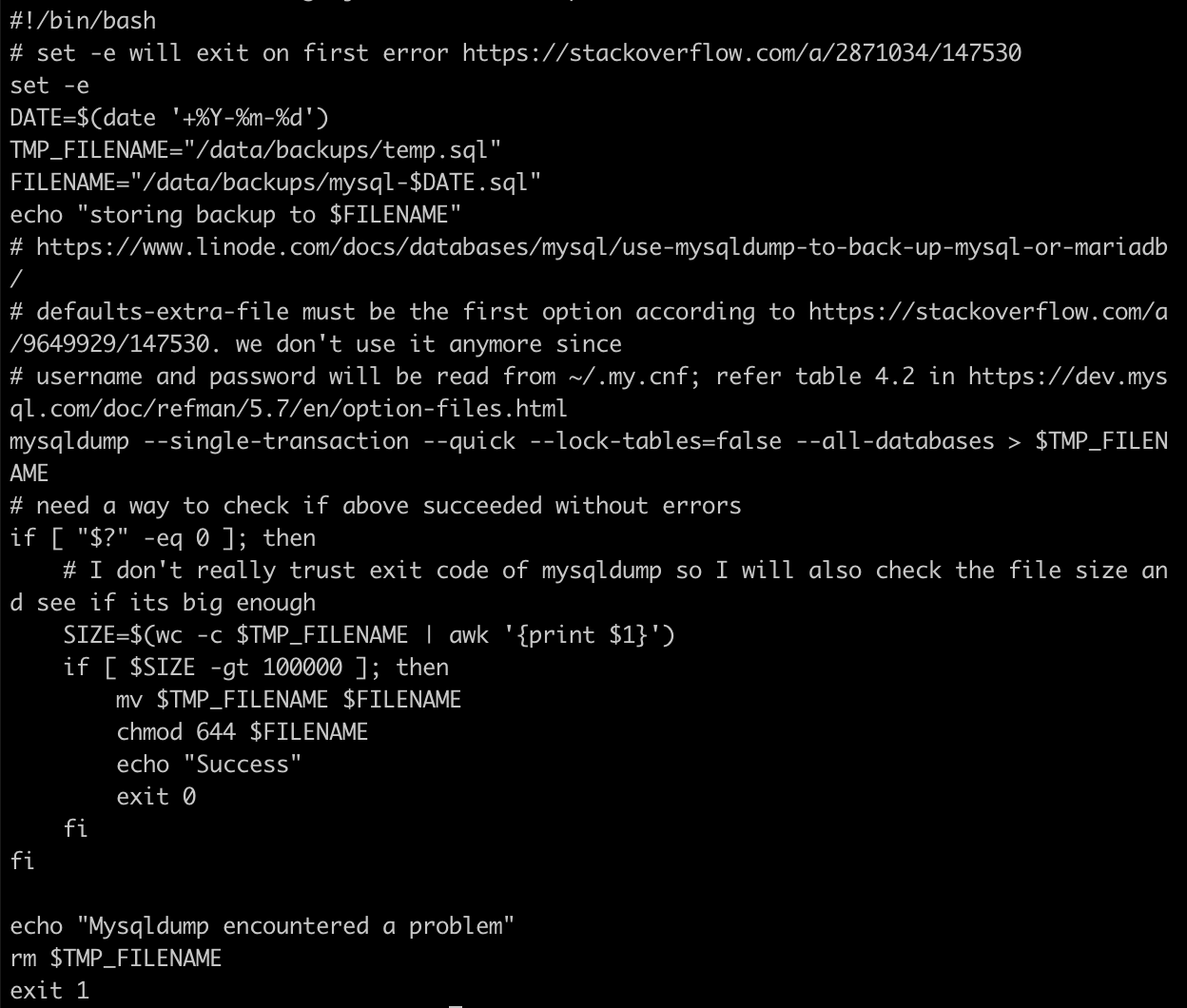
and a cronjobs.txt

and create a crontab:
$ crontab cronjobs.txtThe cron job will run under your credentials but it will only get a handful of environment variables. To see the env variable it gets, I added an entry to the cron file as explained in https://askubuntu.com/a/23438/393311
* * * * * env > /tmp/env.outputEvery minute of every day of every week of every month, that command runs. https://serverfault.com/a/162389/77118
with this, I get:
$ cat /tmp/env.output HOME=/home/siddjain LOGNAME=siddjain PATH=/usr/bin:/bin LANG=C.UTF-8 SHELL=/bin/sh PWD=/home/siddjainSomewhere I read that cron job will inherit all environment variables defined in /etc/environment but that does not seen to be the case above:
$ cat /etc/environment PATH="/usr/local/sbin:/usr/local/bin:/usr/sbin:/usr/bin:/sbin:/bin:/usr/games:/usr/local/games" siddharth's space
Don’t forget to also backup the uploads directory where media and attachments are stored. This directory defaults to /wp-content/uploads. To back it up, create following cronjob for the www-data user.
Step 1:
$ sudo crontab -u www-data -e
Step 2:
0 1 * * * tar -zcvf uploads_$(date +\%Y-\%m-\%d).tar.gz /wp-content/uploads