
Say you have a bash script that looks like
#!/bin/bash
SOME_VARIABLE=hello
some_program
where some_program is just some executable. Further this script is executed like
$ FOO=bar ./my_script.sh
Observation: the variable FOO=bar will make it to some_program whereas SOME_VARIABLE=hello will not.
To pass SOME_VARIABLE=hello to some_program turn on following flag in your script:
set -a
or put SOME_VARIABLE=hello on the same line as some_program in the script as shown below:
SOME_VARIABLE=hello some_program
It can be tested as follows
- Create a file JavaEnvironmentVariables.java with this code
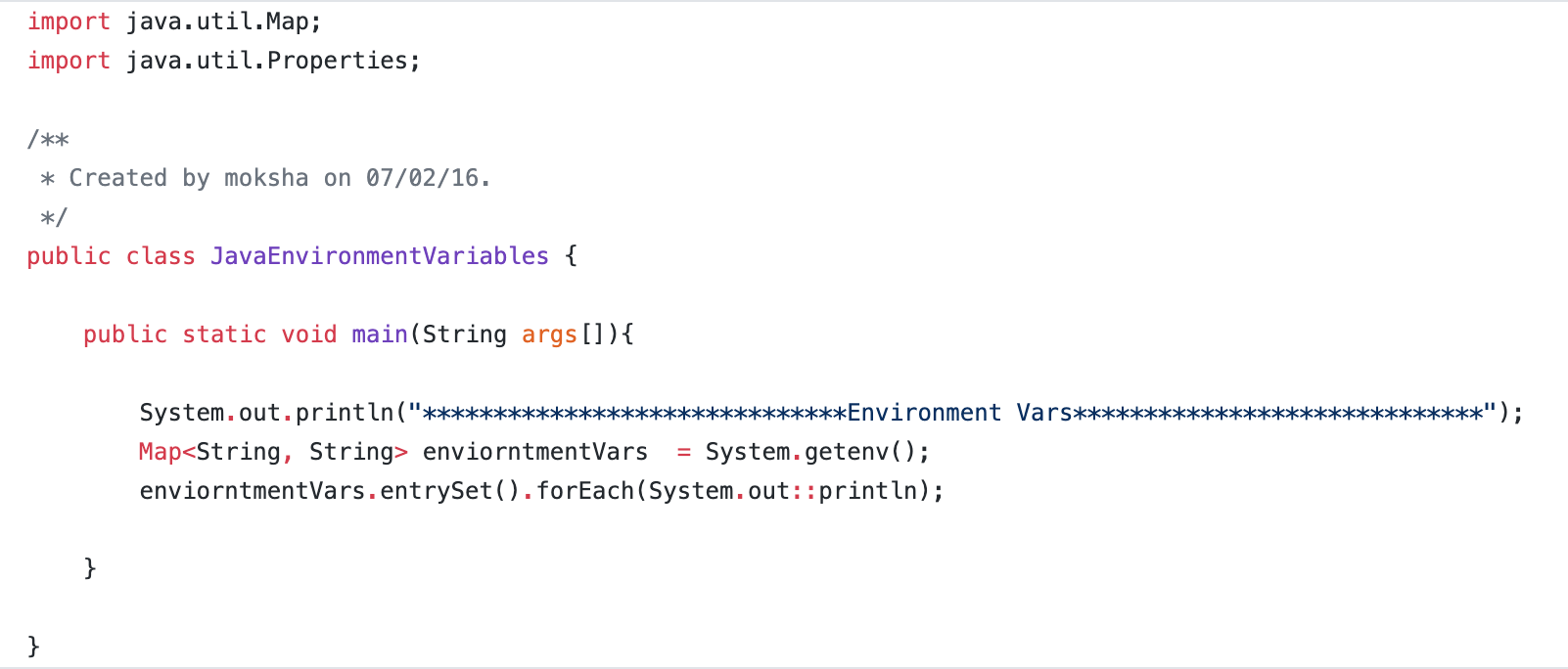
- Compile this program by running
$ javac JavaEnvironmentVariables.java - Write test script as follows
#!/bin/bashSPAM=eggs
java JavaEnvironmentVariables
- Chmod755 the script and execute it
$ FOO=bar ./my_script.sh - Observe that FOO=bar makes it to the java program but SPAM=eggs does not
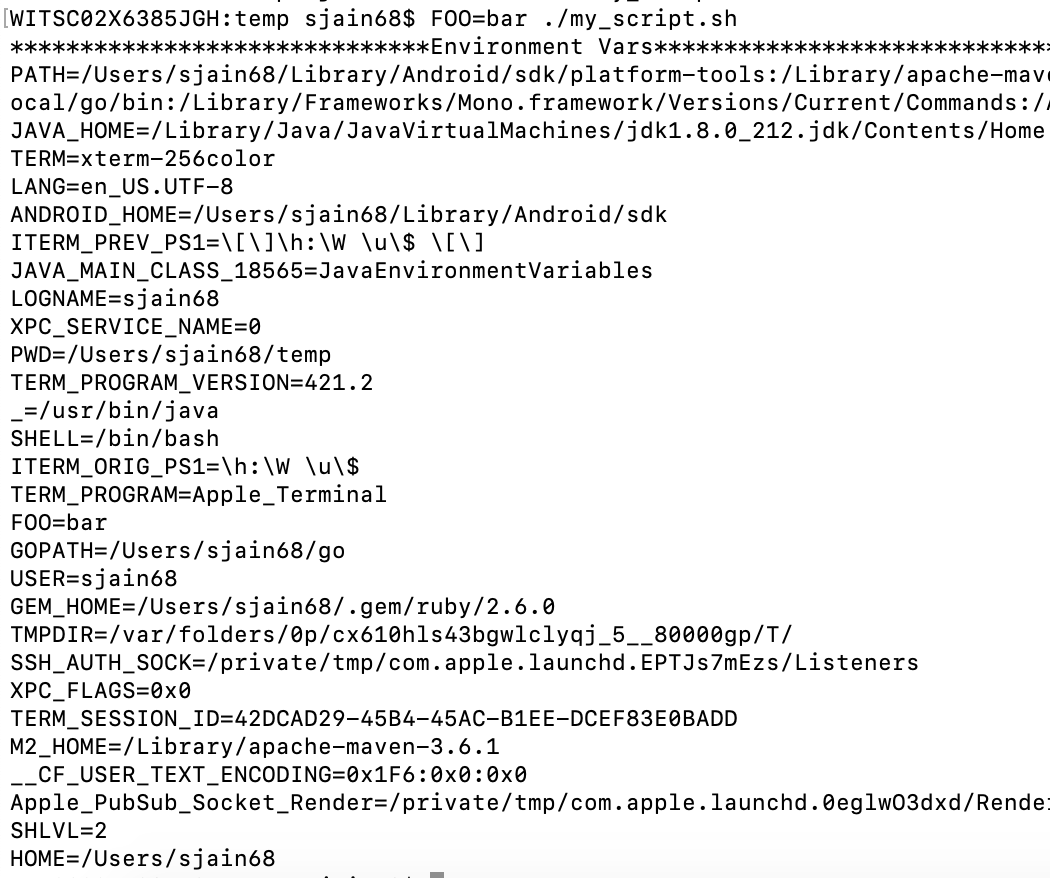 Now re-run the script again but this time add set -a to the script
#!/bin/bash
set -a
SPAM=eggs
java JavaEnvironmentVariables
- Verify
$ ./my_script.sh | grep SPAM
SPAM=eggs
 siddharth's space