
Docker volumes are a complicated beast. They can be created using the `docker volume create` command or in the docker-compose.yaml file under the volumes section. E.g.:
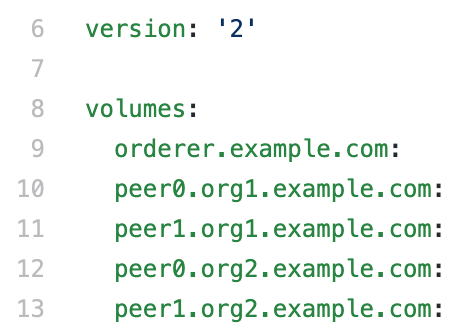
What this does is create persistent storage on the host that 1. does not get deleted when a docker container stops and exits and 2. that can be used to share data amongst containers.
To see a list of volumes on your machine, run:
“`
$ docker volume ls
“`
To get details of a volume, run (to give an example):
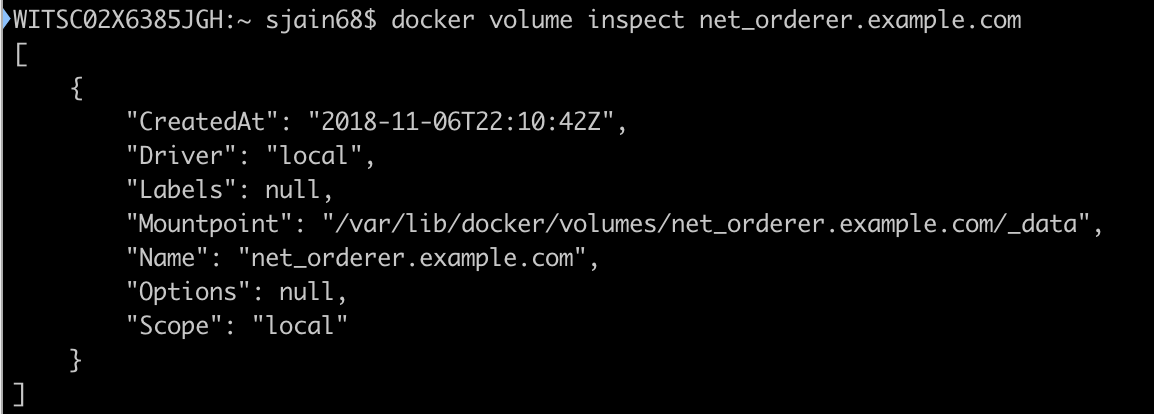
The volumes are not created as regular directories on the filesystem that can be accessed using familiar unix commands. E.g., if you try to list the mountpoint in above:

In fact there is no `/var/lib/docker`. To “get” to the volume requires some steps taken from https://forums.docker.com/t/host-path-of-volume/12277/6:
- First (on the mac) run `$ screen ~/Library/Containers/com.docker.docker/Data/vms/0/tty`. This should open an absolutely blank screen. `~/Library/Containers/com.docker.docker/Data/vms/0/tty` itself is a link to `/dev/ttys000`
“`
$ ls -al ~/Library/Containers/com.docker.docker/Data/vms/0/tty
lrwxr-xr-x 1 sjain68 staff 12 Nov 5 09:03 /Users/sjain68/Library/Containers/com.docker.docker/Data/vms/0/tty -> /dev/ttys000
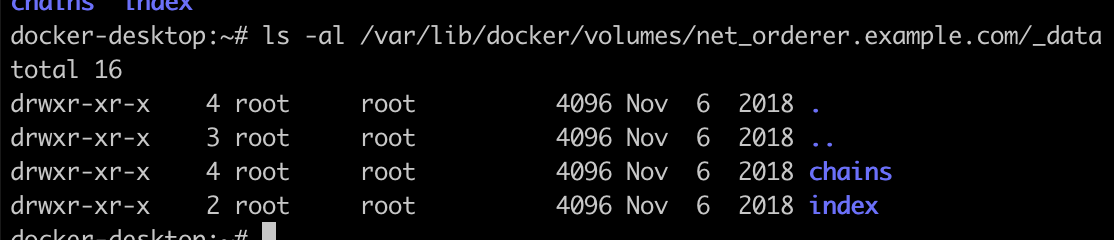
“` - Now ls the mountpoint you found earlier
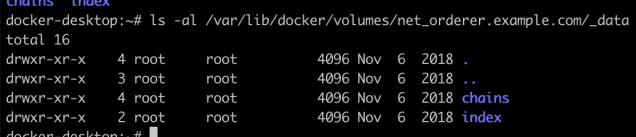
- To exit the screen type `Ctrl+A` followed by `:quit`. DO NOT type `exit` as it will mess you up. https://stackoverflow.com/a/2308595/147530

the `tty` is not a file. It is a device.
“`
$ ls -al /dev/ttys000
crw–w—- 1 sjain68 tty 16, 0 Nov 5 11:13 /dev/ttys000
“`
 siddharth's space