
The gossip service outputs very verbose and useless logs in Fabric. These messages can be seen if one tries to view the logs of a peer container.
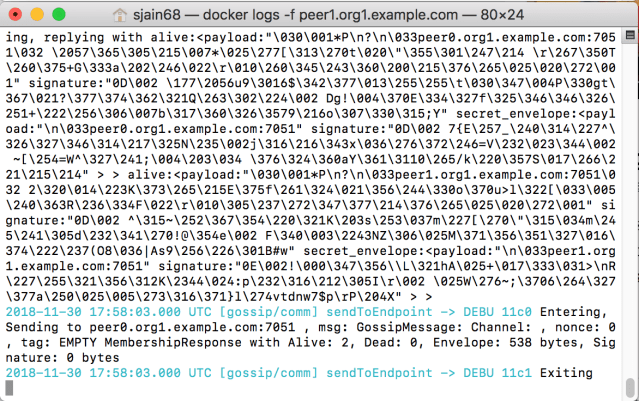
How can one get rid of them? Today i tried 2 ways none of which worked.
Method 1: This was based on what I read on the official documentation

so I added it to the base.yaml file as follows:
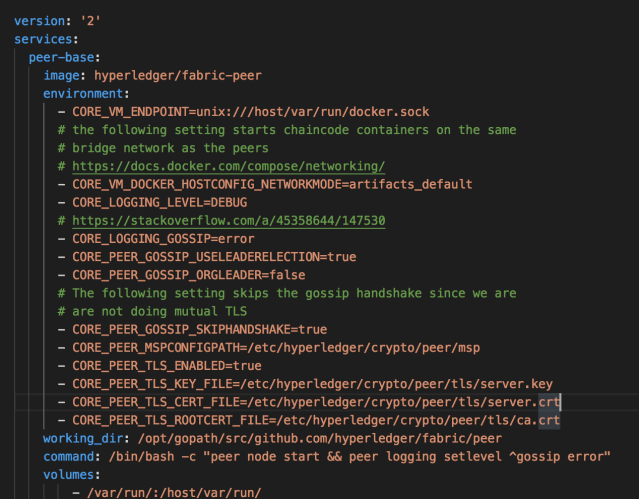
command: peer logging setlevel ^gossip error && peer node start
this actually caused some problem at runtime and the container did not start properly. Then somewhere on stackoverflow I read to use bash – c “” so I tried that:
command: bash -c "peer logging setlevel ^gossip error && peer node start"
That also did not work. Then somewhere I read not to use bash but use /bin/bash. So I tried that and no surprise that too did not work. Note to self: try running the command from the docker container of the peer and see if it works then
Method 2: This method is based on what I read here. Accordingly I added CORE_LOGGING_GOSSIP=WARNING in base.yaml and that too did not work.
11/30/18: I have now tried all possible permutations and combinations. using bash, /bin/bash, changing the order of commands, running peer logging setlevel ^gossip error from inside the peer container and none of the options will silence the gossip debug logs. So frustrated with HL Fabric.
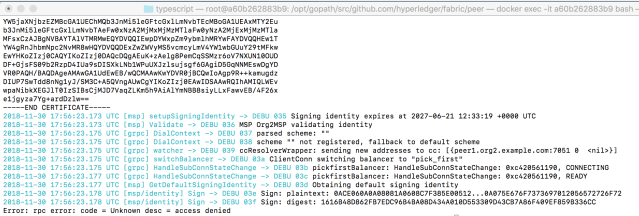
below is error message when I try to run peer logging setlevel ^gossip error from inside the container:
screenshot of base.yaml (have tried all possible permutations)
Making this note to remind myself of the constant problems I keep running into with HL Fabric. Should have chosen Quorum to develop my blockchain.
 siddharth's space