
Hyperledger Fabric (HL Fabric for short) provides an installation script that be found at https://raw.githubusercontent.com/hyperledger/fabric/master/scripts/bootstrap.sh
Running it like ./bootstrap.sh does 3 things:
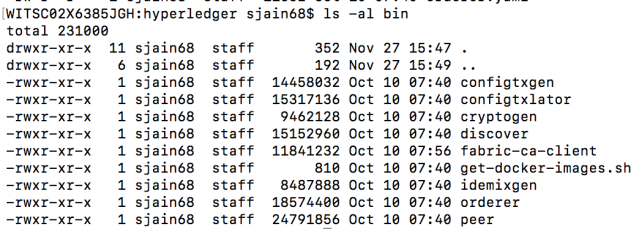
- It will create a directory named bin and install Fabric binaries in it
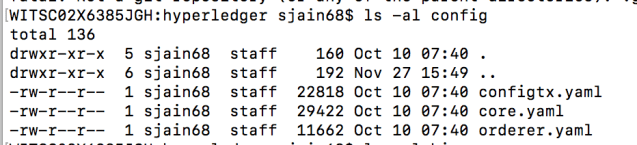
It will also create a directory named config and store some config files in it
- It will download and install docker images for fabric, fabric-ca and 3rd party tools like kafka. You can see all these images by running docker image ls
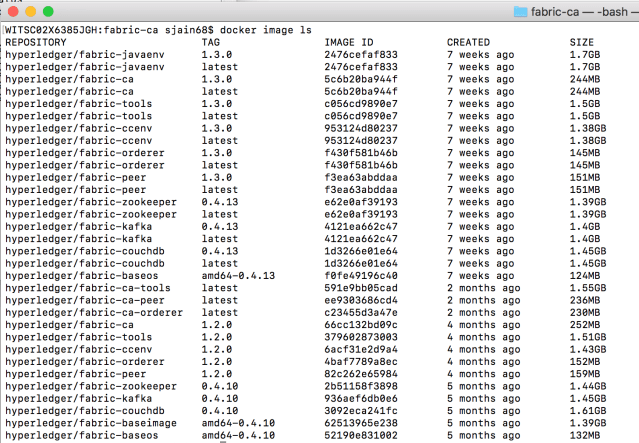
Note that images corresponding to different versions (e.g., 1.3.0 and 1.2.0) can co-exist and you can explicitly set the version to use in docker-compose.yaml like so image:hyperledger/fabric-ca:1.3.0 - It will clone the fabric-samples repository.
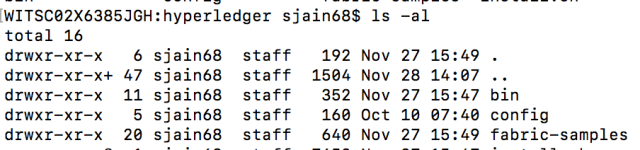
Thus you will end up with a directory that looks like this after running bootstrap.sh
Further bootstrap provides you ability to do only some of the 3 actions above. The binaries can be skipped using -b flag. The docker images can be skipped using -d flag. The samples can be skipped using -s flag. Thus if you only want to install binaries you can do so like
./bootstrap.sh -sb
Also you can specify what version you want to use

 siddharth's space