
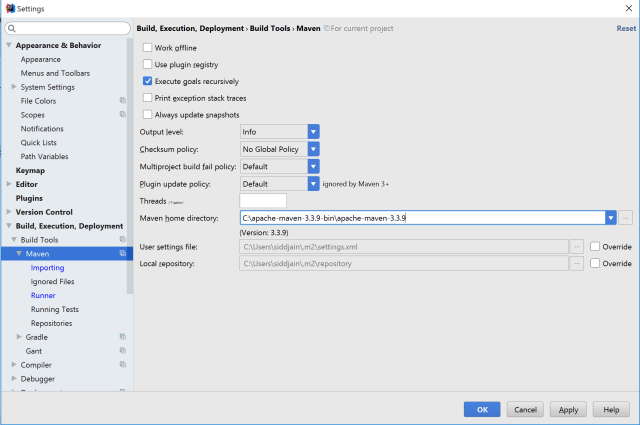
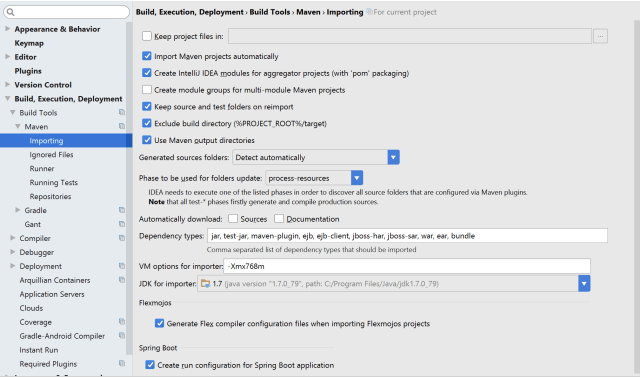
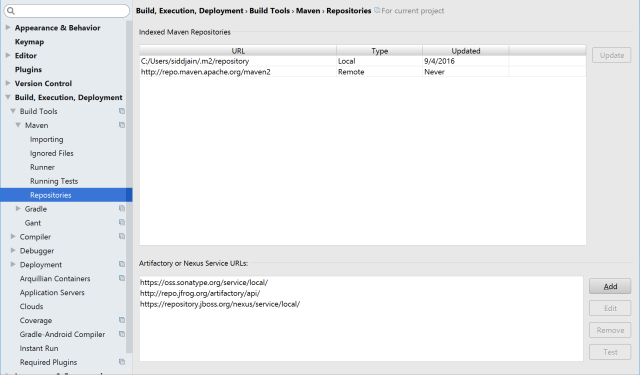
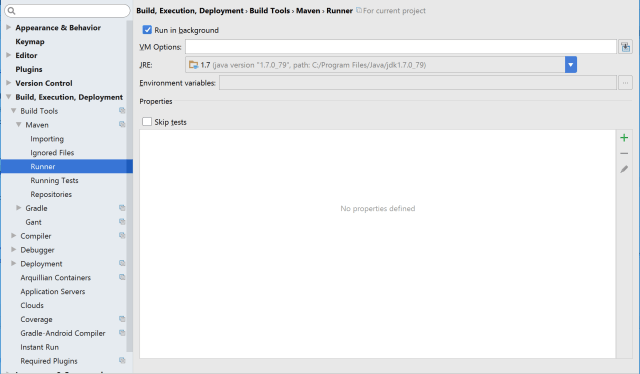
Step 1. Check that your Settings (accessed from File -> Settings) match following screenshots or equivalent:
Step 2: Close IntelliJ
Step 3: Delete all .idea directory and .iml files in your repo:
rm $(find . -name *.iml)
rm -r $(find . -name .idea)
will delete all files recursively on mac. On windows use the simpler
dir *.iml /s
dir .idea /s
Step 4: Delete IDEA system directory. On Windows the IDEA system directory is C:\Users\username\.IntelliJIdea2016.2\system
On Mac do:
rm -r ~/Library/Logs/IntelliJIdea15/*
rm -r ~/Library/Caches/IntelliJIdea15/*
Resources:
http://stackoverflow.com/a/5905931/147530:
First of all you should try File | Invalidate Caches and if it doesn’t help, delete IDEA system directory. Then re-import the Maven project and see if it helps.
 siddharth's space