
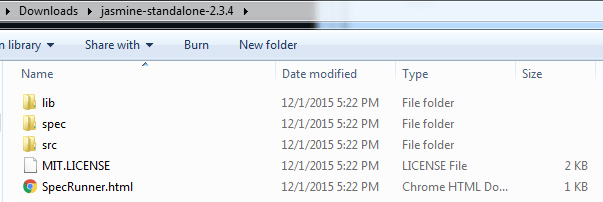
- Download Jasmine https://github.com/jasmine/jasmine/archive/v2.4.1.zip. Extract the zip file and you should see following structure
- Open Visual Studio solution containing your typescript project and add another project of type HTML5 Application with Typescript. This will be the unit test project.
- Copy the contents of lib/jasmine-2.3.4 from step 1 to your unit test project
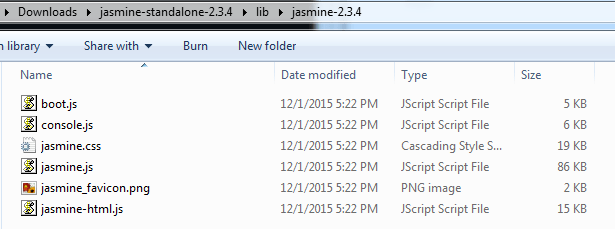 . Also copy the SpecRunner.html or you could write a new one from scratch
 - Goto https://github.com/DefinitelyTyped/DefinitelyTyped/blob/master/jasmine/jasmine.d.ts and copy the code into notepad. Save it as jasmine.d.ts under the unit test project’s directory
- Start adding unit tests to your newly created project in step 2 by adding typescript files that contain unit testing code. Look at PlayerSpec.ts for example of how to do write unit tests
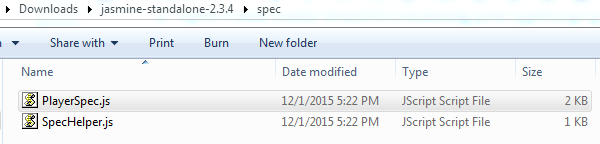
- Edit SpecRunner to load your unit test js file
- Open SpecRunner in a browser and you should see your unit test results
To run unit tests from command line you could install Chutzpah from Visual Studio -> Tools -> Extensions and Updates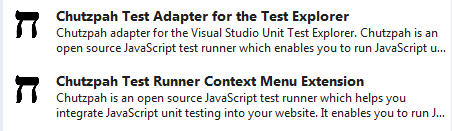 Install both the Test Adapter and the Test Runner (they do different things).
What is the relationship between Jasmine and Chutzpah? Jasmine is sufficient to add unit tests (and they can be run and debugged from Chrome/IE) but if you want to automate running them or have visual studio display the test coverage or be able to debug JS tests from within VS then Chutzpah claims to provide this functionality.
 siddharth's space